Leadtosheet.com: A Guide to Landing Page Testing
Explore how leadtosheet.com boosts landing page testing with real-time lead capture, source attribution, and AI enrichment. A complete 2026 guide.


You're running a landing page test. Variant A changes the headline, Variant B changes the offer, and traffic is coming from paid social, branded search, partner emails, and a retargeting campaign. Conversions come in, but the lead data is scattered across form tools, inbox notifications, and exports that never quite line up.
That's where a lot of testing programmes stall.
The page test itself is usually the easy part. The operational layer is the mess. You need to know which source drove the submission, which page or variant converted, and whether the lead was worth having. If that data lands late, half-complete, or trapped inside a platform someone on the team can't access, the experiment becomes harder to trust.
LeadToSheet is useful because it tackles that very specific bottleneck. It sends form submissions into Google Sheets quickly, keeps useful context attached to the lead, and gives marketers a lightweight way to review landing page performance without waiting on a CRM admin or another CSV export.
Your Landing Page Data Is a Mess We Can Fix It
A familiar pattern shows up in fast-moving growth teams. Someone launches a landing page test on Monday. By Wednesday, sales asks which variant is bringing in better leads. By Friday, nobody has a clean answer.
The issue usually isn't the test platform. It's the handoff after the conversion. Leads hit different forms, the attribution is partial, and marketers start stitching together exports by hand. One spreadsheet has names and emails. Another has campaign data. A third has notes from sales. None of them line up neatly enough to make a confident decision.
That gets worse when creative testing is running in parallel. If your team works with an on-demand creative infrastructure platform, new landing page variants and ad concepts can go live quickly, but faster production only helps if your lead reporting keeps pace. Otherwise you create more test data and less clarity.
A lot of teams also underestimate how often source tracking breaks. Hidden fields go missing. A form plugin updates. Someone clones a page and forgets to pass a variant label. Suddenly the winning page by conversion rate may not be the winning page by lead quality.
For CRO teams already refining experiment design, optimising landing pages for cleaner decision-making usually comes down to one principle. Capture the conversion and the context in the same place.
Leads without source context are barely useful for testing. You can count them, but you can't learn much from them.
That's the practical appeal of leadtosheet.com. It doesn't try to replace your whole sales stack. It gives you a much cleaner operational layer for lead capture, which is often the missing piece between “this page converted” and “this page attracted the right people”.
What Is LeadToSheet and Who Is It For
LeadToSheet sits in a useful middle ground between a form plugin and a CRM. It sends submitted form data into Google Sheets quickly, which makes it attractive for teams that need answers fast during landing page tests, but do not want the overhead of routing every experiment through a full sales system.
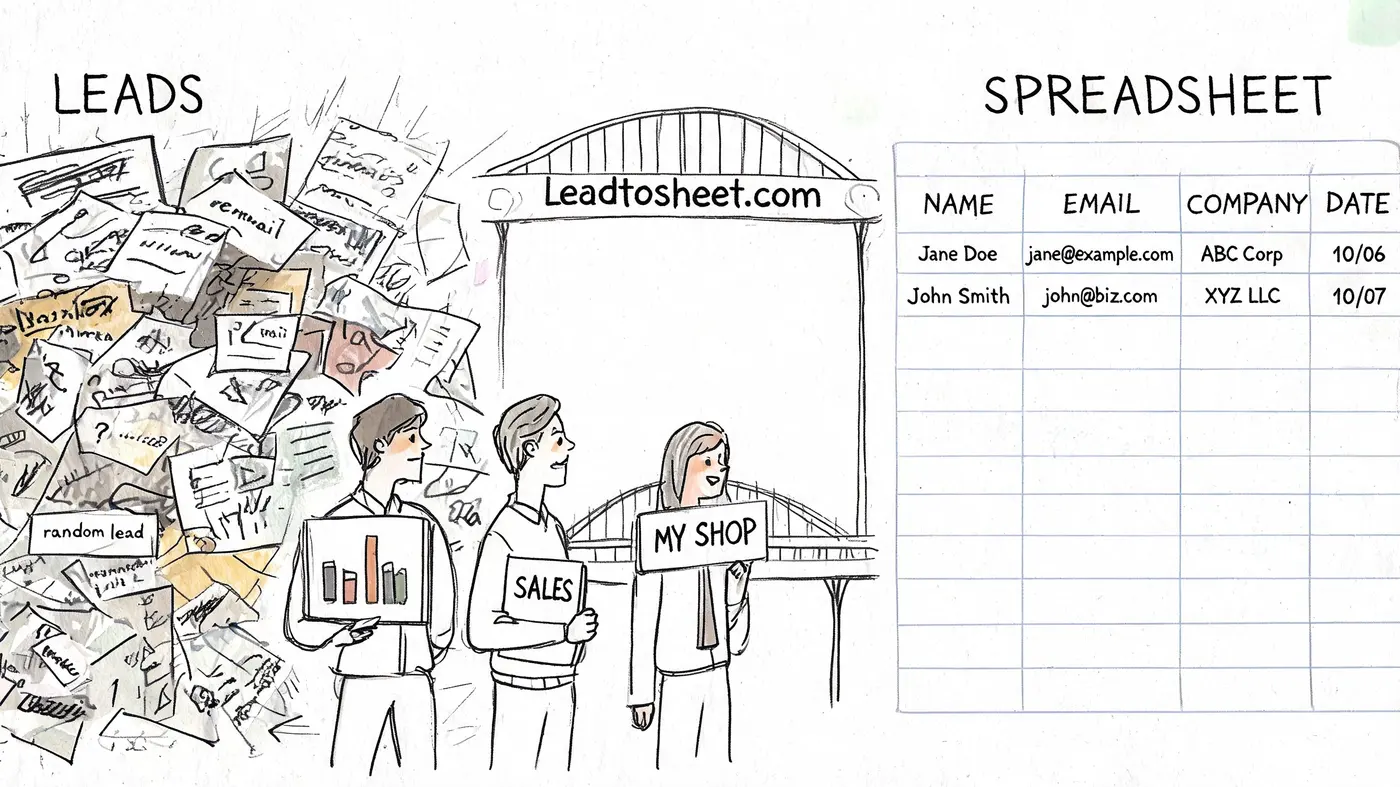
What matters is not just storage. It is visibility at the point of capture. For growth teams running multiple page variants, paid campaigns, and forms across several sites, getting lead data into one shared sheet removes a lot of friction from analysis. LeadToSheet is built around that speed and simplicity. One login can cover multiple sites, and each site can feed its own sheet and tracking setup.
That makes it a practical fit for teams using landing pages as an acquisition channel, especially when lead source matters as much as lead volume. If you are judging a page by downstream lead quality, you need clean rows with source detail, campaign context, and enough enrichment to spot patterns without waiting on CRM cleanup. That lines up with the kind of testing discipline covered in MetricMosaic, Inc. conversion rate optimisation tips.
Where it fits in a stack
I would put LeadToSheet in the operational layer of the stack. It is strongest when the job is to capture submissions fast, preserve source context, and give marketing, sales, and ops one place to review what is coming in.
It tends to fit best for:
| Team type | Why it fits |
|---|---|
| Lean growth teams | They need quick feedback on landing page performance without a long CRM setup |
| Agencies managing client campaigns | They can monitor submissions across multiple sites from one admin view |
| Consultants and freelancers | They can add structured lead capture without building custom workflows |
| Marketing teams with light sales processes | They need visibility into source and lead quality before formal handoff |
There is also a UK-specific reason this kind of tool is appealing. Teams collecting leads under GDPR and PECR often need a simpler, more auditable path from form submission to reporting. A spreadsheet is not a compliance strategy on its own, but it is easier to inspect than a chain of ad hoc exports, inbox forwards, and copied notes. If your concern is proving what was submitted, from where, and when, a clean capture layer helps.
Where it does not fit
LeadToSheet is not built for deal management, account ownership, forecasting, or complex sales permissions. If revenue teams need structured pipeline stages, SLA workflows, and detailed reporting across a long sales cycle, a CRM should stay at the centre.
The trade-off is straightforward. LeadToSheet is better for fast capture and early analysis. A CRM is better for ongoing relationship management and pipeline control.
Who gets the most value
The best-fit user is a marketer or growth lead running active landing page tests who wants source data and enrichment visible before the lead disappears into a larger system. That includes teams comparing page variants, checking whether one traffic source produces better-fit enquiries, or spotting quality differences between campaigns while they are still live.
For those teams, LeadToSheet does a specific job well. It shortens the gap between submission and insight, keeps setup light, and gives you a cleaner base for testing decisions than scattered exports or delayed CRM reporting.
Core Features for Landing Page Optimisation
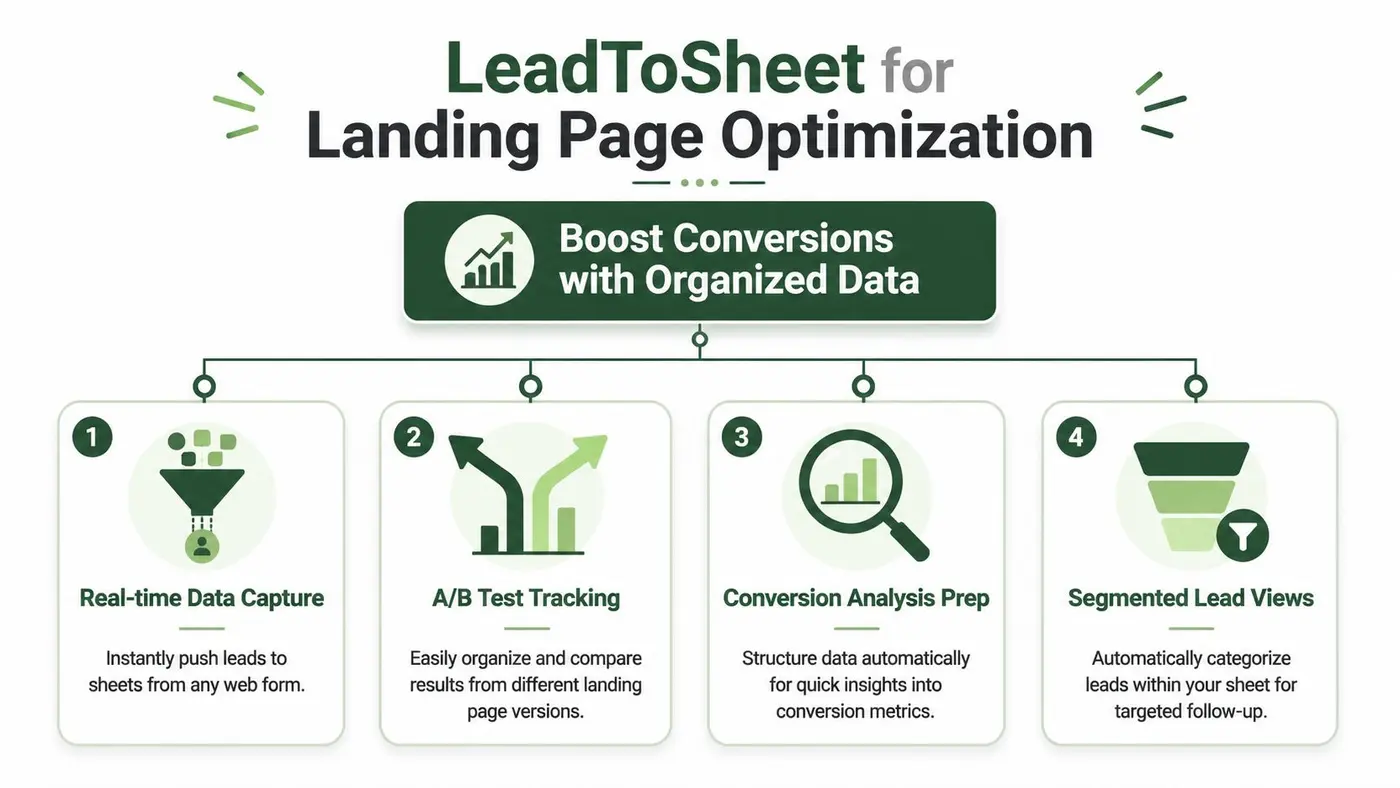
LeadToSheet becomes more valuable when you stop viewing it as a form-to-sheet utility and start using it as a landing page testing instrument. The product's strongest use case is not “store leads somewhere else”. It's “make lead quality and source visible at the moment of capture”.
Lead source identification that makes tests usable
On its form-guide pages, LeadToSheet says it captures “whatever fields are visible and submitted”, including smart fields, progressive profiling fields, and traffic-source data in guides such as its HubSpot Forms on Wix walkthrough at this LeadToSheet guide. That matters because landing page analysis lives or dies on context.
If you're testing two versions of a signup page, conversion volume alone won't tell the full story. You need to know:
- Which channel drove the lead
- Which campaign or ad set brought them in
- Which page or variant they saw
- Whether the submission still reflects the form as the user experienced it
Without that, variant analysis gets distorted fast. One page may look stronger because it attracted easier traffic. Another may deliver fewer submissions but better-fit leads from a more valuable source.
A practical setup usually includes a hidden or visible field that tags the page version or offer variant. Once that value reaches the sheet with the rest of the submission, marketers can filter by variant and compare lead quality patterns rather than just raw counts.
Better testing decisions through sheet structure
Google Sheets isn't glamorous, but it's very good at one thing. It lets teams inspect messy reality quickly.
For landing page testing, that means you can sort rows by source, compare submissions by campaign, and add qualification labels without exporting data into three different tools first. If your team already uses spreadsheet-based analysis, LeadToSheet keeps that process intact instead of forcing a workflow change.
A useful habit is to structure the sheet around analysis, not storage. Keep separate columns for landing page name, test variant, source context, and internal qualification. That turns the sheet into a working decision tool.
If you're tightening your experimentation discipline more broadly, these MetricMosaic, Inc. conversion rate optimisation tips are worth reviewing alongside your lead capture workflow.
If your test data can't be segmented cleanly by source and variant, the problem usually isn't the analysis. It's the capture layer.
AI enrichment and lead classification
LeadToSheet also positions AI as part of the post-capture workflow, including classifying leads into labels such as Qualified, Nurture, or Disqualified. That's useful for a very specific reason. It pushes teams beyond counting form fills.
Landing page teams often celebrate a lift in submissions while sales reports that the new traffic is weaker. AI-assisted enrichment and classification can help close that gap by making quality signals visible earlier in the sheet.
Used well, this changes how you judge tests:
- Variant A may generate more leads overall
- Variant B may bring in fewer leads, but more rows marked as worth fast follow-up
- A source that looks efficient on paper may be feeding low-intent enquiries
The caution is obvious. If AI classification affects decisions, teams should treat it as an operational aid, not unquestioned truth. Review the labels against real sales outcomes and keep human checks in the loop.
What works and what doesn't
What works best is simple:
- Use clear variant labels in the submitted data
- Keep your source fields consistent
- Review quality alongside quantity
- Build one shared sheet view for growth and sales
What doesn't work is expecting automatic enrichment to solve weak test design. If the form setup is inconsistent, the landing page variants aren't tagged properly, or the handoff to sales is loose, the sheet will expose the mess rather than fix it.
That's still useful. It's just less comfortable.
How LeadToSheet Works A Quick Setup Guide
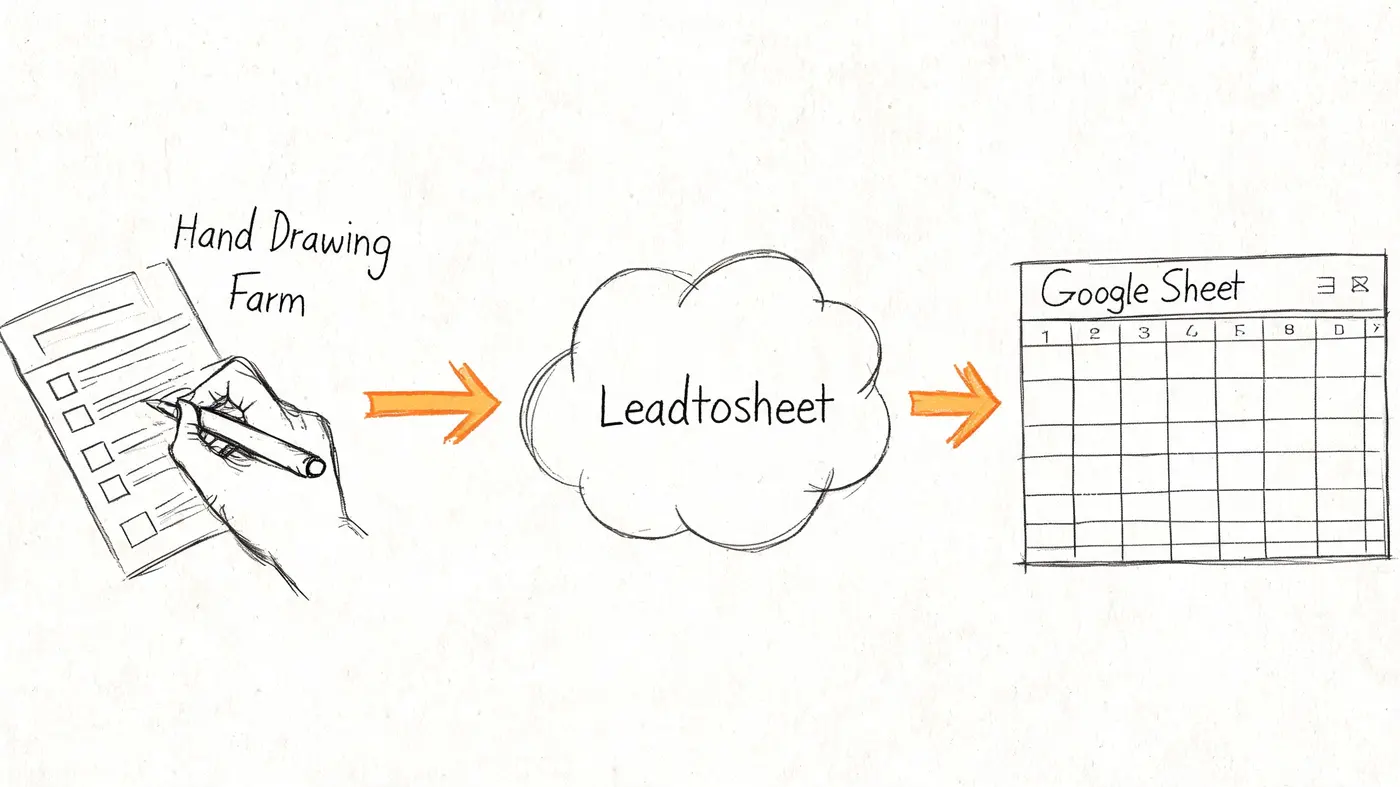
LeadToSheet's setup is straightforward because the product is designed around a lightweight capture model, not a backend integration project. For most marketing teams, that's the point. You want to connect the form and start seeing rows appear.
The basic setup path
The workflow is usually three moves.
-
Connect your Google account
This gives LeadToSheet permission to work with the spreadsheet destination. -
Add the tracking script to the site
Teams typically place this in the site header or deploy it via tag management. -
Tell LeadToSheet which form to watch
Once the script can detect the correct form submission event, rows start flowing to the sheet.
That simplicity is a real advantage for teams running active experiments. You don't need a backend engineer to create a custom endpoint just to capture form submissions for a landing page test.
Why marketers like this model
The implementation style suits short-cycle testing because it respects the existing stack. You can keep your current form builder, your page builder, and your reporting habits. LeadToSheet just adds a live spreadsheet layer on top.
That also makes it easy to pair with experimentation workflows already built around rapid page changes. If your team is already used to creating website tests quickly, adding a form capture layer that doesn't demand server work is a sensible operational match.
Setup mistakes to avoid
The most common problems aren't hard to understand. They're usually process issues.
-
Wrong form target
If the page has multiple forms, make sure the intended one is being monitored. -
Missing test metadata
If you want to analyse variant performance later, pass the variant label in the submitted payload. -
No validation pass after publish
Always submit a real test lead after launching a page update.
A clean first-party test submission is worth more than assuming the script is working because the page loaded correctly.
What the quick setup doesn't solve
The setup is fast, but speed doesn't remove responsibility. You still need field hygiene, internal naming standards, and access controls on the destination sheet.
That's the trade-off with tools like this. You can launch quickly, but disciplined teams get the most value because they treat the sheet as production data, not a temporary scratchpad.
Integrations and Practical Use Cases
LeadToSheet is more flexible than many marketers expect because it doesn't force one rigid route into Google Sheets. Its public integration model is centred on client-side monitoring and it supports mainstream stacks including WordPress, Shopify, Webflow, Squarespace, Wix, and custom sites, as described on LeadToSheet integrations.
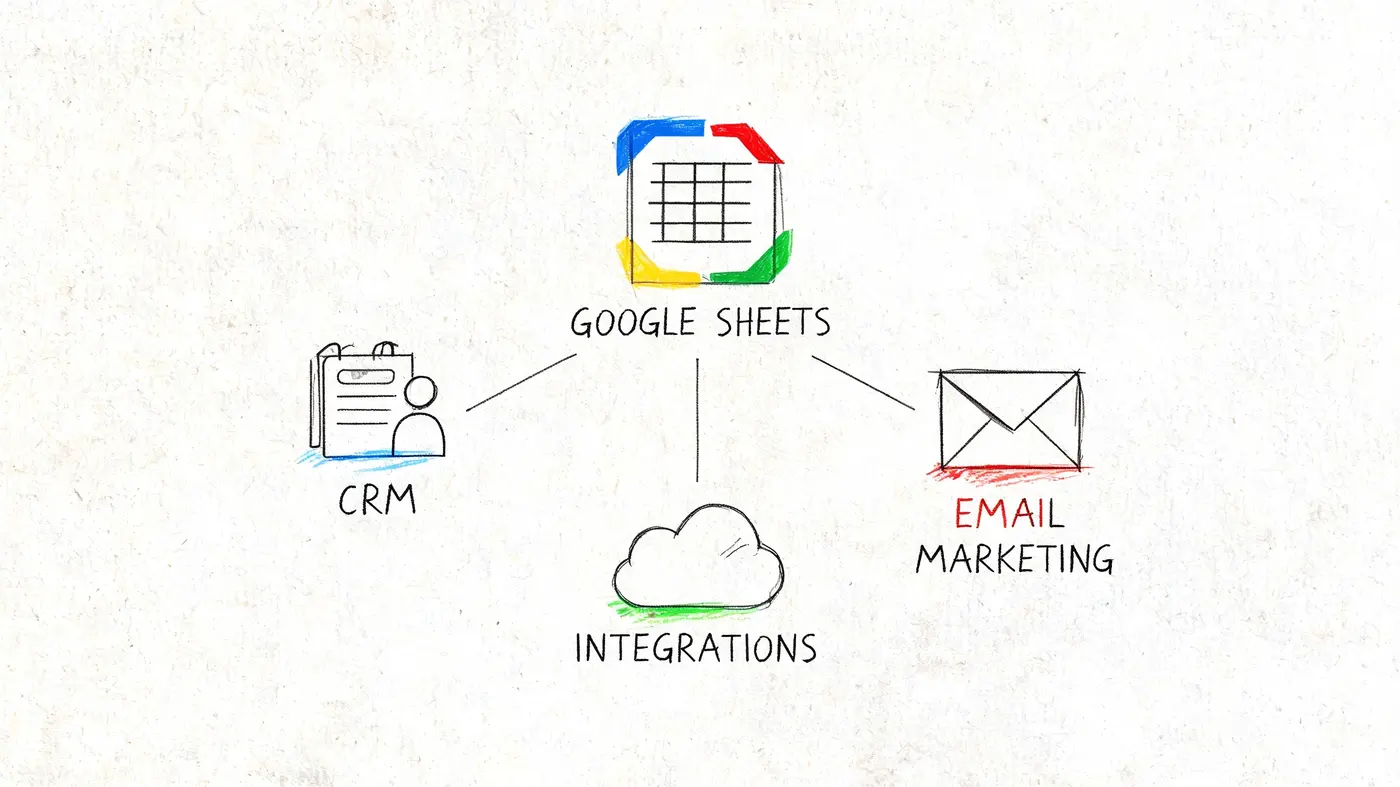
That matters for agencies and in-house teams with mixed stacks. Very few teams live in a tidy single-platform world. One client is on WordPress with Gravity Forms, another is on Shopify, and a third has a custom landing page with plain HTML forms.
Why the integration model matters
A client-side approach is often faster to deploy than backend middleware. For marketers, that means less waiting and fewer dependencies. For agencies, it means one operational pattern can cover a broader mix of sites.
There's a trade-off. Implementation quality depends on the front-end structure of the site and the way the form is rendered. Browser-level capture is convenient, but it rewards teams that test submissions after launch.
If you're evaluating where this sits alongside testing tools and broader martech workflows, these Otter A/B integration docs are a useful reference point for how lightweight site tools can fit into a mixed environment.
Three practical use cases
The A/B tester
This is the cleanest use case for leadtosheet.com.
A marketer adds a variant identifier to each landing page form. When submissions arrive in the sheet, the rows already carry the page context. The team can then review not just which page converted, but which page attracted the better leads by source, offer, or qualification status.
This works especially well when the test is about offer framing, not cosmetic changes. If one version attracts more bargain hunters and another attracts stronger-fit B2B leads, the sheet gives you a usable way to see the difference.
The agency operator
Agencies often need one login, multiple sites, and separate reporting views. LeadToSheet's multi-property setup is built for that sort of operating model.
A practical agency workflow looks like this:
- Client-level separation with one sheet or tab per property
- Consistent field naming so the same reports work across accounts
- Shared visibility for account managers without exposing other systems
- Quick troubleshooting when one client's form setup changes
This is one of the clearest places where a spreadsheet-first tool beats a more elaborate platform. The agency doesn't need to provision CRM access for every stakeholder just to show raw leads.
The launch team
For launches, timing matters more than sophistication. Teams want to watch signups arrive, monitor campaign response, and react fast if one channel or landing page starts outperforming the rest.
Because the destination is a live sheet, teams can build simple internal dashboards, route follow-up tasks manually, or keep leadership updated without waiting for a formal reporting cycle. It's not elegant enterprise architecture. It is effective for short bursts of activity.
Where integrations can break down
Not every form environment behaves the same way. Dynamically injected forms, embedded tools, and unusual front-end patterns may need more careful handling than a standard native form.
That doesn't make leadtosheet.com a bad fit. It just means you should treat implementation as a real deployment task, not a checkbox. Fast tools still need a proper QA pass.
Pricing Security and UK Compliance
Run a landing page test for a week and you can end up with a sheet full of names, emails, phone numbers, UTM tags, ad variants, and AI-enriched company details. That is useful marketing data. It is also personal data, and UK teams need to treat it that way from the first submission.
Pricing is usually the easy part of the decision. The harder question is whether LeadToSheet gives you enough control for the way your team works.
If your main job is to capture leads fast, compare landing page performance by source, and get that data into a sheet your team already uses, the value is straightforward. You avoid manual exports, you see which page or campaign is producing qualified enquiries, and AI enrichment can add context that helps you judge test quality instead of just form volume.
Costs rise when teams expect CRM behaviour from a spreadsheet-first tool. LeadToSheet is strong at intake and visibility. It is weaker at permissioning, audit trails, lifecycle management, and structured follow-up once the lead moves beyond the first conversion event. That does not make it the wrong choice. It means you should use it for what it does well and hand leads off to a CRM when sales process complexity starts to matter more than setup speed.
UK compliance needs a working setup, not generic advice
For UK marketers, GDPR and PECR are practical configuration issues. If you are using LeadToSheet to support landing page testing, set it up so each row carries enough context to explain both source and consent.
A sensible configuration usually includes:
-
Separate source fields from consent fields
Keep UTM source, campaign, landing page, and test variant in dedicated columns. Keep consent status in its own column so attribution data does not get mistaken for marketing permission. -
Capture the form notice version
Add a hidden field for the privacy notice or consent copy version used on that page. If you change wording between tests, you can still show what the user saw at submission time. -
Limit enrichment to a clear purpose AI enrichment is useful for qualification and routing, especially when you want to know whether a variant is attracting students, owner-operators, or larger firms. It should map to a defined business purpose, not become an excuse to append extra data you do not use.
-
Control who sees enriched fields
A copywriter reviewing page tests may need source and conversion data, but not phone numbers or appended company details. In Sheets, that often means separate tabs, filtered views, or a downstream sync for wider reporting. -
Set a retention rule by sheet or campaign
Test data piles up quickly. Archive or delete records that no longer serve a sales, reporting, or compliance purpose. -
Use Google Workspace controls properly
Two-factor authentication, restricted sharing, and named account access should be standard if the sheet contains lead data.
PECR needs its own check. A form fill can justify a sales follow-up in some cases. It does not automatically give you permission to add that person to broader email marketing. If LeadToSheet is feeding both lead handling and campaign lists, store those decisions separately so your team does not blur an enquiry with marketing consent.
Where the fit is strongest
LeadToSheet works best when speed matters more than process depth. That is common in paid landing page programs, local lead gen, launch campaigns, and agency reporting where marketers need to see source-level submissions quickly and judge whether a page test is improving lead quality.
The primary trade-off is governance overhead. A fast sheet-based workflow saves time at the top of the funnel, but your team still needs rules around access, retention, consent tracking, and CRM handoff. Set those upfront and the tool can be a very efficient layer for testing and early qualification. Skip them and the convenience wears off fast.
Frequently Asked Questions About LeadToSheet
Is LeadToSheet a CRM alternative
Not really. It's better viewed as a lead capture and visibility layer.
If you need immediate access to submissions, source context, and a working spreadsheet for marketing or ops, it's a good fit. If you need deal stages, ownership rules, account histories, and structured pipeline reporting, you'll still want a CRM.
How reliable is the AI lead qualification
Useful, but not self-explanatory.
A real open question for UK users is what happens after capture. Public discussion around the product notes that while LeadToSheet's AI can classify leads, its documentation does not clearly explain how to audit that logic or plug it into a UK sales process where response speed matters, as discussed in this sales workflow content gap analysis. That means teams should treat AI labels as a triage signal, then validate them against actual sales outcomes.
When does Google Sheets stop being enough
Usually when volume, complexity, or access control becomes the bigger problem than simple visibility.
A sheet works well when marketers need to inspect leads, compare test variants, and hand off fast. It becomes less comfortable when multiple teams need strict permissions, audit trails, and structured lifecycle workflows. That's often the point where LeadToSheet should feed another system rather than act as the only one.
Does it work with every form
No tool like this works cleanly with every possible setup.
LeadToSheet is strongest when forms are rendered in a way its capture model can monitor well. More complex embedded environments can require workarounds or different integration patterns. The practical move is to test your exact form stack, not assume compatibility based on platform name alone.
Is it good for landing page testing specifically
Yes, if your goal is to connect conversion data with source context and early lead quality signals.
That's where leadtosheet.com stands out. It gives marketers a way to judge landing page tests on more than raw submission totals, and that usually leads to better decisions.
If you're already improving how leads are captured after a form submission, the next step is improving what happens before the submission. Otter A/B helps teams test headlines, CTAs, layouts, and offers quickly, so you can pair cleaner lead capture with faster experimentation and make landing page decisions with more confidence.
Stop guessing
Ready to start testing?
Set up your first A/B test in under five minutes. No credit card required.
- 14-day free trial
- No credit card required
- Cancel anytime