Fake Door Test: A Guide to Validate Ideas Fast
Learn how to use a fake door test to validate product ideas before you build. Our guide covers design, implementation with Otter A/B, metrics, and pitfalls.

The meeting usually starts the same way. Product wants to build the feature because customers have mentioned it. Sales says prospects ask for it. Engineering knows it will take real effort. Nobody can prove whether people will use it once it ships.
That’s where a fake door test earns its place.
Instead of arguing over opinions, you put a realistic entry point in front of real users. A button. A menu item. A pricing option. A feature card. If people click, you’ve got a behavioural signal. If they ignore it, you’ve just avoided building on hope.
Stop Debating and Start Testing
Organizations often don’t lack ideas. They lack evidence.
A fake door test is one of the cleanest ways to settle feature debates because it measures what users do, not what they say they might do. That difference matters. In planning sessions, almost every idea can sound reasonable. In the product, users reveal what deserves attention.
The cost of skipping validation can be painful. One published example describes a SaaS company that wasted £400K building a feature based on assumptions rather than demand signals, as covered in the Notino UX case study discussion. That’s the practical case for testing first. A fake door doesn’t remove uncertainty, but it makes the uncertainty visible before the expensive work starts.
What the test settles
A fake door test is useful when the team is stuck on questions like these:
- Will people try this at all. Not in a survey. In the product.
- Does the idea deserve a slot in the roadmap. Interest is easier to defend than enthusiasm in a workshop.
- Which version of the idea pulls harder. The concept may be right while the framing is wrong.
- Whether urgency is real. Some “important” features are only important when asked about abstractly.
Practical rule: if a feature will take meaningful design and engineering effort, give yourself one chance to measure intent before you commit.
This fits into broader product discovery work. If you’re still early and need a wider framework for finding evidence of market need, use that before you get too attached to any specific build. Then bring the fake door test into the process when you need behavioural proof inside the product or on a landing page.
A good test also starts with a strong idea selection process. If you need a way to narrow the queue before you experiment, this guide on deciding what to A/B test is a useful filter.
Why this works better than another meeting
A fake door test changes the conversation from “Who’s right?” to “What did users do?”
That’s healthier for teams and better for prioritisation. It lowers the emotional temperature, exposes weak assumptions early, and gives product managers something concrete to act on: build, refine, or drop.
What Is a Fake Door Test and When to Use It
A fake door test presents something that looks available even though it hasn’t been built yet. The user clicks expecting to access a feature, plan, or offer. Instead, they reach a message such as “Coming soon” or an invitation to join a waitlist.
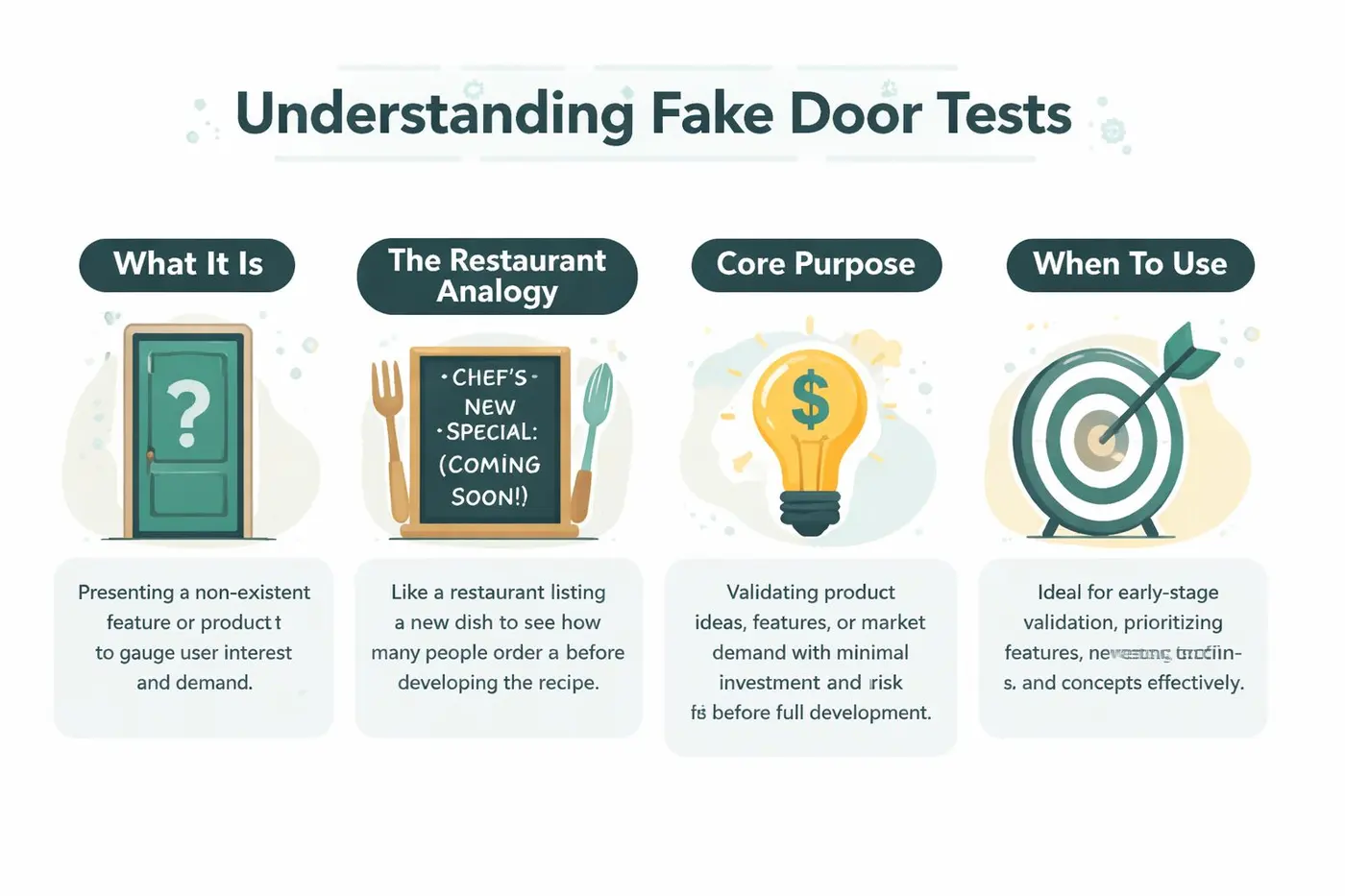
The simplest analogy is a restaurant putting a new dish on the menu board before adding it to the kitchen workflow. If nobody orders it, the chef avoids wasted prep. If lots of diners ask for it, the restaurant has evidence before investing more time and stock.
What it actually measures
It measures expressed intent through action.
That’s narrower than full product validation, which is why fake doors are so useful and so easy to misuse. A click tells you the offer attracted attention and interest. It does not tell you the feature will be loved after launch, or that the final implementation will solve the problem well.
Here’s a practical comparison:
| Method | What users see | What you learn |
|---|---|---|
| Fake door test | A feature or offer that looks real, but ends in a reveal | Whether people show initial interest |
| Landing page smoke test | A page describing an offer before it exists | Whether the proposition attracts demand externally |
| Wizard of Oz test | A working-looking feature powered manually behind the scenes | Whether users get value from the experience |
| Prototype test | A rough version of the real interaction | Whether users understand and can use the solution |
When it’s the right tool
Use a fake door test when you need an answer fast and the main unknown is demand.
It works especially well for:
- New product features inside a live SaaS or e-commerce experience
- Premium plan ideas where you want to test whether people explore an upgraded offer
- New service lines that would require staffing or fulfilment changes
- Bundles, subscriptions, or add-ons where demand is uncertain
- Navigation changes when you want to see whether users seek a capability proactively
A fake door test is best when the hardest question is “Will anyone try this?” It’s the wrong tool when the harder question is “Will this actually work well once they do?”
If you’re still pressure-testing the assumptions behind the business idea itself, this piece on testing your startup assumptions is a helpful companion. It sits one layer above the fake door test and helps frame what you’re really trying to prove.
When not to use it
Don’t use a fake door test for core workflows where disappointment would feel like a broken promise. Login, payment, order tracking, and support journeys usually aren’t the place to be clever.
Also don’t use it if your team already knows demand exists and the actual risk sits elsewhere. In that case, prototype or run a usability test instead.
Designing a High-Fidelity Fake Door Test
Most fake door tests fail before the first click. Not because the idea is weak, but because the test feels fake.
Users are good at spotting odd wording, misplaced buttons, and banners that don’t belong. If the “door” doesn’t feel native to the product, your data gets contaminated. You’re no longer testing demand for the idea. You’re testing whether users react to a strange UI element.
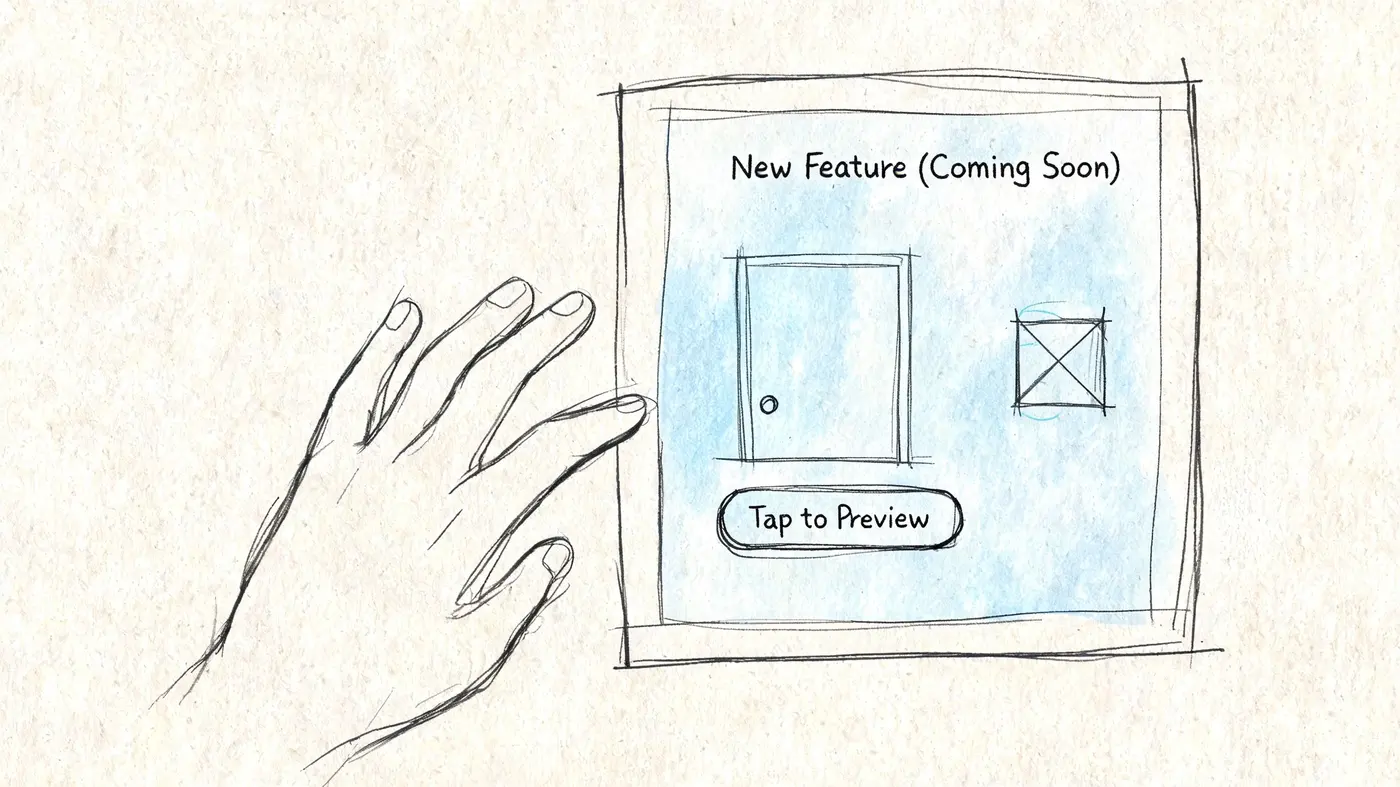
Build the door so it belongs
The entry point should look like a normal part of the interface.
That means matching the visual style, placement, and tone of the surrounding product. If your app uses compact secondary buttons in settings, don’t test demand with a large promotional hero banner. If your store usually introduces new features through product-page modules, don’t hide the test in the footer and expect clean readouts.
The copy matters just as much as placement. “Try AI Reports” and “Generate Weekly Summaries” may refer to the same idea, but they trigger different expectations. One sounds broad and conceptual. The other sounds concrete and immediate.
A reliable rule is to write the CTA the way you’d write it if the feature were already live.
Design the reveal with care
The post-click experience is where trust is either preserved or lost.
You don’t need a long explanation. You need a clear one. The reveal should acknowledge interest, explain that the feature isn’t available yet, and offer a next step that fits the level of intent.
Good options include:
- A simple coming soon page for straightforward demand checks
- An email capture when you want to identify high-intent users
- A short feedback prompt when you need context around the click
- A beta waitlist if you’re likely to build and want early adopters ready
Don’t punish curiosity. If a user clicks, they’ve done you a favour. Thank them and give them an easy path back.
What works and what usually does not
Teams often overcomplicate things.
What tends to work
- Native-looking triggers that sit where the intended feature would live
- Specific copy that names the user outcome, not internal jargon
- A short reveal page with one clear next action
- Audience targeting so only relevant users see the test
What usually fails
- Overhyped language that drives curiosity clicks rather than real intent
- Poor placement that buries the CTA and creates false negatives
- A dead-end reveal with no explanation or recovery path
- Testing too broad an audience and then treating weak aggregate results as meaningful
Match fidelity to the decision
High fidelity doesn’t mean heavy production. It means the experience feels believable enough to produce honest behaviour.
If you’re deciding whether to allocate serious engineering time, the bar should be high. The fake door should resemble the eventual product closely enough that a click means something. If the test is rough, the result will be rough too.
Implementing Your Test with Otter A/B and GTM
The fastest route is usually the one that gets the test live without introducing visual flicker, tracking gaps, or awkward dependencies between teams.
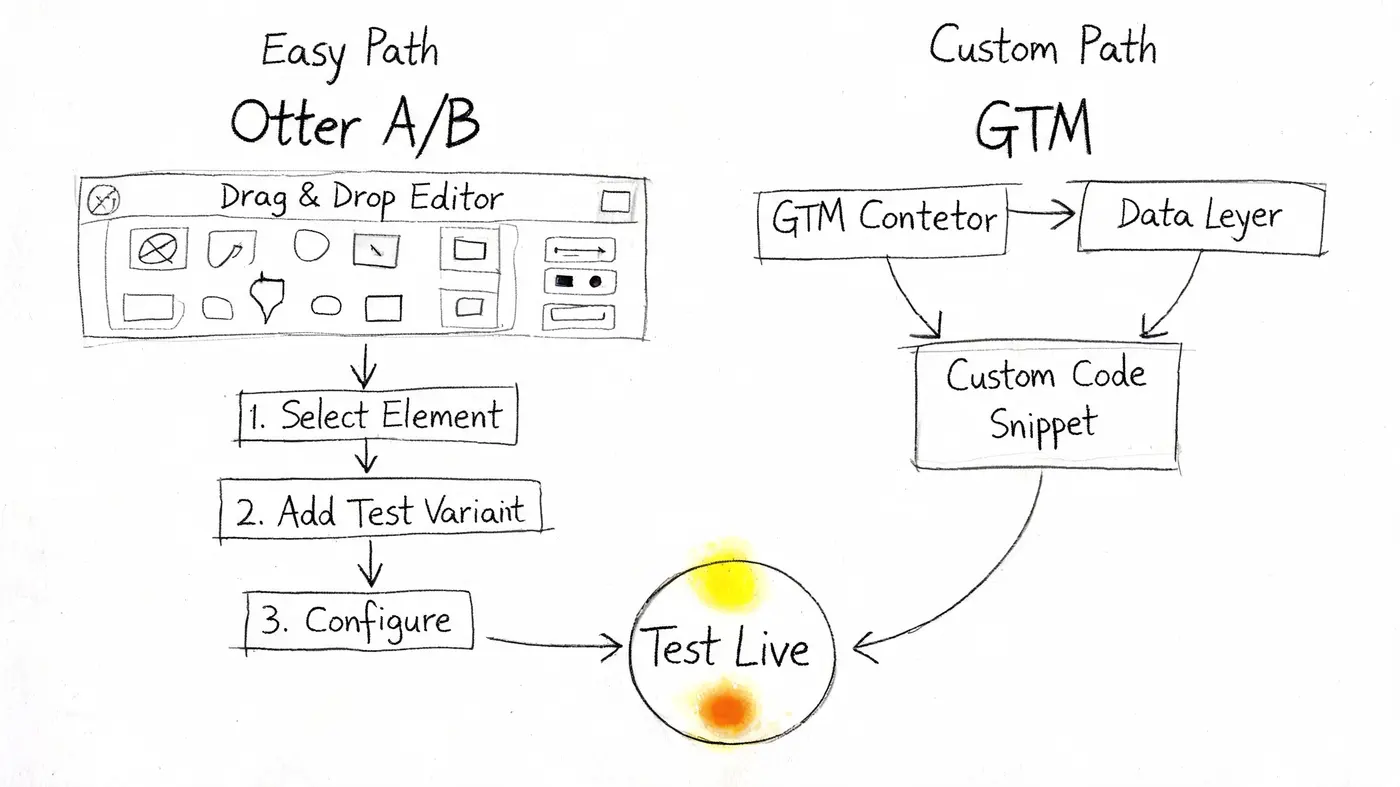
For many teams, there are two sensible implementation paths. One is mostly no-code and suits marketers or product managers working on Shopify, Webflow, WooCommerce, or a CMS-driven site. The other uses Google Tag Manager for tighter event control.
UK-specific guidance cited in the fake door testing glossary notes that Shopify fake door tests can produce 8 to 12% CTRs for new features when the elements mimic native UI, compared with 2 to 4% baseline CTAs. The same source says teams can reach 95% confidence with a z-test in 7 to 14 days, reduce development waste by 65%, and capture emails on a coming soon page at 15 to 20% when the flow is implemented cleanly and remains GDPR compliant, according to the Personizely fake door testing glossary.
The visual-editor path
This route is best when speed matters more than custom engineering.
The workflow is simple:
- Choose the page and audience. Pick the exact page where the feature would naturally appear.
- Create the door. Add a button, card, plan label, or nav item that matches the live site.
- Split the traffic. Expose only part of the audience if you want a control comparison.
- Link to a reveal page. Send clicks to a short coming soon page or modal.
- Track the click and the next step. Treat the click as initial interest and the sign-up or submission as stronger intent.
This setup is usually enough for testing a premium feature badge, a bundle builder, a “notify me” CTA, or a new pricing option.
The GTM path
Use GTM when you want cleaner instrumentation, more custom targeting, or tighter control over event naming.
A practical setup looks like this:
- Create the fake CTA in the page or inject it through your testing setup
- Use GTM to listen for the click event
- Fire a custom event with useful metadata, such as page type, device category, or user segment
- Route users to the reveal page or modal
- Record secondary actions, including email capture or feedback submission
Fake door tests often live or die on segmentation. A broad average can hide a strong signal from a valuable subset of users.
For a closer view of the platform mechanics behind this kind of setup, see how Otter A/B works.
Keep the experience clean
The tool matters less than the execution quality.
If the page flickers, the CTA shifts after load, or tracking fires inconsistently, you’ve introduced noise before analysis even begins. A believable test should load in the same way an actual product would. That includes stable layout, consistent styles, and event tracking that doesn’t depend on brittle selectors.
A quick walkthrough helps if you want to see the mechanics in practice.
What to configure before launch
Before you push the test live, check four things:
| Check | Why it matters |
|---|---|
| Audience logic | Wrong targeting creates weak or misleading signals |
| Goal tracking | You need both click intent and post-click intent |
| Reveal messaging | This protects trust and improves follow-up data |
| QA on device and browser | Broken variants produce false negatives |
A fake door test should feel boring operationally. If launch day feels dramatic, something is probably off.
Measuring Success and Analysing the Results
The first trap is treating clicks as the final answer.
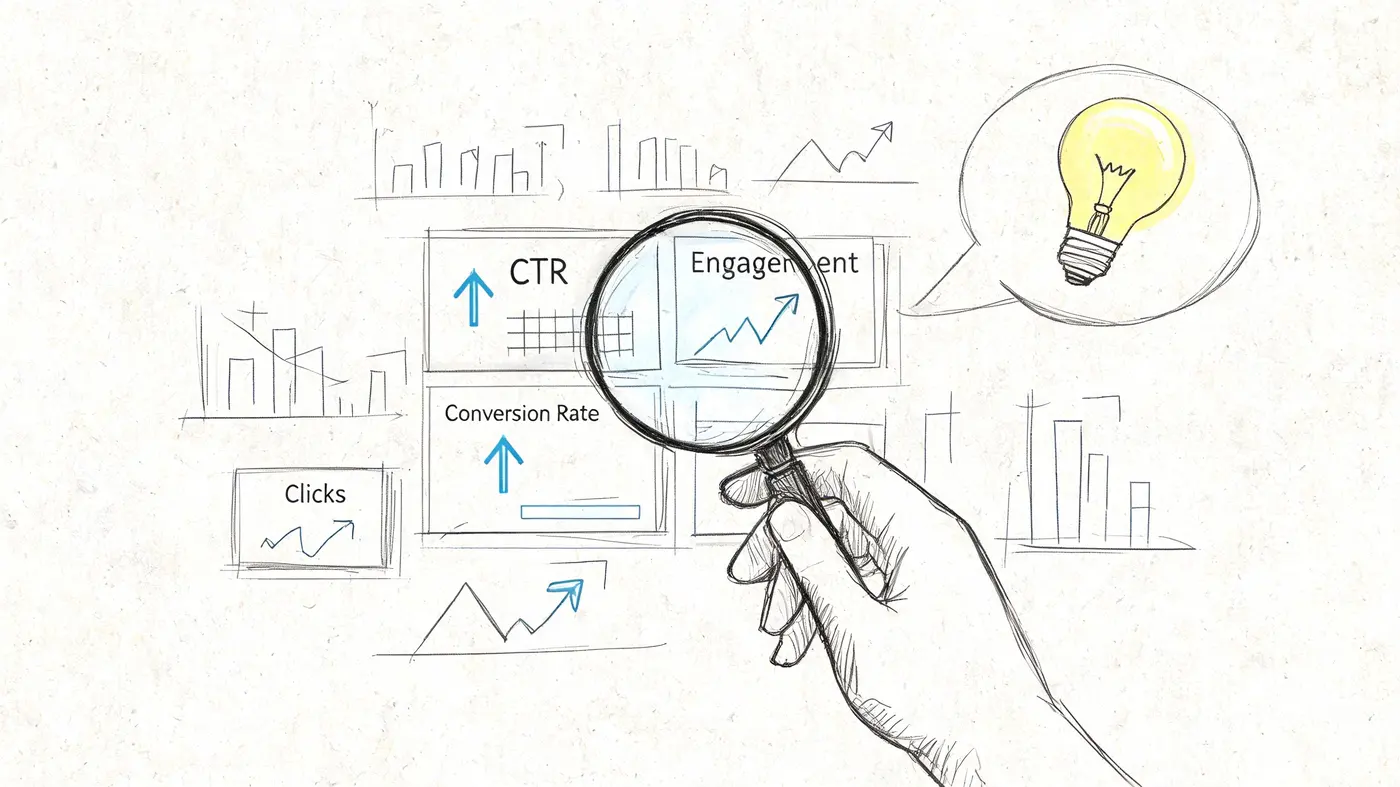
Clicks matter, but they’re only the top of the funnel. A useful fake door test separates initial curiosity from meaningful intent. That means reading the click-through rate alongside what happened after the click. Did users join a waitlist, leave an email, or disappear immediately?
The metrics that actually matter
I’d generally watch the test in two layers.
Layer one is CTR. That tells you whether the proposition gets attention and prompts action.
Layer two is post-click behaviour. That tells you whether the interest survives the reveal. If users click and then volunteer contact details or feedback, the signal is stronger. If they click and bounce, the proposition may have generated curiosity more than demand.
A simple scorecard helps:
- High CTR and strong post-click action means the idea deserves deeper validation
- High CTR and weak post-click action usually means novelty, vague messaging, or disappointment
- Low CTR and strong post-click action can mean weak placement but a valuable concept
- Low CTR and weak post-click action is usually a stop sign
Read significance like a decision tool
Statistical significance isn’t a badge. It’s a way to reduce the chance that you’re reacting to random variation.
For teams using frequentist testing, the practical question is simple. Has enough data accumulated to trust the difference you’re seeing? If the answer is no, keep the test running or stop pretending you know what it means.
If you want a practical refresher, this explanation of testing statistical significance is useful for turning stats language into go or no-go decisions.
Weak evidence still feels persuasive when a team wants the feature to win. Write your threshold before launch, not after the dashboard updates.
Account for false positives
This is the part many teams skip.
UK e-commerce data highlights why fake door tests can overstate demand. A 2025 UK Web Analytics study found 42% of UK e-commerce visitors show banner blindness to new features, which can distort how users notice and interact with test elements. The same summary notes that fake door click rates can be inflated, and suggests a CTR threshold above 3.2% to reach useful significance while accounting for noise such as the UK's 62% ad-blocker penetration rate, according to the Similarweb reference provided.
That doesn’t mean every test below that line is worthless. It means you should set expectations before launch and read weak lifts carefully.
How to make the result useful
A fake door test should end with a decision, not a slide deck.
Ask:
- Did the test beat the predefined threshold
- Was the signal consistent across the right audience
- Did the reveal page confirm stronger intent
- Is there enough evidence to justify the next level of validation
If you’re working on a broader experimentation programme to improve website conversion rates, fake doors are strongest when they sit beside revenue, retention, and adoption analysis rather than replacing them.
Common Pitfalls and How to Avoid Them
Most fake door test mistakes are predictable. Teams either make the test too fake, too broad, or too deceptive.
The first problem is weak hypotheses. If the brief says “let’s see if people like this”, you’ll almost always end up arguing after the test for the same reason you argued before it. A real hypothesis names the audience, the action, and the threshold that would justify moving forward.
The trust problem
Users don’t mind unfinished products nearly as much as they mind feeling tricked.
That means the reveal page has to do some work. It should explain the feature isn’t available yet, thank the user for their interest, and offer a reasonable next step. A blank dead-end or a generic error state is the fastest way to turn a useful test into a trust issue.
Practical wording usually works better than clever wording. Something like “This feature isn’t available yet, but we’re exploring it. Join the waitlist if you want updates” is direct and calm.
The cleanest fake door tests don’t pretend forever. They reveal the truth quickly and handle the moment respectfully.
The legal risk in the UK
This is the part too many guides either skip or hand-wave away.
In the UK, fake door testing sits close to consumer protection law. The Consumer Protection from Unfair Trading Regulations 2008 prohibit misleading actions. That matters if your test implies a product is available when it is not, especially if the wording, pricing, or purchase flow creates a false commercial impression.
The enforcement backdrop is real. The Competition and Markets Authority issued £2.3 million in fines in 2025 to UK online retailers for deceptive practices, as noted by the Competition and Markets Authority.
That doesn’t mean you can’t run fake door tests in the UK. It means you have to structure them carefully.
Safer execution habits
A few habits reduce both data quality problems and compliance risk:
- Avoid false availability claims. Don’t write copy that states or strongly implies the feature is live if the reveal doesn’t correct that immediately.
- Use clear coming soon language after the click. The correction should be prompt and understandable.
- Be careful with pricing claims. Testing demand for a paid plan is fine. Presenting a non-existent purchase path as if fulfilment is ready is where risk rises.
- Handle email capture properly. If you collect contact details, make sure the consent language and data handling are appropriate for UK GDPR expectations.
- Limit exposure. A small, targeted cohort is easier to manage and less likely to create broad confusion.
The ethical version of a fake door test is usually the better commercial one too. It protects the brand, preserves user goodwill, and gives you cleaner follow-up signals from people who still trust you after the reveal.
Real-World Examples and Key Takeaways
A few examples make the pattern clear.
An e-commerce team wants to test a Build Your Own Bundle feature. Instead of building the bundle logic, they add a CTA on selected product pages. Users who click land on a short page explaining the feature is in development and can leave an email for launch access. If the CTA attracts relevant shoppers and the waitlist fills with qualified interest, the team has a strong case for building.
A SaaS company is considering an AI integration. Rather than building the workflow, they add a navigation item in the area where the feature would eventually live. The post-click page asks what outcome the user wanted. That gives the team both demand data and language for future positioning.
A publisher is debating a premium content tier. They add locked article modules with a premium label and a join-interest CTA. The reveal page explains the membership offering is being evaluated. This shows whether readers care enough to act before the team invests in packaging, billing, and editorial operations.
The shared lesson is simple. A fake door test is not about faking a product. It’s about testing demand before committing resources. Done well, it replaces opinion with behaviour, catches weak bets early, and gives product teams a cleaner way to prioritise.
Use it when demand is the unknown. Design it so it feels native. Measure more than clicks. And in the UK, treat legal clarity as part of the test design, not as an afterthought.
If you want to run a fake door test without heavy setup, Otter A/B gives teams a straightforward way to launch experiments, split traffic, track click and post-click goals, and see when a result reaches confidence. It’s a practical option for marketers, product managers, and CRO teams that want faster validation with less engineering overhead.
Stop guessing
Ready to start testing?
Set up your first A/B test in under five minutes. No credit card required.
- 14-day free trial
- No credit card required
- Cancel anytime