Boost Conversions: Ultimate Guide to Landing Page Split Testing
Master landing page split testing with our guide. Design, run & analyze tests to boost conversions & drive revenue growth.

At its core, landing page split testing is simply comparing two or more versions of a page to see which one works best. But that definition doesn't do it justice. It's really a systematic way to stop guessing and start using hard data to turn more of your visitors into customers.
Why Split Testing Is Your Growth Engine
You’ve poured time and money into a brilliant new landing page. The design is slick, the copy is sharp, and you’ve driven a ton of traffic to it. The only problem? The conversion rates are a letdown. It’s a frustratingly common scenario, and it's exactly where split testing can completely change your fortunes.
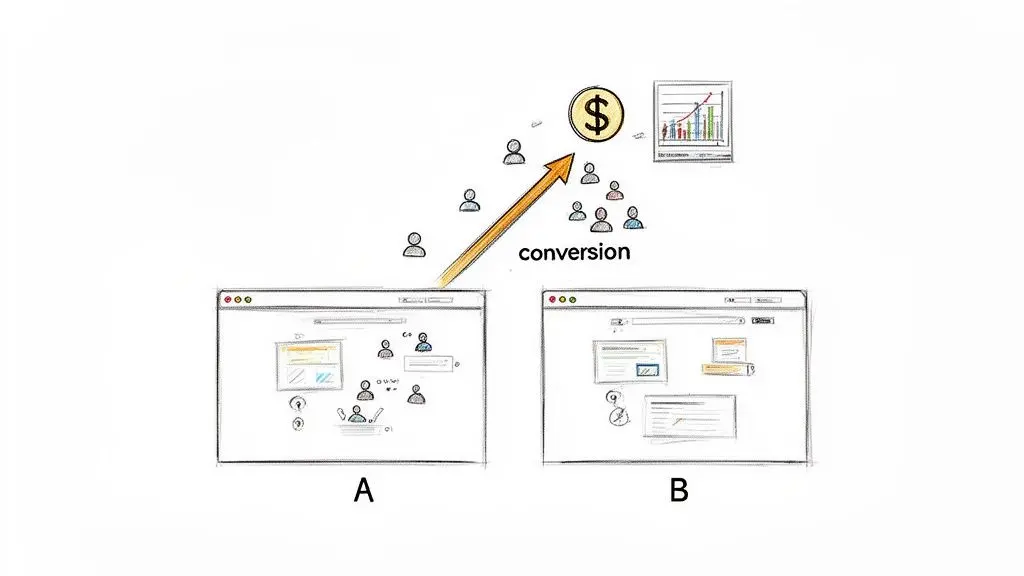
Think of it less as a marketing tactic and more as a fundamental business process for growth. Instead of relying on gut feelings or what you think should work, you can methodically test your ideas and let your audience's behaviour tell you what they actually want.
From Guesswork to Evidence
I saw this firsthand with an e-commerce client selling high-end coffee beans. Their original page had a perfectly fine, if generic, headline: "Premium Coffee Beans." We had a hunch that focusing on the experience of the coffee, not just its quality, might connect better with customers.
So, we ran a simple split test using Otter A/B:
- Version A (Control): "Premium Coffee Beans"
- Version B (Variant): "Experience Richer Mornings: Artisan Roasted Coffee"
The result? Version B drove an 18% increase in sales. That wasn't just a quick win; it was a powerful insight into their customer base. It proved their audience cared more about the feeling the coffee gave them than a simple quality descriptor. This single lesson went on to inform their email campaigns, social media ads, and future product launches.
Split testing replaces assumptions with evidence. Every test, win or lose, teaches you something valuable about your customers. You're building a library of knowledge that fuels smarter marketing decisions across the board.
A Full-Cycle Methodology
This shift from intuition to data-driven decision-making is no longer a niche strategy. The latest research shows that 44% of companies are now using A/B testing software to improve their landing pages. As you can see in these landing page statistics and trends, relying on guesswork alone means you're falling behind.
This guide goes beyond the theory. We’re going to walk through a complete methodology for building a successful split testing programme from the ground up.
You’ll learn how to:
- Craft sharp, testable hypotheses from real user data.
- Properly design and launch experiments without disrupting the user experience.
- Connect every test to the metrics that actually matter, like revenue and average order value.
- Analyse your results correctly and sidestep common statistical traps.
- Foster a culture of continuous improvement within your organisation.
The goal here is to get you out of the cycle of making small, random tweaks and into a rhythm of making changes that deliver a measurable impact on your bottom line.
Right, let's get into the nitty-gritty of building a test that actually tells you something useful.
Building a Bulletproof Testing Foundation
The most successful experiments I've ever run didn't start with a flash of creative genius. They started with solid, often tedious, groundwork. A great test isn't a random guess; it's the result of careful preparation that ensures your findings are both reliable and insightful.
Your best ideas for a landing page split testing programme will almost always come from marrying two different kinds of data: quantitative and qualitative.
-
Quantitative data tells you what is happening. These are the hard numbers you’ll pull from your analytics tools, like Google Analytics. You're hunting for clues—pages with tons of traffic but terrible conversion rates, high bounce rates on crucial pages, or places where users are dropping out of your funnel in droves.
-
Qualitative data tells you why it's happening. This is where you get to play detective. Tools like heatmaps and session recordings are invaluable here. They let you see where people are clicking (or not clicking), how far they scroll, and even watch recordings of their entire journey. This is where you uncover the confusion and frustration hiding behind the cold, hard numbers.
So, what does this look like in practice? Imagine your analytics show a key lead generation page has a whopping 70% exit rate. That's the what. Then, you watch a few session recordings and see user after user hovering their mouse over a confusing form field, looking lost, before eventually giving up.
Bingo. That's the why. That single moment of user friction is gold, and it's the perfect starting point for your first test.
Crafting a Data-Backed Hypothesis
Once you've connected a what with a why, you can stop throwing spaghetti at the wall and start building a proper hypothesis. Vague ideas like "let's test the button colour" rarely lead to big wins. A strong hypothesis, on the other hand, is an educated prediction rooted in evidence.
This isn't just about sounding smart; it forces you to be crystal clear about what you’re changing, why you believe it will work, and what you expect the outcome to be.
A well-formed hypothesis is the North Star for your experiment. It defines what success looks like and ensures that even a "failed" test teaches you something valuable.
To make this process foolproof, I always recommend using a simple template to structure every hypothesis. It removes the guesswork and keeps your entire team aligned.
Hypothesis Framing Template for Split Tests
This template is a lifesaver for turning a vague idea into a measurable, testable experiment.
| Hypothesis Element | Description | Example |
|---|---|---|
| Because We Saw... | Start with the data or observation (the what and why) that flagged the issue. | User feedback and heatmaps show our generic "Get Started" headline causes confusion and low engagement. |
| We Believe That... | Clearly state the change you plan to make to solve the problem. | Changing the headline to a benefit-driven one, like "Build Your Website in Minutes," will instantly clarify our value proposition. |
| We Expect To See... | Define the exact metric you predict will move, and by how much. This is your success metric. | A 15% increase in trial sign-ups because users will immediately understand what our product does for them. |
See how that works? You’ve just created a clear, data-driven rationale for your test, complete with a measurable goal.
Understanding Key Statistical Concepts
Before you hit 'go' on your test, we need to touch on a couple of core statistical ideas. Don't worry, you don’t need a maths degree. But getting your head around these concepts will stop you from making classic mistakes, like ending a test too early or jumping to the wrong conclusion.
Statistical Confidence
Most A/B testing tools, including our own Otter A/B, typically aim for a 95% confidence level. What does that actually mean?
Put simply, if your test results declare a winner with 95% confidence, it means there's only a 5% chance that the outcome was pure luck. To put it another way, if you ran that exact same test 100 times, you’d get the same result in at least 95 of them. It's your measure of how certain you can be that the result is real and not just random noise.
Minimum Detectable Effect (MDE)
This sounds complicated, but it's just the smallest improvement you actually care about. Think about it: is a 1% lift in conversions really going to move the needle for your business? Probably not. But a 10% lift? Now you're talking.
Setting your MDE is a business decision, not a statistical one. A tiny MDE (like 1%) requires a huge amount of traffic and time to prove, whereas a more realistic one (say, 5% or 10%) helps you focus on changes that can deliver a meaningful impact. It's also crucial for calculating how many visitors you'll need for your test before you start.
Getting Your Experiment Live and Running
You've done the homework and have a solid, data-driven hypothesis. Now it's time to get your hands dirty and move from theory to a live experiment. This is where your strategic ideas meet the practical reality of your website, and success hinges on getting both the design and the technical setup just right.
Before you touch any tools, remember the golden rule of testing: test one meaningful change at a time. It’s tempting to change the headline, the call-to-action (CTA), and the hero image all at once. But if you do, you’ll be left guessing which element actually moved the needle. The goal here is to isolate a single variable so you can say with certainty what caused the shift in user behaviour.
This whole process is about moving from solid data to a clear hypothesis, and finally, to a decision you can stand behind with confidence.
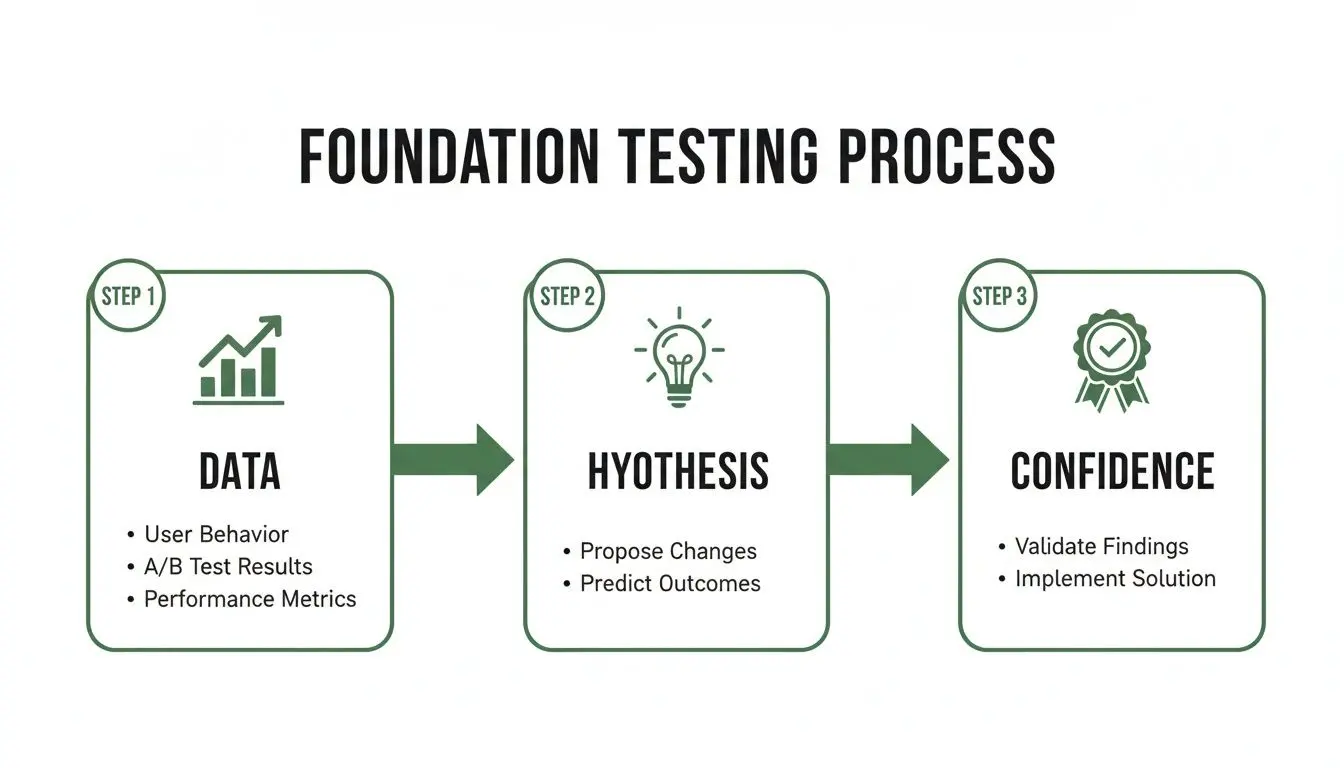
As you can see, a strong hypothesis is built on good data, and that foundation is what lets you draw a high-confidence conclusion from your experiment.
Building Your Variants and Splitting Traffic
Let’s walk through a real-world scenario. Say you run an online course platform. Your hypothesis is that tweaking the CTA from "Sign Up" to "Start Your Free Trial" will boost conversions by framing the offer as less of a commitment.
Using a tool like Otter A/B, you’d set up two versions of your page:
- Variant A (the Control): This is your original page, untouched, with the "Sign Up" button.
- Variant B (the Variation): This is the new page featuring the "Start Your Free Trial" button.
Most modern testing platforms have visual editors that make this surprisingly simple. You can click and edit text directly on your page, no coding required.
With your variants ready, the next piece of the puzzle is deciding how to show them to your visitors. For a simple A/B test like this, a 50/50 traffic split is the industry standard. This means every other visitor sees a different version, giving you the cleanest possible comparison. Your testing tool handles this automatically, randomly assigning each new person to either Variant A or B.
Getting the Tracking Snippet in Place
For any of this to work, your website needs a way to talk to your testing software. This connection is made through a small bit of JavaScript, often called a tracking snippet or SDK. With a tool like Otter A/B, this snippet is just 9KB and loads in under 50ms, so there's no need to worry about it slowing your site down.
You typically have two main ways to install it:
-
Directly into your site’s code: You can simply copy and paste the snippet into the
<head>section of your website's HTML. It’s a one-and-done job. - Through Google Tag Manager (GTM): If you're already using Google Tag Manager for other marketing tags, this is usually the cleanest approach. Just create a new custom HTML tag, paste in the snippet, and you’re good to go.
Once installed, this little piece of code is what allows the testing tool to display the correct variant to each user and track their every move. A critical feature to insist on is a flicker-free experience. This prevents visitors from seeing the original page for a split second before the new version loads—a jarring effect that can disrupt their experience and contaminate your test results.
My Two Cents: Never compromise on a flicker-free testing solution. A clunky user experience doesn't just reflect poorly on your brand; it can also tank your Core Web Vitals, which is something Google looks at for SEO.
Defining Conversion Goals That Actually Mean Something
A click is just a click. What you're really after is the action that adds to your bottom line. One of the most common mistakes I see people make is tracking only superficial metrics. To get real insights, your conversion goals have to connect directly to your business objectives.
Don’t just track clicks on your main CTA. Instead, track what happens after the click.
- For E-commerce: Your goals should be completed purchases, revenue per variant, and average order value (AOV). Did that new headline really drive more sales, or just attract more people who left their carts full?
- For SaaS: Track completed trial sign-ups or demo requests. The aim isn't just to get someone to the sign-up page, but to see them fill out and submit the form.
- For Lead Generation: Track successful form submissions for things like whitepaper downloads or webinar registrations. This is your bread and butter.
Modern tools like Otter A/B let you define these meaningful goals right from the dashboard, often without any extra coding needed. Once your variants are built, your traffic is split, and your goals are set, you're ready to hit "launch." The software will start gathering data, and then begins the hardest part: patiently waiting for the results to come in so you can analyse them with statistical confidence.
Interpreting Your Results Like a Pro
 The experiment is running, data is trickling into your dashboard, and the temptation to watch it like a hawk is almost unbearable. This is the moment of truth, but making sense of the numbers requires more than just spotting a winner. It’s part statistics, part detective work.
Your testing platform is much more than a simple scoreboard. While your primary goal might be straightforward—say, increasing sign-ups—you have to look at the whole picture. A new headline might boost that one number, but what else is happening?
Take a look at the supporting cast of metrics to understand the full story:
- Average Order Value (AOV): Did your new variant attract high-value customers, or did it just bring in a crowd of bargain hunters?
- Revenue Per Variant: A lower conversion rate can sometimes be a massive win if the AOV is high enough. You need to know which version is actually making you more money.
- Secondary Conversions: How did the change affect other valuable actions, like people subscribing to your newsletter or sharing the page on social media?
A lift in one area might come at a cost to another. Only by monitoring these related metrics can you spot a change that looks good on the surface but is actually damaging your bottom line.
The Danger of Calling It Too Soon
And that brings us to the most common—and destructive—mistake I see people make: stopping the test early. It’s so easy to get excited when your new variant shoots ahead by 20% on day one, declare victory, and push it live. Resist that urge at all costs.
Early results are notoriously volatile. The first people to see your test often aren't representative of your typical audience. For example, if you announced something in an email, those engaged subscribers will behave very differently from the casual organic traffic that finds you later in the week.
Patience is probably the most underrated skill in conversion rate optimisation. Ending a test prematurely based on an exciting but statistically insignificant blip is no better than just going with your gut.
To get data you can actually trust, you need to commit to two rules before you even launch. First, run the test until you hit your pre-calculated sample size. Second, run it for at least one full business cycle (usually one or two weeks) to smooth out any daily weirdness. This ensures your results reflect real behaviour, not just random noise or the "Monday morning effect."
Declaring a Winner with Confidence
Once the test has run its course, it’s time for the final analysis. Your testing tool, like Otter A/B, will lay out the results, showing the conversion rate for each variant and, crucially, the statistical confidence level.
This confidence number tells you how likely it is that your result is real and not just a random fluke. For instance, if your variant shows a 15% uplift with 97% confidence, you can be very sure the improvement is genuine. That 3% chance of it being random noise is a risk most of us are willing to take. This is your green light.
The more you test, the better your results get. Research consistently shows that companies running ten or more tests see far better outcomes than those just dipping their toes in. But you need the traffic to make it work. Industry data suggests you need at least 25,000 visitors for a test to generate truly reliable data, as anything less can be easily skewed by normal daily swings. You can find more insights on landing page conversion benchmarks and see how traffic volume is directly tied to test validity.
Digging for the Deeper 'Why'
So what happens when the test is a wash, with no clear winner? Or even worse, your carefully crafted variant loses? Don't think of these as failures—they're learning opportunities. An inconclusive result tells you that your change wasn’t meaningful enough to move the needle. A losing variant proves your hypothesis was wrong. Both are incredibly valuable.
This is where the real work begins. You need to go beyond the what (the conversion numbers) and figure out the why.
- Segment Your Results: Did the variant work wonders for mobile users but tank on desktop? Maybe it appealed to new visitors but annoyed returning customers? Slice the data.
- Review Session Recordings: Pull up recordings of users on each variant. Where did they get stuck? What did they ignore? What did they click on that you didn't expect?
- Analyse Heatmaps: Compare the heatmaps. Did your new call-to-action draw the eye, or did people just keep scrolling past it?
These deeper insights are the real prize of landing page split testing. They teach you something fundamental about your audience, giving you the fuel you need to build a much smarter hypothesis for your next experiment.
Right, you’ve found a winner. Pop the champagne? Not just yet. The test itself is only half the battle. The real work begins now: turning that result into a story that gets people excited, secures budget, and proves the value of your entire experimentation programme.
This is your moment to move beyond just running tests and start building a genuine growth engine for the business. Don't just report the numbers; you need to build a narrative.
For example, never just say, "Variant B beat the control by 12%." That's forgettable. Instead, frame it with the insight and the impact: "Our hypothesis that customers wanted more clarity on benefits was correct. By switching to a benefit-led headline, we lifted sign-ups by 12%, which we project will add an extra £45,000 in revenue this quarter." Now that's a story that makes executives sit up and listen.
Getting Your Message Across
Who you're talking to completely changes how you tell the story. Your CEO cares about the bottom line, your head of design wants to see which visuals worked, and the copy team needs to know what language truly resonated with users. If you send the same report to everyone, the key takeaways will get lost.
I’ve found that the most effective communicators always zero in on three things:
- The Bottom-Line Impact: Connect the dots directly from your test result to core business goals like revenue or lead generation. Always try to project the long-term value of rolling out the winner.
- The 'Why' Behind the Data: This is the most valuable part. What did you learn about your customers? Did a simpler layout reduce friction? Did a new call-to-action overcome a specific hesitation? This is the insight that fuels your next great idea.
- What Happens Next: A great report is a springboard for action. It should always end with a clear recommendation to implement the winning design and, crucially, propose the next hypothesis that builds on what you've just learned.
Building Your Case with Professional Reports
Let’s be honest, no one enjoys wading through a raw spreadsheet. To be persuasive, you need to present your findings in a clean, professional report. It turns a mess of numbers into a clear, compelling narrative, which is absolutely essential when you’re presenting to time-poor clients or senior leadership.
A shareable report, like the ones generated by Otter A/B, is perfect for this. It visually lays out how each variant performed, clearly highlighting the winner and its impact on your goals.
When someone can see the control and the variation side-by-side with clear metrics on conversions and revenue lift, they grasp the outcome in seconds. This kind of visual proof is infinitely more powerful than a dry email update.
The goal isn't just to report a single win; it's to build a library of customer knowledge. Every test, especially the ones that 'fail', teaches you something important.
Make sure you document everything—the hypothesis, the designs, the final results, and what you learned. This creates an invaluable internal knowledge base. It stops the team from re-testing old, debunked ideas and ensures that every experiment makes your marketing strategy a little bit smarter.
From Single Tests to a Strategic Roadmap
With every test, win or lose, you're gathering intelligence. This cumulative knowledge is what allows you to stop making random guesses and start building a proper, strategic experimentation roadmap. You can begin connecting the dots between small tests to inform much bigger, more ambitious projects.
Suddenly, you’re not just testing a button colour. You're using a string of learnings to justify a complete homepage redesign or to fundamentally change your new customer onboarding flow. This is how you really scale an experimentation programme.
It’s this process that elevates your landing page split testing from a simple marketing task to a strategic function that drives real, continuous improvement. You create a powerful feedback loop: you test, you learn, you share, and you build an even smarter hypothesis for the next round. Each cycle makes your marketing sharper and more profitable, and your role shifts from a marketer who runs tests to a strategist who uncovers the customer truths that accelerate growth.
Common Landing Page Split Testing Questions
Even with the best strategy in hand, you'll always hit a few practical bumps in the road when you start running experiments. Let's tackle some of the most common questions I hear from marketers getting serious about landing page split testing.
How Long Should I Run a Split Test For?
The honest answer? There’s no magic number. The right duration isn’t about a fixed number of days, but about gathering enough solid data. You're trying to find the sweet spot between reaching your pre-calculated sample size and running the test over complete business cycles.
Patience is a virtue in testing. I’ve seen it a hundred times: a new variant skyrockets in the first 48 hours, and the team gets excited. Don't stop the test. For most websites, you need to run an experiment for at least one to two full weeks. This is crucial for averaging out the different behaviours of weekday visitors versus weekend shoppers, giving you a far more reliable view of performance.
If you’re in a business with a longer sales cycle – maybe a high-value B2B service – you might need to run your tests for three or even four weeks. The principle is always the same: let the traffic volume and statistical confidence guide your timeline, not your gut.
What’s the Difference Between A/B and Split Testing?
You’ll hear these terms thrown around interchangeably, but there's a small technical difference that’s good to know.
-
A/B Testing: This is when you're testing changes to elements on the same page. Think of it as testing Headline A vs. Headline B, or Button Colour A vs. Button Colour B, all while the URL stays the same.
-
Split Testing (or Split URL Testing): This is where you're splitting traffic between two totally different URLs. It's the perfect approach for big, bold changes, like pitting a complete redesign (your-site.co.uk/new-page) against the original (your-site.co.uk/old-page).
For most teams just starting out, A/B testing is the most sensible path. It's simpler to set up and usually needs less traffic to produce a clear result compared to more complicated methods like multivariate testing (MVT), which tries to test many combinations all at once.
What if My Test Has No Clear Winner?
An inconclusive result can feel like a total letdown, but it’s anything but a failure. It’s actually a really valuable piece of information. What it's often telling you is that the change you tested wasn't meaningful enough to actually influence user behaviour. That’s a powerful hint: you need to be bolder with your next idea.
An inconclusive test is just more data. It shows you the element you tweaked wasn't the conversion driver you thought it was. This lets you refocus your efforts on changes that genuinely matter to your audience.
This outcome forces you to go back to the drawing board. Was the problem you were trying to solve a real pain point for your users? Was your hypothesis a bit off? Use this result to sharpen your customer understanding and build a much stronger hypothesis for the next round. Sometimes, it just confirms your original design is already working pretty well—and that’s a win in its own right.
Can I Run Multiple Tests on the Same Page?
This is a very common question, and the answer is almost always no, especially if you're not an advanced user with a sophisticated tool. Running more than one experiment on the same page at the same time is a surefire way to muddle your data with what we call 'interaction effects'.
Just imagine you’re testing a new headline and a new hero image simultaneously. If your conversions increase, how do you know why? Was it the headline? The image? Or was it only that specific combination of the new headline with the new image? You’ll never have a clear answer.
For clean, actionable results you can learn from, follow one simple rule: one test per page, one at a time. This ensures you can confidently trace any performance shift directly back to the single change you made. It's how you build a reliable foundation of knowledge for your next experiment.
Ready to stop guessing and start growing with data-driven decisions? Otter A/B gives you a fast, flicker-free way to run powerful landing page split tests. Discover which headlines, CTAs, and layouts truly convert your visitors. Start your free trial today and make every decision count.
Stop guessing
Ready to start testing?
Set up your first A/B test in under five minutes. No credit card required.
- 14-day free trial
- No credit card required
- Cancel anytime