Master Banners On Website: Boost Conversions & Vitals
Master banners on website with our complete guide. Learn types, design, A/B testing to boost conversions and protect Core Web Vitals.

Your homepage banner looked strong in the design review. The copy was polished. The button colour matched the brand. Launch day came and nothing much changed.
That’s a common place for marketing teams to land. Banners on website pages often get approved because they look right, not because anyone has proved they work. When results are flat, teams usually respond by redesigning the banner, rotating messages, or asking for “something more eye-catching”. Most of the time, that just creates more motion without better outcomes.
The harder truth is that banners start from a disadvantage. Users have learned to ignore them. Research summarised by GrowthSrc’s banner blindness statistics shows that approximately 86% of consumers experience banner blindness, and the average click-through rate for banner ads is 0.06%. That isn’t a design problem alone. It’s an attention problem, a relevance problem, and often a measurement problem.
Good banner work isn’t about decorating the page. It’s about matching the right message to the right moment, delivering it without hurting performance, and testing whether it changes a business metric that matters. That could be product discovery, lead capture, demo requests, category navigation, or completed orders.
Teams that improve banners on website pages usually stop arguing about opinions and start working a process. They choose the right banner type, place it where user intent supports the message, tighten the hierarchy and copy, protect Core Web Vitals, and run clean experiments with proper significance. That’s how banners become useful rather than ornamental.
Are Your Website Banners Actually Working?
A banner can fail unnoticed for months.
It doesn’t throw an error. It doesn’t break checkout. It occupies valuable page space while users scroll past it. If you’re looking at sessions, revenue, or leads and can’t say what your main banner contributes, that banner is unproven.
What “working” should mean
For teams, “working” should never mean “the stakeholder liked it” or “it feels prominent”. A banner works when it supports a defined user action and you can measure that effect. On an ecommerce homepage, that might be more visitors reaching a sale category. On a SaaS site, it might be more qualified demo clicks. On a content site, it could be more signups to a newsletter or event.
The trap is judging banners by surface-level engagement alone. A click can be useful, but it’s only one signal. The real question is what happens after the click.
Practical rule: If a banner doesn’t have a job, it will become clutter.
Why teams overestimate banner value
Teams spend time on banners because banners are visible. They sit above the fold, stretch across templates, and often carry campaign messaging. That visibility creates a false sense of importance. In practice, users don’t reward prominence unless the message matches their intent.
That’s where banner blindness changes the conversation. The issue isn’t that your team is bad at design. It’s that digital audiences have become efficient at filtering anything that looks promotional or interruptive. If the banner resembles an ad, a user may skip it without reading a word.
A stronger approach is to treat every banner as a testable hypothesis:
- Audience hypothesis: This message fits the visitor on this page.
- Intent hypothesis: The visitor is ready for this next step.
- Creative hypothesis: The headline, image, and CTA make the next action feel obvious.
- Technical hypothesis: The banner appears fast and stably enough to be seen.
The standard worth aiming for
A good banner earns its place. It helps users act sooner, with less friction. It doesn’t distract from the page’s main purpose. It doesn’t shove content downward after load. And it isn’t protected from scrutiny just because it was expensive to design.
When teams approach banners on website pages this way, optimisation gets simpler. You stop asking, “Do we like this?” and start asking, “What did this change?”
The Four Essential Types of Website Banners
Think about a physical shop. The front window, the in-store special, the notice on the door, and the sign pointing you to checkout all do different jobs. Website banners work the same way. Teams get into trouble when they use one banner type for every situation.
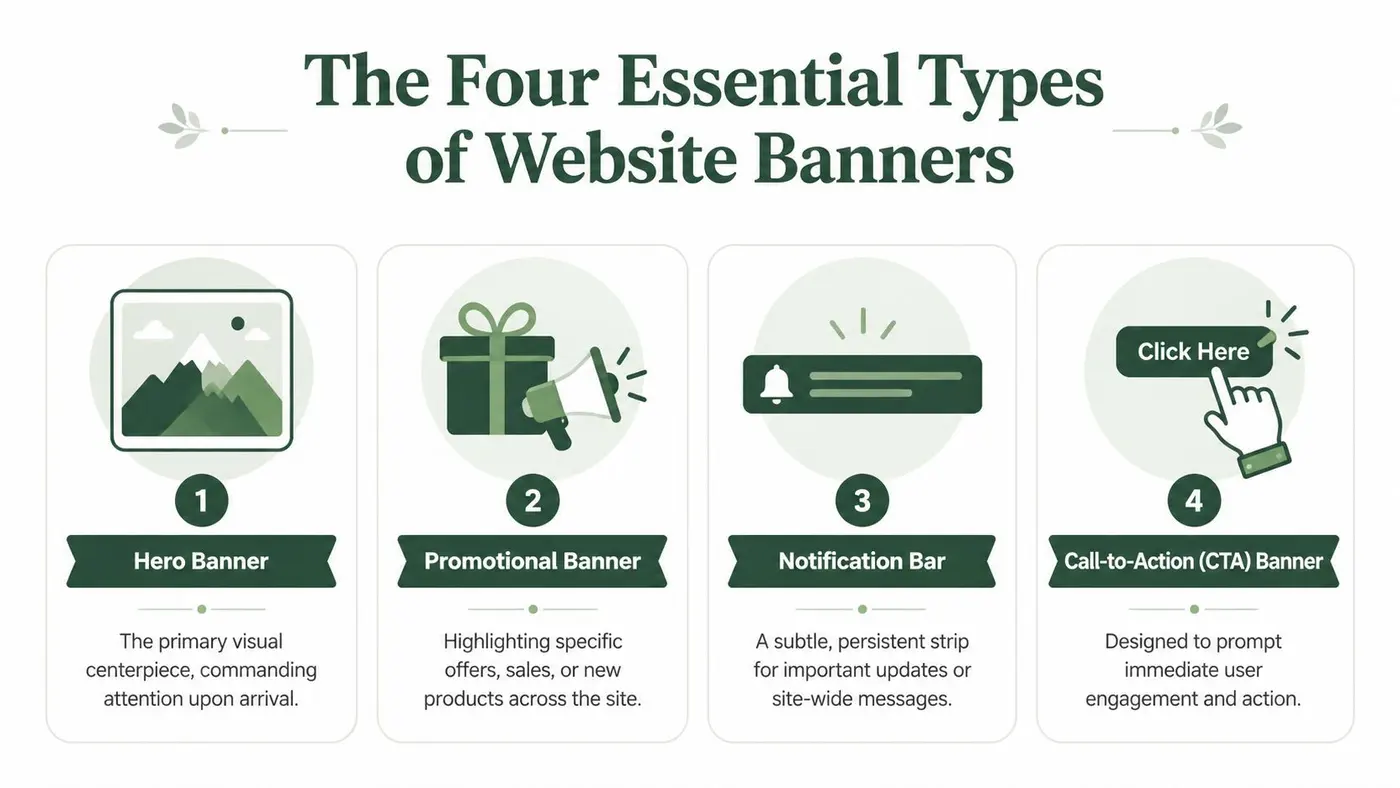
Hero banners
A hero banner is the page’s visual centrepiece. It usually sits high on the homepage or a key landing page and carries the site’s primary message, campaign, or value proposition.
Hero banners work best when they answer one immediate question: what should this visitor care about first? They’re useful for category direction, product positioning, seasonal campaigns, and first-impression messaging. They perform badly when teams overload them with multiple offers, rotating slides, or vague brand language.
Promotional banners
A promotional banner supports a specific offer. It can sit within category pages, product listing pages, blog sidebars, or mid-page content blocks. This is the equivalent of an in-store sign for a timely deal or launch.
Promotional banners are strongest when they’re tightly tied to page context. A site-wide promotion may deserve broad placement, but many offers work better when shown only to visitors in a relevant product family or content topic.
Sticky or floating banners
A sticky banner stays visible as the user scrolls, often pinned to the top or bottom of the viewport. A floating unit can also persist in a corner or edge position.
These banners are useful when the message needs repeated access rather than a one-time glance. They can support demos, consultations, subscriptions, or limited-time notices. They become irritating quickly if they consume too much screen space or compete with navigation.
If you’re comparing persistent formats with overlays, slide-ins, or modal behaviour, the overview of Divi Areas Pro popups is a useful reference because it shows how different on-site attention devices behave in practice.
Notification banners
A notification banner is the thinnest and least intrusive format. It usually appears as a narrow strip across the top of the page. This works well for shipping updates, service notices, compliance messaging, stock alerts, or broad announcements that matter but don’t deserve hero treatment.
The mistake here is trying to force a full campaign into a format built for concise utility. Notification bars succeed when they’re brief and specific.
Website Banner Types at a Glance
| Banner Type | Primary Purpose | Common Placement | Typical Goal |
|---|---|---|---|
| Hero Banner | Lead with the main message or campaign | Homepage, landing pages, category entry pages | Direct visitors to the next important path |
| Promotional Banner | Highlight a specific offer or launch | Category pages, listing pages, content areas | Drive traffic to an offer or collection |
| Sticky or Floating Banner | Keep an action visible during scrolling | Top, bottom, or corner of the viewport | Increase access to a persistent CTA |
| Notification Banner | Share important site-wide updates | Thin strip at the top of the site | Communicate urgent or universal information |
Use the smallest banner type that can do the job well. Bigger isn’t better if the message doesn’t deserve the space.
Strategic Placement When and Where to Use Banners
Placement decisions usually matter more than creative polish. A solid banner in the wrong place underperforms. An average banner placed at the right moment can become surprisingly useful.
The clearest evidence comes from context. OpenSense’s analysis of email banner effectiveness notes that email banners can reach 5 to 10% click-through rates, while standard display ads average 0.1%. The lesson isn’t that email is magical. It’s that context, relevance, and placement dramatically influence effectiveness.
Match the banner to page intent
Users arrive on different pages with different jobs in mind.
On the homepage, many are orienting themselves. A hero banner can help if it points them into the most valuable path, such as a product category, use case, or primary conversion route. On a category page, a broad brand banner is often too generic. A more relevant banner might highlight a related collection, stock message, or campaign tied to that category.
Blog pages need even more restraint. Readers are there for information first. A banner that interrupts the reading flow with an unrelated sales push usually gets ignored. A banner that extends the topic with a webinar, checklist, or relevant product category has a better chance.
Checkout and cart pages are their own environment. Most banners on these pages create risk. If a banner competes with completing the order, remove it. If it resolves anxiety, such as delivery timing or returns information, it may help.
Use placement as a targeting decision
A practical way to decide where banners belong is to ask three questions:
- What is the visitor trying to do on this page? Match the message to that job.
- What decision is still unresolved? Use the banner to reduce uncertainty, not create a new branch.
- What action should happen next? If the next step isn’t obvious, the banner probably isn’t focused enough.
Common placement mistakes
Some banner placements fail because they ask too much of the visitor.
- Site-wide campaign banners everywhere: Broad reach often weakens relevance.
- Identical CTA banners on all templates: Repetition doesn’t create intent.
- Promotions on high-intent checkout steps: They distract from completion.
- Oversized banners below weak page headlines: The banner tries to compensate for a page that lacks a clear primary message.
A banner should feel native to the page’s purpose. If it feels pasted on, users will treat it like an ad.
The strongest banners on website pages don’t just occupy visible areas. They appear where a user is most likely to welcome the message.
Banner Design and Copy That Converts
Creative quality still matters. Once placement is right, design and copy decide whether the banner gets understood. Most underperforming banners fail here because they try to say too much, show too much, or ask for action too early.
Visual hierarchy
A banner needs a reading path. Users should be able to scan it in seconds and know what it says, why it matters, and what to do next.
Start with one dominant element. That’s usually the headline. Then support it with a smaller line of context if needed. The CTA should stand out through contrast, spacing, and shape. If every element shouts, nothing leads.
Common fixes that work well:
- Reduce competing elements: One image, one headline, one CTA usually beats a crowded layout.
- Create contrast with purpose: The button should look clickable without clashing with the rest of the design.
- Give text room to breathe: Tight spacing makes banners harder to scan.
- Keep mobile in mind: Long headlines that break awkwardly often destroy hierarchy on smaller screens.
Clarity trumps cleverness.
Copy that says something useful
Most banner copy becomes weak when it leans on abstraction. “Solutions for the future” doesn’t help anyone. Visitors respond better when the message states a concrete benefit, audience fit, or offer.
Good banner headlines tend to do one of these jobs well:
- State the benefit: Explain what improves for the user.
- State the offer: Make the promotion or next step explicit.
- State the use case: Show who the message is for.
- State the urgency carefully: Use timing only when it’s real and relevant.
If your team struggles to sharpen messaging, studying strong value proposition patterns helps. This breakdown of value proposition examples is useful because it shows how clearer promises change the quality of on-page copy.
The CTA has to finish the thought
Buttons work best when they complete the message rather than repeat generic language. “Learn more” is sometimes acceptable, but it often signals that the surrounding copy hasn’t done enough work.
A better CTA names the next action in plain English. That might be “Shop the sale”, “See pricing”, “Book a demo”, or “Compare plans”. The wording should fit what happens on the next page. If the click opens a category page, don’t label it like a free trial.
This example video is worth watching if your team is refining CTA construction and page messaging:
A quick design review before launch
Before approving a banner, ask:
- Can a new visitor understand it at a glance?
- Is there one main message, not three?
- Does the button text match the destination?
- Would this still make sense without the supporting image?
That last question matters more than teams think. If the image disappeared, the message should still stand.
Performance Accessibility and Core Web Vitals
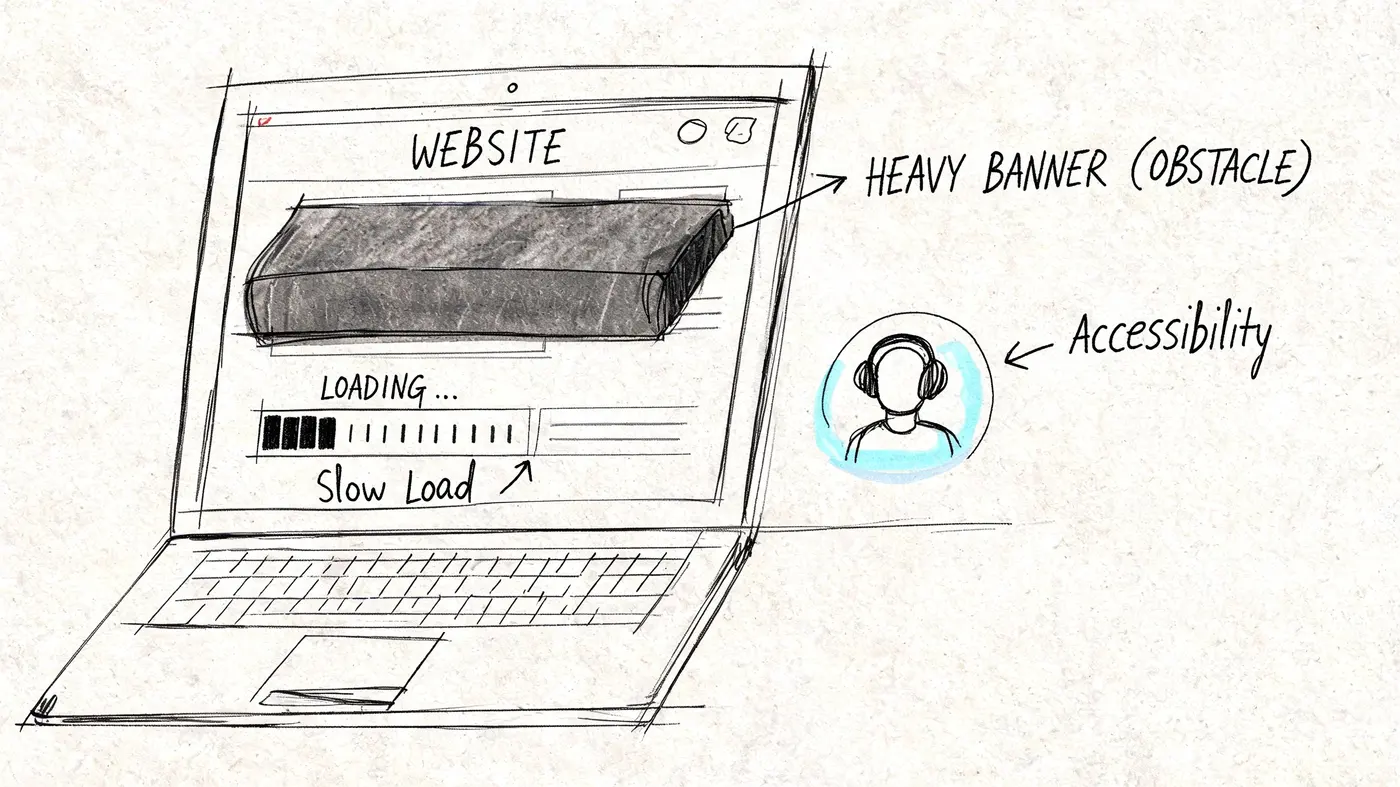
A banner can damage the site before it helps the campaign. Many banner projects encounter these common pitfalls. Marketing signs off the creative, development adds the asset late in the release cycle, and the final implementation shifts content after load or delays the page’s first meaningful view.
Keep layouts stable
The main technical risk is Cumulative Layout Shift, or CLS. Users experience it as a page jump. They start reading or move to click, then the banner loads and pushes the content somewhere else.
According to SiteTuners on rotating banners and performance, compliant implementations maintain CLS below Google’s “Good” threshold of 0.1, and a 1-second delay in banner rendering can reduce click-through probability by 7%. That’s a conversion problem and a user experience problem at the same time.
Practical fixes are usually straightforward:
- Reserve space before the banner loads: Set explicit dimensions or a stable container.
- Avoid loading banners after the main content paints: Late injection creates visible shifts.
- Be careful with rotating banners: Motion and delayed swaps increase rendering risk.
- Optimise images and assets: Heavy files slow down first view and make the banner easier to miss.
For teams also improving broader page performance, this guide to optimising landing pages is a useful companion because banner speed problems rarely exist in isolation.
Accessibility isn’t optional
A banner that looks polished but excludes users is still a failed implementation.
Start with basics that teams can check during QA:
- Text contrast: Make sure text and button colours remain readable against the background.
- Keyboard access: Users should be able to reach interactive banner elements without a mouse.
- Clear link and button labels: “Submit” or “Click here” usually says too little.
- Alt text for meaningful images: If the image conveys information, describe that function.
- Responsive behaviour: Don’t let the mobile version become cramped, overlapping, or unreadable.
If you want a practical benchmark for review, a wcag aaa checklist helps teams audit common accessibility gaps without turning the process into a legal memo.
The best-performing banner is the one users can actually see, read, and interact with on the first try.
Treat performance as part of conversion work
This is a useful shift for marketing teams. Performance isn’t only an engineering concern. If the banner loads badly, the conversion opportunity shrinks before the creative even has a chance. Good banners on website pages respect both persuasion and rendering.
Optimising Banners with A/B Testing
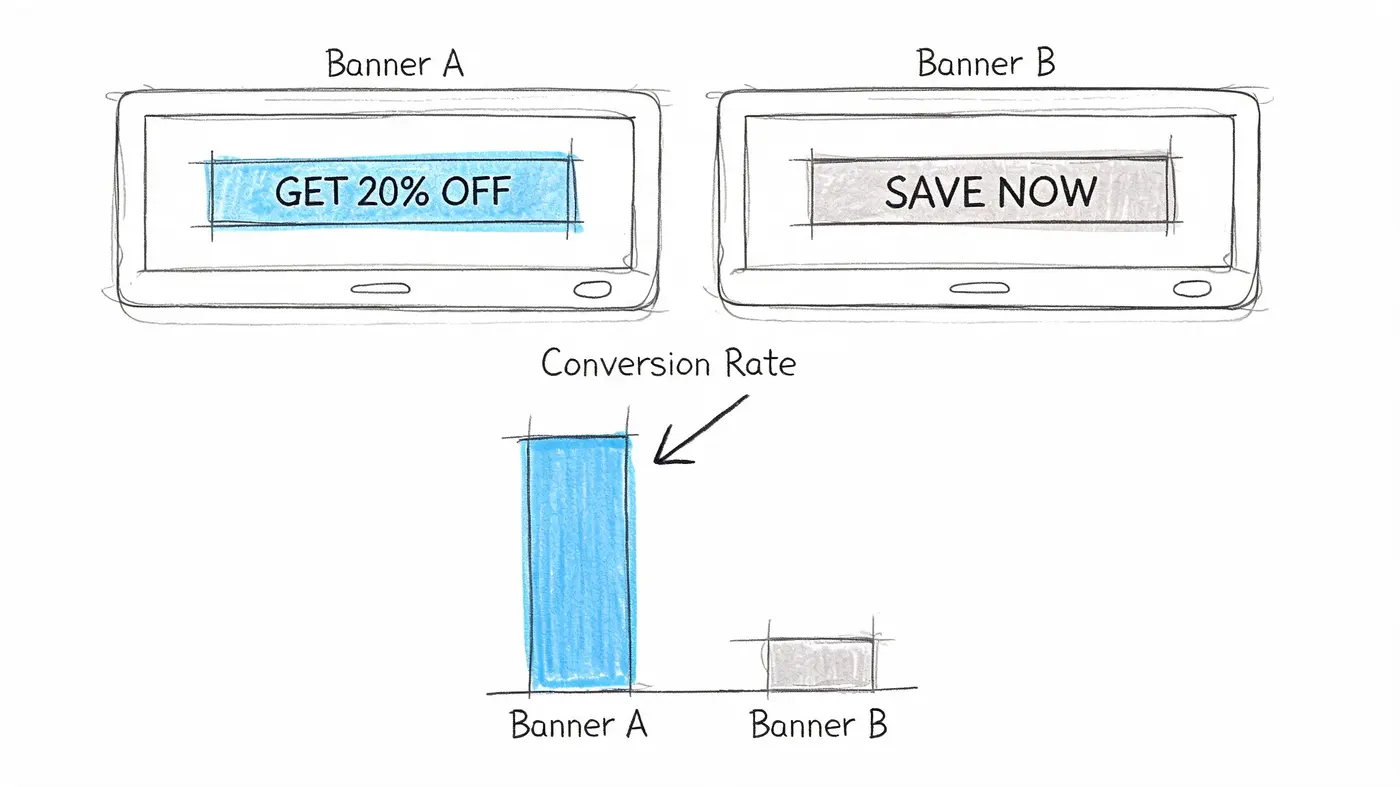
Banner design guidelines are only starting points. A clean layout, a stronger headline, or a sharper CTA may improve outcomes, but until you test them, they’re still hypotheses.
That matters because banner performance is sensitive to small changes. The wording, image crop, button label, placement, and page context can all alter how users respond. Without a disciplined test, teams tend to declare winners too early or based on shallow feedback.
A simple testing workflow
A banner test doesn’t need to be complicated. It does need to be controlled.
-
Write a specific hypothesis
Don’t test “a new banner”. Test a single reason for change. For example, replacing a generic CTA with a more explicit one may increase qualified clicks because it clarifies the destination. -
Create meaningful variants
Change one important variable at a time when possible. If you change headline, image, button text, and layout all at once, you may get a winner but learn very little. -
Choose the right success metric
Banner clicks can be useful, but many tests should optimise for a downstream action such as product views, lead submissions, add-to-basket behaviour, or completed purchases. -
Analyse with statistical discipline
Bannerflow’s discussion of banner analytics notes that a frequentist z-test engine operating at a 95% confidence threshold is required to determine whether observed differences in conversion rates reflect a genuine improvement or random fluctuation. That standard matters because banner traffic can be noisy, especially when placement and audience differ.
Good banner test ideas
Not all banner experiments are equal. The best ones target strategic points.
- CTA test: Compare a generic button against a more explicit action. This often tells you whether friction comes from uncertainty about what happens next.
- Headline test: Try one version that states the offer against one that states the user benefit. This helps when a banner is visible but under-clicked.
- Image test: Compare a product-focused visual with a simpler graphic or no image at all. This is useful when visual complexity may be competing with the message.
For smaller businesses building a practical experimentation habit, this article on a/b testing for UK SMEs is a sensible companion because it frames testing around realistic team capacity rather than enterprise process.
What teams often get wrong
Banner testing breaks down when teams rush to judgement. Three habits cause most problems:
- Stopping too early: Early results often swing before stabilising.
- Testing weak ideas: Tiny cosmetic changes usually don’t teach much.
- Ignoring page context: A variant may win on one template and lose on another.
A more reliable way to choose experiments is to prioritise by user friction. This guide on deciding what to A/B test is useful when your backlog is full and you need to focus on the banner variables most likely to matter.
Test the reason a banner might fail, not just the part the team finds easiest to change.
What to do after a winner emerges
A winning variant isn’t the end of optimisation. It’s the start of the next question.
If a stronger CTA wins, you may test whether the same message should move higher on the page. If a simpler layout wins, you may strip back similar components across the template. If no variant wins, that’s useful too. It may mean the banner itself isn’t the constraint and the page’s primary proposition needs work.
That’s the mindset shift that separates decoration from CRO. Banners on website pages become a repeatable growth lever when teams test them as part of the full user journey, not as isolated design objects.
Conclusion From Banners to Business Growth
Most banners fail for predictable reasons. They appear without a clear job, sit in the wrong context, say too much, load badly, or never get tested properly. None of those problems are solved by making the banner louder.
The better approach is more disciplined and usually more effective. Pick the right banner type for the job. Place it where the user’s intent supports the message. Build the creative around hierarchy, useful copy, and a CTA that matches the next step. Implement it in a way that protects stability, accessibility, and page speed. Then test it with enough rigour to know whether it changed the outcome you care about.
That’s how banners stop being design furniture.
For growth teams, the practical win is bigger than a single component. Banner work forces a useful operating model. You define the goal, tighten the message, respect the user experience, and measure the result. That same model improves landing pages, product pages, promo modules, and lifecycle messaging.
A successful banner isn’t static artwork. It’s an on-page decision tool. When teams treat banners on website pages that way, they stop guessing and start building assets that contribute to revenue, leads, and better journeys.
If you want to test banner headlines, CTAs, and layouts without hurting performance, Otter A/B gives teams a lightweight way to run experiments, measure real business outcomes, and decide winners with statistical confidence.
Stop guessing
Ready to start testing?
Set up your first A/B test in under five minutes. No credit card required.
- 14-day free trial
- No credit card required
- Cancel anytime