Heat Maps on Websites: A Guide to CRO & A/B Testing
Learn to use heat maps on websites to understand user behaviour. This guide covers types, analysis, and how to use insights to prioritise A/B tests for CRO.

You launch a new landing page. The copy is tighter, the design is cleaner, and the offer is stronger than the old version. A week later, the numbers are flat.
Analytics tells you people visited. It tells you some bounced, some scrolled, and a few converted. What it does not tell you is the part your team needs. Why did people hesitate, ignore, or give up?
That gap is where most conversion work stalls. Teams argue over button colour, hero copy, form length, or whether the social proof block should move higher. Without behavioural evidence, those debates turn into opinion contests.
Heat maps on websites help you see the page the way user behaviour shapes it. They turn thousands of tiny actions into something visual and easy to inspect. You stop guessing where attention goes. You start seeing where clicks cluster, where scrolling drops, and where people try to interact with things that do not respond.
For a busy marketing team, that matters because diagnosis comes before optimisation. If you cannot see the friction, you cannot design a test that fixes it.
Why Your Users Are Not Converting and How to See It
A familiar pattern goes like this. Your paid traffic arrives. Product page views look healthy. Add-to-basket rate feels softer than it should, but not catastrophic. The team opens analytics and sees the usual signals: traffic source, bounce rate, average engagement, exit pages.
Useful, but incomplete.
A bounce rate can tell you a page failed to hold attention. It cannot show whether users ignored the headline, got distracted by navigation, or clicked repeatedly on a product image expecting a gallery zoom. A scroll metric can tell you people did not reach the lower part of the page. It cannot show whether they stopped because the page looked finished, because the content above did enough, or because the layout became confusing.
That is a core problem. Most analytics platforms report outcomes. They do not show behaviour in context.
The visibility gap inside standard reporting
A growth marketer might look at a weak funnel and ask:
- Are people missing the call to action
- Is the offer too far down the page
- Are users trying to click on something that is not clickable
- Does the mobile layout create friction that desktop reports hide
Those are page-level questions. Heat maps answer them visually.
Instead of reading rows in a dashboard, you see a layer of behavioural evidence on top of the page itself. The page stops being a static design file and starts acting like a live behavioural surface.
Why that changes decision-making
When teams can see interaction patterns, conversations improve fast.
Design stops defending layout choices in the abstract. Paid teams stop blaming traffic quality for every weak page. CRO specialists can point to specific points of friction and say, “Intent is getting lost here.”
Key takeaway: Heat maps are not a replacement for analytics. They are the missing visual layer that explains what standard reports often leave unclear.
That matters because the best A/B tests do not begin with random ideas. They begin with diagnosed problems.
What Are Heat Maps on Websites A Visual Guide
Website heat maps turn scattered user behaviour into a visual pattern you can read in seconds.
Instead of scanning rows of clicks, exits, and scroll percentages, you see those actions layered over the page itself. Warm colours mark areas that attract more interaction or attention. Cooler colours mark areas that get less.
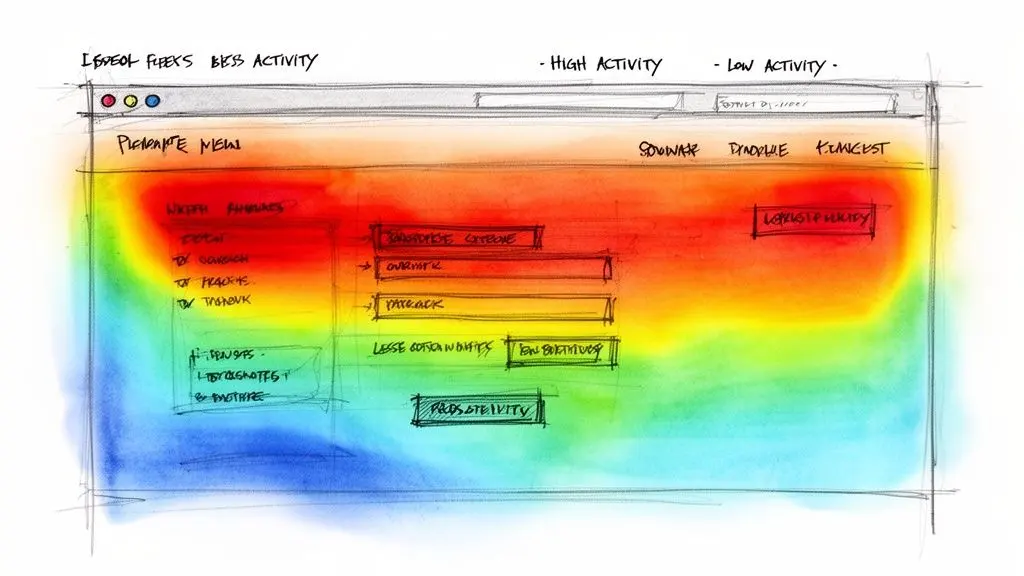
What a heat map shows
A heat map combines behaviour from many users into one view. The goal is pattern recognition.
That matters because conversion teams are rarely trying to explain one unusual session. They are trying to answer a harder question. Where does intent gather, where does attention fade, and where does the page create friction at scale?
On a landing page, that might show up as:
- Heavy interaction on the main CTA
- Repeated clicks on images, icons, or headings that do not do anything
- Attention loss before a pricing block or proof section
- Clusters of cursor activity around a form field, which can suggest hesitation or confusion
A single click can be noise. A repeated pattern across hundreds or thousands of sessions is a lead worth investigating.
Why this format is so useful
Heat maps reduce translation work.
Traditional analytics often forces a marketer to start with a number, then guess what on-page behaviour produced it. Heat maps reverse the order. You start with the page, then inspect the behaviour sitting on top of each element.
That shift is practical, not cosmetic. A page with a weak conversion rate can fail for several different reasons. The offer may be buried. The layout may pull attention away from the CTA. Users may be trying to interact with the wrong element. A heat map helps you identify which of those problems deserves testing first.
This is the strategic value many teams miss. A heat map is not just a visual report. It is a diagnostic tool that helps you rank A/B test ideas by likely revenue impact.
How to read the colours correctly
The colours show concentration, not meaning.
Red does not automatically mean success. A bright area around your CTA could signal strong engagement. A bright area on a non-clickable badge could signal confusion. Blue does not automatically mean failure either. If a legal footer stays cool, that may be perfectly fine.
The right question is always tied to page purpose. If the page exists to drive demo bookings, product purchases, or lead form completions, the most valuable heat map patterns are the ones that show whether user attention is helping that job or getting diverted.
What heat maps are for in CRO work
Heat maps support diagnosis. Experiments confirm whether your diagnosis is correct.
That distinction keeps teams from making expensive mistakes. If visitors keep clicking a product image instead of the add-to-basket button, the next step is not to redesign the whole page on instinct. The next step is to form a testable hypothesis. For example: if we make the image gallery more informative or strengthen the CTA hierarchy, more users will move into the basket flow.
That is how heat maps connect visual behaviour to revenue optimisation. They help you find the friction. A/B testing tells you whether fixing that friction increases conversion and commercial outcomes.
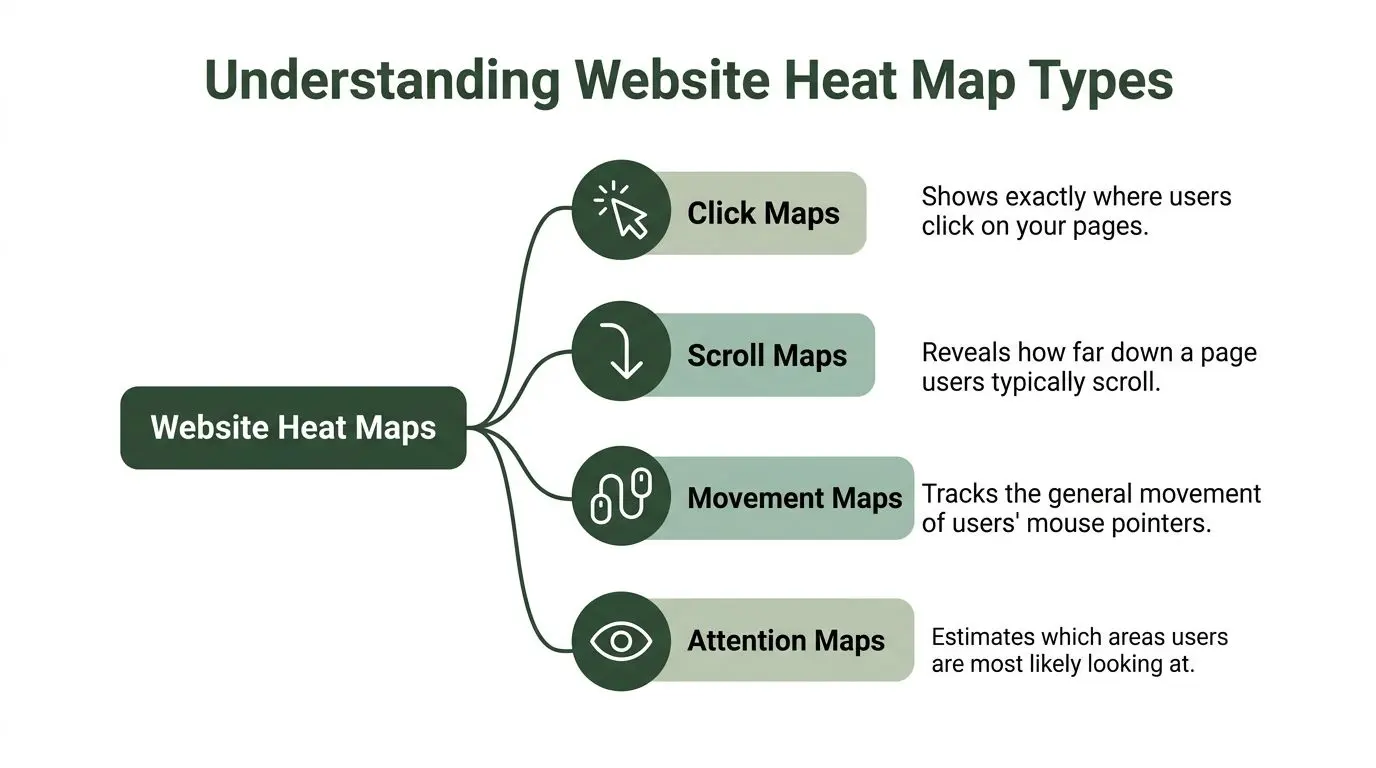
Understanding Different Types of Website Heat Maps
A team opens a landing page report and sees colour everywhere. The problem is that each heat map answers a different question. If you use the wrong one, you get a striking visual and a weak test plan.
The practical approach is to match each map type to the kind of friction you are trying to diagnose. That makes heat maps useful for CRO work, not just interesting to review.
Click maps
A click map shows where users click or tap on a page.
It works like a record of attempted interactions. On a product page, that usually means the gallery, variant selector, delivery information, reviews, and the add-to-basket button. On a lead generation page, it often reveals whether visitors focus on the primary CTA or get pulled toward secondary links.
Click maps help answer three high-value CRO questions:
- Are users engaging with the element that drives conversion?
- Are they ignoring a priority element because the hierarchy is weak?
- Are they clicking items that look interactive but are not?
That third pattern matters more than teams expect. Repeated clicks on a badge, headline, or product image often signal unmet intent. Users want more detail, a zoom view, proof, or a next step. Those patterns often lead to focused A/B tests, such as making images expandable, rewriting supporting copy, or increasing CTA prominence.
Scroll maps
A scroll map shows how far users travel down a page.
This is the map to use when the question is visibility rather than interaction. If pricing, social proof, or FAQs sit lower on the page, a scroll map shows whether enough visitors ever reach them to influence conversion.
For pages with heavy traffic, scroll depth becomes more useful when paired with your own website visitor statistics and traffic patterns. A low-traffic page can produce misleading patterns because too few sessions reached a reliable sample.
Scroll maps are especially useful for spotting structural issues:
- Key proof appears too late
- A long content block creates a stopping point
- The page suggests it has ended before the core CTA appears
- Important sections are visible only to a small share of visitors
A practical example helps here. If a sales page depends on a comparison table halfway down, but the scroll map fades sharply before that point, the testing priority is not “improve the table” first. It is “move decision-making content higher” or “add a shorter proof block earlier” and measure the effect on conversion.
Movement maps
A movement map tracks general mouse behaviour across the page.
This map causes confusion because cursor movement is not the same as eye tracking. It is better treated as a rough signal of exploration or hesitation. Used carefully, it can still be valuable.
Clusters around a pricing toggle, shipping message, or dense form field often suggest effort. Visitors may be comparing options, checking for hidden detail, or pausing because the page asks for more work than expected. That is useful diagnosis for test planning. You might simplify the form, clarify pricing, or change default selections before testing whether completion rate improves.
Attention maps
An attention map estimates where visual focus is likely to concentrate.
This is useful on pages where layout does a lot of selling. Hero sections, editorial landing pages, pricing grids, and onboarding screens often succeed or fail based on hierarchy before any click happens. If the visual path pulls attention to decorative content while the value proposition and CTA get less focus, the page may be losing revenue potential at first glance.
Attention maps are best used to evaluate message order. Are visitors likely to notice the promise, then the proof, then the action? If not, your next A/B test should usually target hierarchy and sequencing before smaller copy tweaks.
Heat Map Types at a Glance
| Heat Map Type | What It Measures | Key Question It Answers |
|---|---|---|
| Click Maps | User clicks or taps on page elements | Where are users trying to interact? |
| Scroll Maps | How far users move down the page | How much of this page do users see? |
| Movement Maps | General mouse pointer behaviour | Where do users hover, hesitate, or explore? |
| Attention Maps | Estimated visual focus or engagement zones | Which areas are most likely capturing attention? |
How to choose the right one
Choose the map based on the decision you need to make.
If conversions are low and you suspect weak CTA engagement, start with a click map. If the offer depends on lower-page content, start with a scroll map. If the problem feels more subtle, such as a dense layout or a complicated value proposition, add movement or attention data to check whether hesitation or poor hierarchy is getting in the way.
One useful rule is to pair one behavioural map with one context map. A click map might show heavy interaction on a product image. A scroll map can show whether users even reached the add-to-basket area. Together, those patterns create a stronger test hypothesis than either map on its own.
Practical tip: Use heat maps to rank test ideas by commercial upside. Friction near pricing, CTAs, forms, and product selection usually deserves attention before lower-value areas such as footer links or decorative sections.
Reading the Rainbow What Heat Map Data Reveals
A heat map is less like a scorecard and more like a street map after rush hour. The bright areas show where traffic builds up. Your job is to work out whether that traffic is heading toward purchase or piling up at a bottleneck.
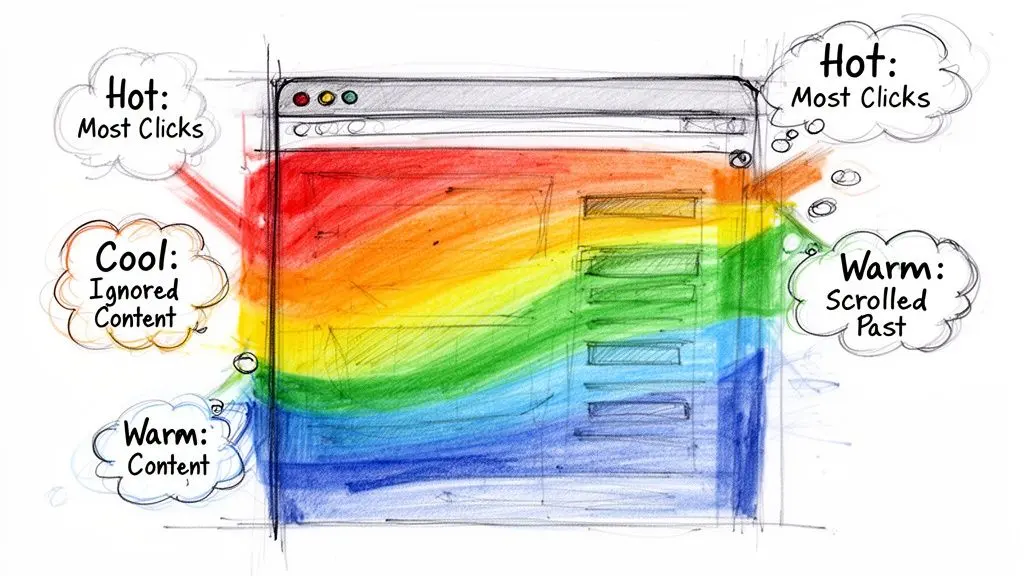
Colour only becomes useful when you read it against page intent. A hot area can mean strong interest, but it can also point to confusion, distraction, or repeated failed attempts to interact. A cool area can mean low relevance. It can also mean the element is poorly placed, visually weak, or never seen by enough visitors to matter.
Hotspots that deserve a second look
The most useful hotspot is often the one your page did not ask for.
If a hero image, trust badge, delivery icon, or product thumbnail attracts heavy clicking, visitors may be asking for something the page does not provide. They might expect zoom, more detail, a comparison view, or a link to supporting information. That gap between expectation and response is a conversion problem you can test.
The reverse pattern matters just as much. If decorative elements draw attention while the primary CTA stays quiet, your visual hierarchy is working against revenue. The page is creating activity, but not progress.
As noted earlier, many teams find that click activity clusters heavily near the top of key landing pages. The practical takeaway is simple. Treat above-the-fold real estate as test territory tied to commercial intent, not just a place for branding. If the first screen attracts attention but not action, test CTA prominence, supporting proof, message clarity, or the order of key elements before making smaller copy changes.
Dead clicks and rage clicks
Some patterns point to frustration, not interest.
A dead click happens when someone clicks an element and nothing useful follows. A rage click is a burst of repeated clicks in the same spot because the visitor expects a response and does not get one. Both patterns usually signal broken expectations near a decision point.
Common causes include:
- Styling that looks interactive but is not
- Slow page responses that make users think the click failed
- Mobile tap targets that are too small or too close together
- Form fields, filters, or selectors that behave inconsistently
These are strong candidates for A/B testing because they often sit close to revenue moments. If users keep clicking a product image, test a zoom state or product gallery prompt. If they repeatedly hit a sticky CTA with poor response, test button feedback, loading states, or a simpler path to the next step.
Sharp drop-offs on scroll maps
Scroll maps help you spot where attention stops. A steep fade in colour often marks the point where visitors mentally treat the page as finished, even when more content sits below.
CRO teams often call this a false bottom. Large image blocks, abrupt spacing changes, dark background bands, and embedded widgets can all create that effect. Important content below that break is not merely underperforming. It is barely entering the decision.
That matters because hidden proof rarely changes outcomes. If reviews, delivery details, pricing context, or finance options sit below the drop-off line, test bringing them higher rather than polishing them in place. Then confirm the impact with an experiment and a proper understanding of confidence intervals in A/B testing.
For a broader behavioural context, this collection of visitor statistics for websites is a useful companion read when you want to frame heat map findings inside wider site traffic patterns.
Patterns that deserve action first
Do not treat every colour shift as a problem to solve. Prioritise the patterns closest to purchase intent and likely commercial impact.
- High interaction on non-clickable elements
- Low engagement in primary CTA zones
- Visible friction around forms, filters, pricing, or shipping information
- Scroll drop-off before proof, offer details, or purchase reassurance
A short visual explainer can help your team recognise these signals faster:
The goal is to translate visual behaviour into testable hypotheses with revenue logic behind them. A bright patch only matters if it explains why users stall, hesitate, or miss the next step.
Heat Map Limitations Data Sampling and User Privacy
A heat map can make a page feel solved too early.
A marketing team sees a bright red patch on the hero image, assumes users are engaged, and starts redesigning the top of the page. Then revenue stays flat because the underlying issue sat lower down, inside shipping details, pricing clarity, or form friction. Heat maps are useful for diagnosis, but only if you read them with the same discipline you would use for any other conversion signal.
Sampling can skew what you are seeing
A heat map works like a weather snapshot. One hot afternoon does not define the whole season.
If the sample is small, or if it comes from a narrow slice of traffic, the pattern can mislead you. Paid social visitors often behave differently from branded search visitors. Mobile users can struggle with layouts that desktop users handle easily. A short burst of traffic during a sale, campaign launch, or technical issue can also distort the picture.
That is why strong CRO teams treat heat maps as directional evidence. They use them to spot where attention, hesitation, or confusion might exist, then check whether the pattern holds across analytics, device categories, landing pages, and session recordings.
One practical rule helps here. Do not act on a heat map until you can answer three questions clearly:
- Which users are included in this sample?
- Is the behaviour consistent across device types and traffic sources?
- Does the pattern appear in data tied to business outcomes, such as click-through, checkout progression, or lead form completion?
If the answer to any of those is unclear, you are still in diagnosis mode.
Visual patterns do not equal statistical certainty
This trips up busy teams all the time because a heat map feels persuasive at a glance.
But a bright cluster of clicks does not prove a page change will improve conversion. It only shows that users interacted with an area more often. Commercial decisions need a second layer of evidence. A/B testing tells you whether the change improved the metric that matters and whether the result is likely to be reliable rather than random. If your team needs a refresher, this explanation of confidence intervals in A/B testing helps separate visual clues from decision-ready evidence.
A simple way to frame it is this: heat maps help you find the suspect. Experiments help you prove the case.
Privacy depends on setup
Heat maps raise a fair concern. If a tool captures user behaviour, how do you avoid collecting data your team should never see?
The answer is configuration, access control, and policy.
Most heat map tools can be set up to mask form fields, avoid capturing sensitive inputs, reduce or anonymise session detail, and limit who inside the business can view recordings or page-level behaviour. For UK and European teams, that setup also needs to align with GDPR obligations and your own consent model. The goal is behavioural analysis, not exposing personal information.
What responsible teams do in practice
Responsible use is usually simple and repeatable:
- Mask any field that could contain personal or payment data
- Limit collection to pages and interactions relevant to optimisation work
- Restrict access to analysts, marketers, and product teams who need it
- Document what is captured so legal, compliance, and marketing stay aligned
- Review tool settings after site changes, new forms, or new checkout steps
Used this way, heat maps become a diagnostic layer in your optimisation process. They help you see where to investigate, which frictions deserve testing first, and which visual signals are too weak or too narrow to justify a revenue-impacting change.
From Heat Map Insights to Winning A/B Tests
A heat map starts paying for itself when it changes your test queue.
Plenty of marketing teams can spot a red patch or a cluster of dead clicks. The harder part is deciding which pattern deserves an experiment, which one can wait, and which one has a real chance of lifting revenue. That is the point where heat maps stop being visual evidence and start acting like a diagnostic tool for CRO.
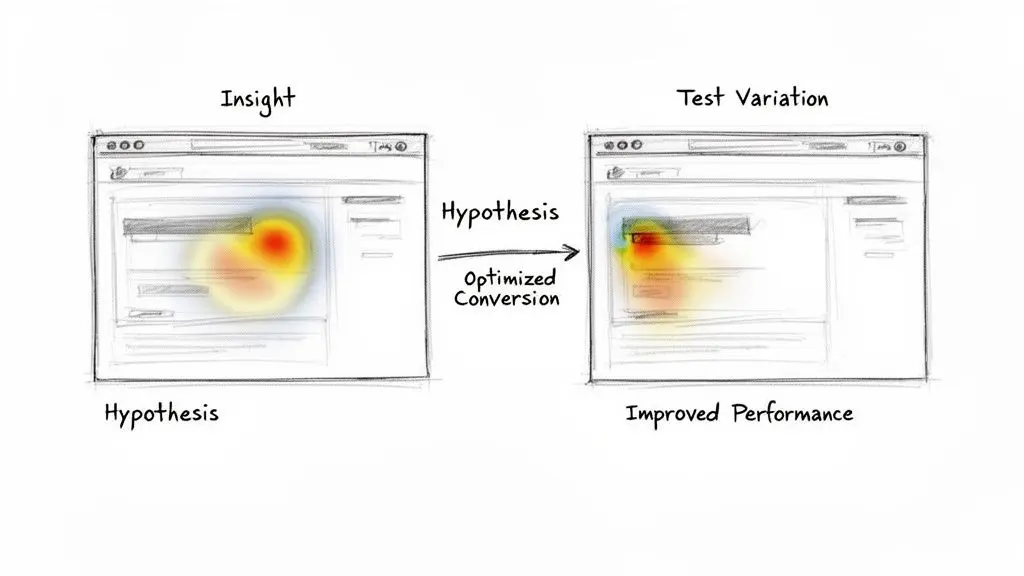
The simplest way to use them is to treat a heat map like a triage board in a clinic. It does not perform the treatment. It helps you identify which problems need attention first, based on severity and likely business impact.
Start with behaviour, then turn it into a testable hypothesis
A useful A/B test hypothesis usually has three parts:
- What users are doing
- Why that behaviour is happening
- What change should improve the outcome
That structure matters because a heat map shows behaviour, not motive. Your job is to turn the visible pattern into a specific, testable idea.
For example:
| Observed behaviour | Suspected cause | Testable hypothesis |
|---|---|---|
| Users click a non-clickable product image label | They expect extra detail or a zoom path | Making the label interactive and visually clearer will increase engagement with product detail content |
| Scroll depth drops before the value stack | The section above feels like an ending point | Moving key proof higher will increase exposure to trust content and support more conversions |
| Primary CTA gets less attention than nearby elements | The visual hierarchy pulls attention away from the action | Simplifying the hero and increasing CTA prominence will improve click-through to the next step |
That is the handoff from observation to experimentation. Heat maps surface the symptom. The hypothesis defines the treatment.
Prioritise by distance from revenue
A useful heat map insight is not always the most eye-catching one.
If users interact oddly with a blog sidebar, that may be worth noting. If they hesitate around pricing, shipping details, plan comparison, form completion, product selection, or the primary CTA, you are much closer to the moment that affects revenue. Those are usually the highest-value testing opportunities because they sit near buying intent.
Many teams lose focus here, choosing tests that are easy to launch instead of tests tied to commercial outcomes. A better approach is to rank each heat map finding by one question first: if this friction disappeared, would it likely improve conversion quality, order value, lead completion, or progression to checkout?
Use a simple triage model to choose what to test first
When several patterns compete for attention, score them using three lenses.
1. Commercial proximity
How close is the problem to a business-critical action?
Elements near add-to-basket clicks, lead forms, pricing modules, shipping information, checkout steps, and trust proof usually deserve more urgency than low-intent content areas.
2. Friction clarity
How obvious is the problem?
Repeated dead clicks on a visual element are easier to act on than a cool patch on a paragraph. Clearer friction tends to produce cleaner hypotheses and cleaner experiments.
3. Ease of implementation
Can you test the idea without a full redesign?
Sometimes a small change validates the opportunity fast. A tighter CTA label, a reordered section, or a clearer visual cue can tell you whether a bigger redesign is justified.
Used together, these three lenses help you avoid a messy backlog full of interesting but low-impact ideas.
Design experiments that isolate the cause
Heat maps often tempt teams into broad page redesigns. That usually makes it harder to learn what improved performance.
A stronger approach is to isolate one meaningful change at a time. In practice, that often means testing:
- Hierarchy changes, such as moving pricing cues, trust proof, or delivery information higher on the page
- Clarity changes, such as simplifying copy or rewriting CTA labels to match user intent
- Interaction changes, such as making expected elements clickable or removing misleading visual cues
- Layout changes, especially on mobile, where spacing and order often shape whether users continue or drop off
If your team needs a practical model for structuring those experiments, this guide to landing page split testing shows how to turn page-level observations into controlled tests.
A good test is narrow enough to teach you something. That matters because the goal is not just to win one experiment. It is to build a repeatable system for finding and fixing conversion friction.
Match the success metric to the friction you found
This step is easy to skip and costly to ignore.
If a heat map shows users missing the main CTA, measure click-through to the next step. If it shows hesitation around pricing or shipping details, watch downstream conversion rate, average order value, or checkout progression. If users stall before a lead form, form completion rate and qualified lead volume may be better metrics than simple button clicks.
That connection is what turns visual behaviour into revenue optimisation. Without it, teams end up celebrating movement on a page without proving business value.
A practical workflow for revenue-focused testing
Keep the workflow simple:
- Review the heat map for a high-intent page.
- Identify one clear friction point.
- Link that friction to a business metric.
- Write a narrow hypothesis.
- Run an A/B test that isolates the change.
- Judge the result by commercial impact, not by how different the page looks.
Used this way, heat maps do more than explain where users click. They help you decide which experiments deserve priority, which changes are likely to affect revenue, and which ideas are only visual noise.
Actionable Best Practices for Heat Map Analysis
Teams get more value from heat maps when they analyse them with discipline rather than curiosity alone.
The difference is subtle. One team opens a map, points at a red patch, and starts redesigning. Another team uses the map as one input in a repeatable decision process. The second team usually finds better tests.
Segment before you interpret
A blended heat map can hide the very behaviour you need to see.
Look separately at:
- Device type because mobile friction often disappears inside aggregate views
- Traffic source because paid, email, and organic visitors arrive with different intent
- New versus returning users because familiarity changes navigation behaviour
- Geography when relevant because region-specific patterns can differ
Smartlook’s UK-focused discussion highlights this point well. Filtering by country can uncover behavioural patterns that aggregate data hides, including differences between UK visitor types and device contexts in heatmap views.
Pair heat maps with supporting evidence
Heat maps are strong at showing patterns. They are weaker at explaining motives on their own.
Use them alongside:
- Web analytics for funnel impact
- Session replays for behavioural context
- On-page feedback or research when a pattern seems ambiguous
- Experiment results to validate the fix
Avoid the most common analysis traps
The biggest pitfalls are predictable.
Confirmation bias
Do not open a map trying to prove your favourite redesign idea. Open it to find what users are doing.
Overreacting to isolated patterns
One strange hotspot is not a strategy. Look for repeated behaviour and check whether it aligns with commercial outcomes.
Treating every hot area as success
A hotspot can mean confusion just as easily as interest. Interpret with context.
Ignoring page intent
A support article and a product page should not be judged by the same interaction pattern. Always ask what the page is meant to help the user do.
Checklist mindset: Segment the data, inspect the page in context, compare with other evidence, then decide whether the pattern is strong enough to justify a test.
The more rigorous your reading process, the more useful your test backlog becomes.
FAQs About Using Heat Maps on Websites
How many sessions do I need before a heat map is useful
There is no one-size-fits-all threshold that applies to every page and traffic mix, and I will avoid inventing one. In practice, you want enough behaviour for clear patterns to stabilise. High-traffic pages usually become interpretable faster. Lower-traffic pages need more patience and more caution.
If the map changes dramatically from one review to the next, keep collecting data before making a major decision.
Do heat maps slow down a website
They can affect performance, depending on the tool and implementation. That is why teams should check script weight, loading behaviour, and how the tool handles modern front-end environments.
The right way to think about this is operational, not ideological. Review your Core Web Vitals, test implementation carefully, and avoid assuming every tracking script is harmless.
What is the difference between a heat map and a session replay
A heat map shows aggregate behaviour across many users. A session replay shows the journey of an individual session.
Use heat maps to detect patterns. Use replays to understand what that pattern looks like in real behaviour. If a heat map shows heavy dead clicking on a filter, a replay can reveal whether users are confused, blocked, or impatient.
Do heat maps work on single-page applications
They can, but implementation quality matters. Dynamic content, route changes, lazy-loaded sections, and interactive components can complicate tracking.
Before relying on the data, confirm that your tool correctly recognises state changes and renders page-level analysis in a way that reflects the user experience.
Are heat maps enough to make conversion decisions
No. Heat maps are excellent for diagnosis, but they are not the final decision layer.
Use them to identify where a page may be leaking intent. Then validate the proposed fix with an A/B test against a meaningful metric such as conversions, purchases, or revenue per visitor.
Should I analyse desktop and mobile together
Usually not.
Desktop and mobile users often behave differently because the layout, viewport, and interaction mechanics differ. Mixing them can flatten important signals and hide mobile-specific friction.
If your team wants to move from behavioural clues to statistically sound page experiments, Otter A/B makes that workflow faster. You can launch lightweight tests on headlines, CTAs, layouts, and offers without hurting UX, then track conversion rate, purchases, average order value, and revenue per variant in one place.
Stop guessing
Ready to start testing?
Set up your first A/B test in under five minutes. No credit card required.
- 14-day free trial
- No credit card required
- Cancel anytime