A Guide to Visitor Statistics for Websites
Turn visitor statistics for websites into real growth. This guide explains key metrics, data collection, and A/B testing for data-driven decisions in 2026.


At its core, visitor statistics are the numbers that reveal the story behind your website. They show you who is visiting, how they found you, and what they do once they’re there. This isn't just abstract data; it's the intelligence you need to stop guessing and start making informed decisions that genuinely drive growth.
Why Website Visitor Statistics Are Your Roadmap to Growth

Trying to run a website without looking at your visitor stats is like managing a high-street shop with the windows blacked out. You’d have no idea how many people are coming in, which products they're looking at, or why so many seem to leave without buying a thing. It’s operating in the dark.
Website statistics are your eyes and ears online. They translate clicks and scrolls into clear patterns of human behaviour, telling you a rich story about your audience. By paying attention, you can start thinking like a savvy store manager who instinctively knows the flow of foot traffic and can spot a bottleneck or an opportunity from a mile off.
Turning Numbers Into Narratives
Every metric helps to paint a bigger picture of your customer's journey. A flood of visitors from a specific social media campaign? That tells you your marketing is hitting the mark. A sharp drop-off on your checkout page? That’s a massive red flag, signalling something is broken, confusing, or causing friction.
We saw just how powerful this data can be during the global pandemic. As lockdowns pushed our lives online, total internet visits in the UK shot up to 128 billion in April 2020 alone—a staggering 25% increase from before the pandemic. While that initial surge has since settled to a new normal of around 115 billion monthly visits, it proves how much digital behaviour has fundamentally changed. You can explore more of the data behind this shift over at SiteGround.com.
Visitor statistics aren't just about counting clicks. They are about understanding intent, uncovering problems, and identifying what truly resonates with your audience.
The Foundation for Smart Decisions
Ultimately, tracking these metrics is all about making smarter, more profitable business decisions. When you properly understand what visitors are doing on your site, you can stop throwing things at the wall to see what sticks and start optimising with purpose. This data-first approach is the key to improving your user experience and, as a result, your bottom line.
By making sense of your visitor statistics, you can:
- Identify your most valuable content: See exactly which blog posts, landing pages, or products are drawing people in and getting them to act.
- Pinpoint user experience issues: Easily spot pages with high bounce rates that are likely frustrating or turning people away.
- Optimise your marketing spend: Funnel your budget into the channels that actually deliver qualified traffic and the best return on your investment.
This turns your website from a static online brochure into a dynamic tool that constantly adapts to what your audience wants and needs. The rest of this guide will break down exactly which metrics to watch and how to use them to build a better, more successful online presence.
Decoding the Core Metrics That Actually Matter
Stepping into your website analytics can feel like trying to drink from a firehose. You're hit with dozens of charts and numbers, all vying for your attention. The secret isn't to understand every single one, but to focus on the handful of core visitor statistics for websites that tell the real story about your audience and their behaviour.
Think of each metric as a different lens. One shows you who is walking through the door, another shows you what they do once they're inside, and another tells you if they bought anything. Let's look through these lenses to see what's really happening on your site.
Unique Visitors vs Sessions
First, let's clear up two of the most commonly confused metrics: Unique Visitors and Sessions. Getting this right is fundamental because they measure two very different things: your audience size versus their activity level.
A Unique Visitor is one individual person. Picture someone walking into your physical shop. Whether they pop in once a month or three times in a single day, they are still just one person. This metric is your go-to for understanding the total reach of your marketing and the actual size of your audience over a given period.
A Session, however, is a single, continuous visit. If that same person visits your website on Monday morning and again on Tuesday afternoon, that counts as one unique visitor but two separate sessions. A session usually ends after 30 minutes of inactivity. This number helps you gauge how frequently people are coming back to engage with you.
Pageviews and Session Duration
Once a visitor begins a session, we can zoom in on what they’re doing. This is where Pageviews and Session Duration come into play.
Pageviews simply count the total number of pages a person looks at during their visit. For instance, a visitor lands on your blog, clicks over to a product page, and then checks your contact details. That's one session with three pageviews. It’s a great way to see which parts of your website are grabbing the most eyeballs.
Average Session Duration is exactly what it sounds like: the average amount of time people spend on your site per visit. A long duration can be a brilliant sign that your content is compelling and useful. But don't jump to conclusions—a short visit isn't always a failure. If someone finds the answer they need immediately and leaves happy, that’s a win!
Bounce Rate and Exit Rate
Of course, not every visit turns into a deep exploration. Some visitors leave almost as soon as they arrive, and that's what Bounce Rate measures.
A bounce is a single-page session. Simply put, a visitor lands on a page and then leaves without clicking on anything else—no links, no forms, no interaction at all. A high bounce rate often flashes a warning sign that your landing page isn't giving visitors what they expected.
For example, if you run an ad for "waterproof hiking boots" but your link sends them to a generic page with all types of shoes, people will likely hit the 'back' button instantly. That disconnect between their expectation and your page's reality is a classic cause of a high bounce rate. If you're wrestling with this, it's worth digging into what a high bounce rate on your website really means for your business.
It's also important not to mix this up with Exit Rate, which is the percentage of visitors who leave your site from a particular page. Every page has an exit rate, but you need to pay close attention when it's high on a crucial page, like the final step of a checkout. That's a red flag signalling a potential leak in your funnel.
Conversions and Revenue Per Visitor
Finally, we get to the metrics that tie everything back to your bottom line: Conversion Rate and Revenue Per Visitor (RPV).
A Conversion is the specific, valuable action you want a visitor to take. This could be anything from making a purchase to signing up for a newsletter or downloading a guide. Your Conversion Rate is the percentage of your visitors who actually do it. This is the ultimate measure of how persuasive and effective your website truly is.
Revenue Per Visitor takes it one step further by calculating the average financial value of every person who lands on your site. For any e-commerce business, this is a powerhouse metric. It draws a direct line from your website traffic to your bank account, helping you make much smarter calls on how much to invest in marketing.
To make sense of it all at a glance, this table connects each metric to the core business question it helps you answer.
Key Visitor Statistics and the Business Questions They Answer
| Metric | What It Measures | The Core Business Question It Answers |
|---|---|---|
| Unique Visitors | The number of distinct individuals visiting your site. | How large is my audience? Are my marketing efforts attracting new people? |
| Sessions | The total number of visits to your site (one person can have multiple sessions). | How often are people returning and engaging with my brand? |
| Bounce Rate | The percentage of single-page visits where the user left without interacting. | Is my landing page relevant and compelling to arriving visitors? |
| Session Duration | The average length of time a visitor spends on your site during a session. | Is my content engaging enough to hold my audience's attention? |
| Conversion Rate | The percentage of visitors who complete a desired goal (e.g., a purchase). | Is my website effectively persuading visitors to take action? |
| Revenue Per Visitor | The average revenue generated per unique visitor. | How much is each visitor worth to my business? |
By focusing on these key numbers, you move past the vanity metrics and start gathering genuine business intelligence. Each one provides a clue that, when put together, gives you a clear picture of your website’s performance and where the biggest opportunities for improvement lie.
How Visitor Statistics Are Actually Collected
To get any real value from your visitor statistics for websites, you first need to trust the numbers. That trust comes from understanding exactly where they come from. It’s not magic; it’s a set of specific technologies working behind the scenes. Choosing the right one is like deciding between a multi-tool and a specialised piece of equipment—what you pick depends entirely on the job you need to do.
Most of the time, this all starts with a small piece of JavaScript tracking code, often called a 'tag' or 'pixel'. Think of it as a tiny, invisible tripwire you place on every page of your site. When you sign up for a tool like Google Analytics, it gives you a short code snippet to add to your website's header.
When someone lands on a page, their browser executes this script. The script then quietly notes down key details—what page they’re on, the type of device they're using, how they found you—and sends this package of information back to your analytics platform. That's it. A few lines of code are what power all those detailed reports on user behaviour.
Different Tools for Different Jobs
While JavaScript tags are the go-to for most, they aren't the only option. Other methods exist, each offering a slightly different angle on your visitor data. Knowing the alternatives helps you build a much richer, more accurate picture of how your website is performing.
Here are the main methods you’ll come across:
-
Server-Side Logs: These are the raw, unfiltered activity logs your web server creates automatically. Think of them as the server’s own diary. Every single request for a file, whether it's a webpage or an image, gets recorded. This method is brilliant because it's completely immune to ad-blockers, but it gives you less insight into what users do once the page has loaded.
-
SDKs (Software Development Kits): An SDK is a purpose-built toolkit for a specific job, like running A/B tests. For example, Otter A/B uses a featherlight 9KB SDK that loads in under 50ms. It’s designed from the ground up to track experiment data with precision, all without slowing your site down or causing the dreaded 'flicker' effect that can ruin a user's experience. You can see how Otter A/B’s technology works if you're curious about the technical side.
-
Tag Managers: A tool like Google Tag Manager is less a collection method and more a container for all your other tracking scripts. It lets you manage all your tags (analytics, advertising pixels, etc.) from one central dashboard instead of asking a developer for help every time. This makes it far easier to deploy, update, and organise everything without having to touch the site’s underlying code.
This flowchart shows how all the statistics you collect fit together, mapping the journey from a person's first visit to becoming a customer.
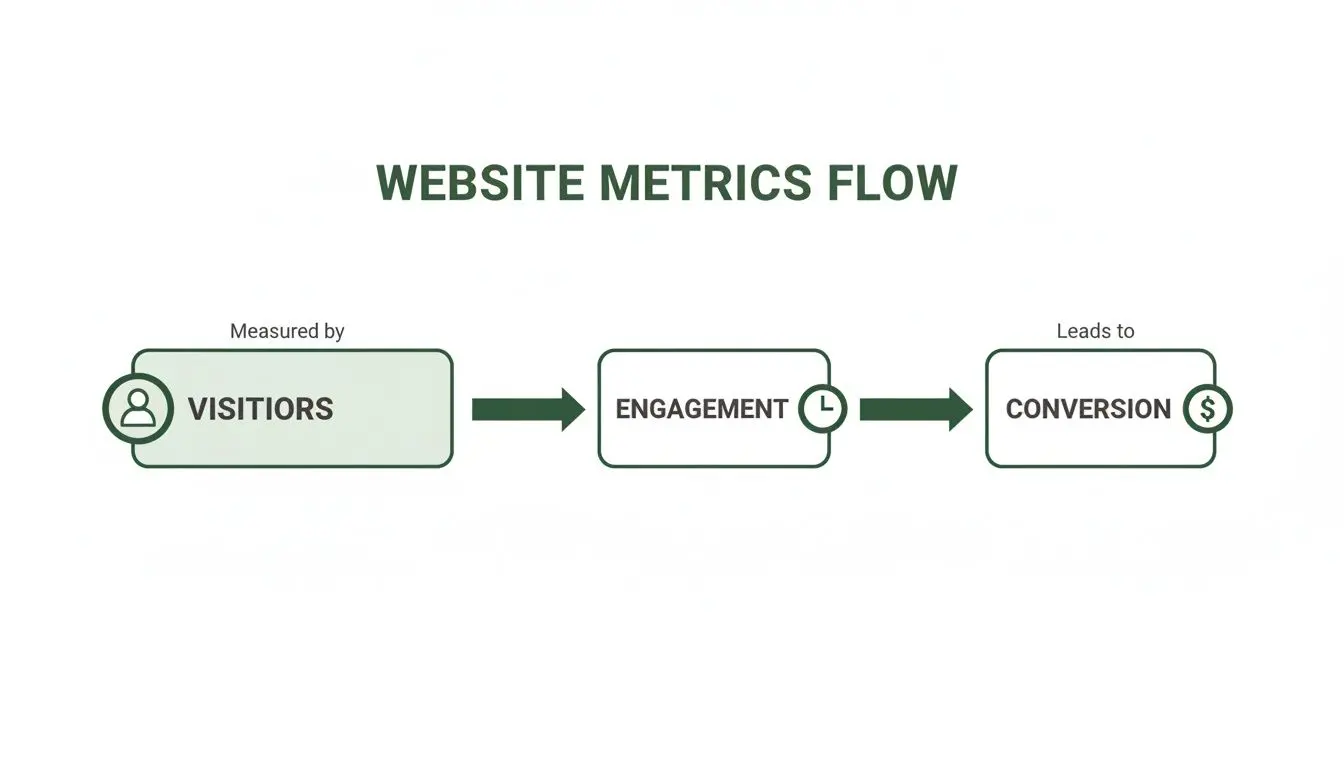
Ultimately, that flow from visitor to engagement and then to conversion is what you're trying to understand and improve.
Ensuring Accuracy and Respecting Privacy
Regardless of the method you choose, accuracy is everything. Bad data leads to bad decisions, simple as that. It’s vital to filter out irrelevant traffic from your own team's computers (by excluding internal IP addresses) and from known spam bots. If you don't, you'll end up with skewed numbers.
Your goal is to measure the behaviour of real, potential customers. Anything else is just noise that can lead you down the wrong path.
At the same time, visitor privacy has moved from a 'nice-to-have' to a legal necessity. With regulations like GDPR now firmly in place, you have to be transparent about what data you collect and why. Thankfully, modern analytics tools provide the features you need to anonymise IP addresses and manage user consent, allowing you to gather powerful insights while respecting people's privacy. Once you've got collection sorted, the next step is learning how to monitor website traffic without getting lost in the data.
Turning Data Into Dollars with A/B Testing

Getting to grips with your visitor statistics is one thing. The real skill lies in using that knowledge to make changes that actually grow your business. This is where A/B testing comes in, turning those numbers on your screen into a proper tool for boosting your revenue.
Think of your analytics data as a doctor diagnosing a symptom. Maybe you see a high bounce rate on a key landing page—that's the problem. A/B testing is the treatment; it’s a controlled experiment designed to find a cure. Instead of guessing what might work, you can test your ideas systematically and find out for certain.
From Hypothesis to High-Confidence Winner
Every good A/B test starts with a solid hypothesis, and that hypothesis should be born directly from your visitor stats. This isn’t about plucking ideas out of thin air; it’s about making an educated guess based on what the data is already telling you.
Here’s how you can translate common data points into concrete test ideas:
-
High Bounce Rate on a Homepage: If a lot of people are landing on your site and leaving immediately, your main message probably isn't hitting the mark. Hypothesis: A clearer, more benefit-focused headline will grab their attention and convince them to stick around, reducing the bounce rate.
-
Low Conversions on a Product Page: Getting plenty of traffic but not many sales? Your call-to-action (CTA) could be the culprit. Hypothesis: Changing the CTA button from a passive "Learn More" to an active "Buy Now" and giving it a more vibrant colour will drive more purchases.
-
High Abandonment at Checkout: If you see users dropping off right at the final hurdle, they might be feeling a bit of last-minute uncertainty. Hypothesis: Adding customer testimonials and security badges to the checkout page will build trust and encourage more people to complete their order.
Ultimately, the goal isn't just to understand who visits your site, but to improve your website conversion rates. A/B testing gives you a scientific method to do just that.
A Real-World A/B Testing Scenario
Let’s say you run a Shopify store selling bespoke leather goods. While looking at your visitor statistics for websites, you spot a worrying trend. Your new "Artisan Backpack" product page gets lots of clicks, but its conversion rate is miles behind your other products. You’ve found a problem.
Using an A/B testing tool like Otter A/B, you decide to act. You suspect the current headline, "Handcrafted Artisan Backpack," is just too generic and isn't exciting anyone.
-
Formulate a Hypothesis: Your theory is that a more descriptive headline that highlights durability will resonate much better with your audience. You come up with a new contender: "The Last Backpack You'll Ever Need—Guaranteed for Life."
-
Set Up the Test: Inside your A/B testing platform, you create a new variant (Version B) featuring this powerful new headline. The original headline stays as your control (Version A).
-
Split the Traffic: The tool gets to work, automatically sending 50% of visitors to see Version A and the other 50% to see Version B.
Now, you let the test run. A sophisticated tool like Otter A/B uses a frequentist z-test engine to crunch the numbers in real-time. It's constantly checking if one version is outperforming the other, looking for a 95% statistical confidence level. This isn't a hunch; it's a mathematical guarantee that the results aren't just a fluke.
An A/B test is only called a "winner" when there's a high degree of certainty—typically 95% or more—that the improvement you're seeing is real and can be repeated. This rigour ensures your decisions are based on solid evidence, not just wishful thinking.
Going Beyond Clicks to Track Revenue
A few weeks later, you get the notification: Version B, with "The Last Backpack You'll Ever Need," is a clear winner. It didn't just increase the conversion rate by 15%; it also boosted the Revenue Per Visitor (RPV) by a very healthy £3.20.
This is an absolutely crucial point. A great testing tool doesn't just count clicks—it tracks the cold, hard cash. By tying every experiment directly to revenue, you can be sure your optimisations are actually making the business more money. For UK businesses, this is vital. As of 2025, Google held a staggering 91.6% of the UK search market, meaning a huge volume of traffic is up for grabs.
To dive deeper into the methodology behind this, check out our guide on what an A/B test is and how it works.
Advanced Strategies for Deeper Insights
Once you've got a handle on the basic metrics, you’re ready to start asking more interesting questions. Standard visitor statistics for websites give you a great bird's-eye view, but the real magic happens when you use advanced strategies like segmentation and attribution. These techniques are what separate the raw data from genuine business intelligence, helping you understand the subtle differences in how people actually use your site.
Relying on a single, site-wide average for any metric is a trap. It's like judging a city's wealth by its average income alone; you completely miss the vast differences between neighbourhoods. Segmentation is how you start exploring those different "neighbourhoods" within your audience to get a much clearer, more accurate picture.
The Power of Segmentation
At its heart, segmentation is the simple act of sorting your visitors into meaningful groups based on things they have in common. When you do this, you can compare how different groups behave and fine-tune your approach for each one. Looking at your data through these specific lenses often reveals powerful insights that were completely invisible in the site-wide averages.
You can segment your audience by almost anything you can measure, but these are a few of the most powerful places to start:
- New vs Returning Visitors: This is the classic, for good reason. Are first-time visitors bouncing straight off while your loyal users are converting? That might point to a problem with your welcome mat or, conversely, show that your brand loyalty is paying off.
- Device Type: Comparing mobile, desktop, and tablet users is non-negotiable in 2026. If your mobile conversion rate is miles behind the desktop, it’s a massive red flag that your mobile experience needs urgent work.
- Traffic Source: Do visitors from your paid social media campaigns behave differently to those who find you through organic search? Segmenting by source shows you which channels are delivering your most engaged—and most valuable—traffic.
- Geography: If your business has any kind of regional focus, understanding which countries or cities are bringing in the most conversions can help you localise your marketing and get a much better return.
By breaking down your numbers this way, you can move away from one-size-fits-all decisions and begin tailoring the experience for the audiences that matter most.
Demystifying Attribution Modelling
So, while segmentation tells you who is taking action, attribution modelling tells you which of your marketing efforts should get the credit. Think of it like a game of football. When a goal is scored, who deserves the praise? Is it only the striker who kicked the ball into the net, or does the midfielder who made the critical assist deserve recognition too?
In marketing, a conversion is almost never the result of a single interaction. A customer might first discover your brand through a blog post, see a retargeting ad on social media a week later, and finally click on a branded search ad to make a purchase. Attribution modelling is simply the framework for assigning value to each of those touchpoints along the way.
Attribution isn’t just about giving credit where it's due; it's about understanding the entire customer journey so you can invest your marketing budget where it will have the greatest effect. It helps you justify spending on channels that assist conversions, not just those that close them.
There are several common models, and each tells a slightly different story:
- First-Touch Attribution: This model gives 100% of the credit to the very first channel a customer interacted with. It’s perfect for understanding which channels are best at generating initial awareness and introducing people to your brand.
- Last-Touch Attribution: As the opposite of first-touch, this model gives all the credit to the final click before the conversion. It’s great for highlighting which channels are your best "closers," but it often undervalues the marketing you do at the top of the funnel.
- Linear Attribution: This model takes a more balanced approach, splitting the credit equally among all touchpoints in the journey. It works from the assumption that every step played a part in the final decision.
Choosing the right attribution model is key to understanding which parts of your marketing engine are actually working to attract, influence, and convert visitors. That knowledge is what allows you to confidently optimise your budget and prove the value of your campaigns.
Answering Your Top Questions About Visitor Statistics
Once you start digging into your website data, it’s only natural for questions to pop up. Let's be honest, staring at a screen full of numbers can feel a bit overwhelming, especially when they don’t tell a clear story at first glance.
This is where we clear things up. We'll tackle some of the most common questions we hear from people just like you. The goal is to get you from asking "What on earth does this number mean?" to confidently saying, "I know how to use this to make my site better."
What Is a Good Bounce Rate for a Website?
This is the classic question, and the answer is always the same: it completely depends on the purpose of the page. There's no magic number that works for everyone. Context is king.
Think about it. A high bounce rate on a blog post, say 70-90%, can actually be a great sign. Someone Googles a question, lands on your article, gets their answer, and leaves. Your content did its job perfectly. That was a short but successful visit.
On the other hand, if you saw a 70% bounce rate on your main e-commerce category page, alarm bells should be ringing. It’s a huge red flag that visitors either aren't seeing products they like or the page simply isn't what they were expecting.
A "bounce" is just a session where someone views only one page. A high bounce rate means your page is both the first and last impression. Sometimes that’s fine, but for pages meant to drive action, it’s a problem.
As a rough guide for pages where you want people to click further, here’s what we generally see:
- 26-40%: Fantastic. You’re keeping people engaged.
- 41-55%: A perfectly healthy and average range.
- Over 70%: This usually points to a problem with relevance, page speed, or user experience that needs a closer look.
How Can I Improve the Accuracy of My Visitor Statistics?
Making decisions on dodgy data is often worse than just going with your gut. To make sure the numbers you're basing your strategy on are reliable, you need to be disciplined about data hygiene from day one.
First things first, check that your main tracking code is properly installed on every single page of your site. No exceptions. Using a tool like Google Tag Manager is a lifesaver here, as it helps you manage all your tracking scripts in one place and cuts down on human error.
Next, you have to filter out all the "noise" that can mess with your data. The big ones are:
- Filtering Internal Traffic: Make sure you exclude traffic from your own company’s IP addresses. Your team browsing the site doesn't reflect real customer behaviour.
- Blocking Known Bots: Most good analytics platforms have a simple checkbox to filter out traffic from known bots and spiders. Make sure it's ticked.
- Cross-Referencing Data: Don't live entirely within your analytics tool. Every now and then, compare its data with another source, like your backend sales reports from Shopify or WooCommerce, to spot any major inconsistencies.
And when it comes to something as critical as A/B testing, using a purpose-built tool is the way to go. A dedicated A/B testing platform with its own SDK is engineered for precision, ensuring the data you use to call a winner is as solid as a rock.
How Often Should I Check My Website Statistics?
Finding the right rhythm for checking your stats depends on your site's traffic and your role. You want to stay informed without getting obsessed with every tiny daily dip and spike.
If you’re running a high-traffic e-commerce store, a quick daily check of core metrics like sessions, conversion rate, and revenue is non-negotiable. It allows you to spot technical glitches or failing campaigns almost instantly. Likewise, marketers running active paid ads should be looking at their data daily.
For most other businesses, a focused weekly review is a much more practical approach. It’s frequent enough to spot trends as they emerge but stops you from overreacting to the normal, day-to-day noise.
But there’s one big exception: A/B testing. When a test is live, the golden rule is to avoid checking it constantly. Let the test run until it gathers enough data to be statistically significant. Peeking at the results early is a sure-fire way to jump to the wrong conclusion based on a small, random sample. Let the statistical engine do its job.
Ready to go from just tracking numbers to actually improving them? Otter A/B makes it easy to run powerful A/B tests and discover what really drives conversions on your website. Start your free trial today at https://www.otterab.com and make every decision a data-driven one.
Stop guessing
Ready to start testing?
Set up your first A/B test in under five minutes. No credit card required.
- 14-day free trial
- No credit card required
- Cancel anytime