What Is Bounce Rate on a Website and How to Fix It
Learn what is bounce rate on a website, why context matters, and how to fix it with proven CRO strategies. Turn bounces into conversions in 2026.

Ever had someone visit your website, take one look at a page, and leave immediately? That’s what we call a bounce. It's one of the most talked-about, and often misunderstood, metrics in web analytics.
What Is Bounce Rate? A Simple Guide
Think of it like this: a visitor walks into your physical shop, glances at the first display just inside the door, and then turns around and walks straight back out. They didn't browse any other aisles, ask for help, or head to the checkout. In the online world, that’s a bounce.
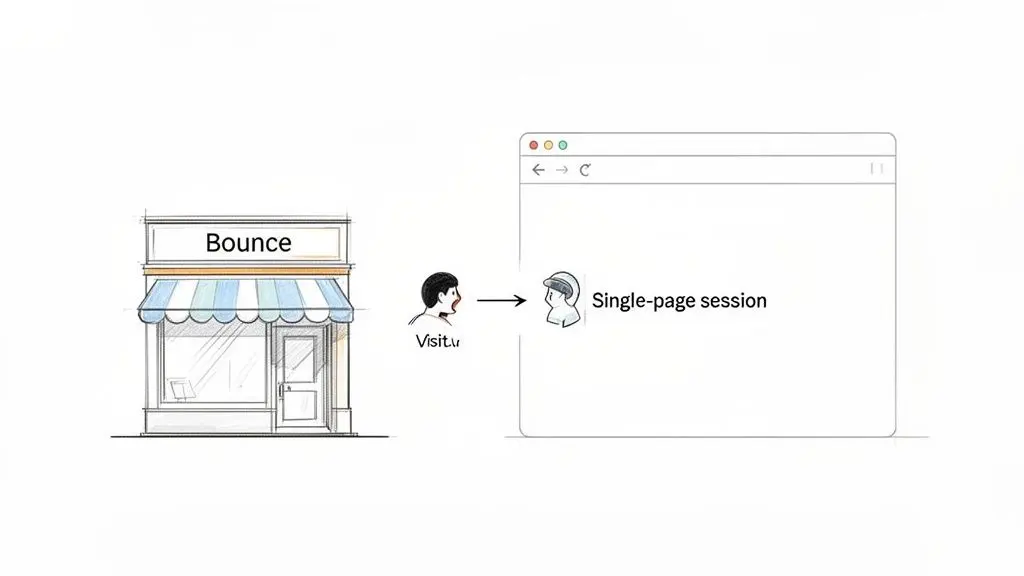
Bounce rate is simply the percentage of your website visitors who have a single-page session. They land on a page and leave without taking any other action—no clicks, no form submissions, nothing. Their entire journey begins and ends on that one entry page.
The Bounce Rate Calculation
So, how do you actually calculate this? The formula itself is quite simple. You just divide the number of single-page visits by the total number of visits (or "sessions") on your site.
Bounce Rate = (Total Single-Page Sessions ÷ Total Sessions) x 100
A "session" is the entire period a user is active on your site. If that whole session consists of just one page view, your analytics platform flags it as a bounce.
But what stops a visit from being a bounce? Any meaningful "interaction". An interaction tells your analytics tool that the visitor engaged with the page. Common examples include:
- Clicking a link to another page on your website (e.g., from a blog post to a product page).
- Filling out and submitting a contact form or a newsletter sign-up.
- Completing a purchase or adding an item to their shopping cart.
- Clicking an element that triggers a tracked event, like a "read more" expand button or playing a video.
Understanding the Numbers
To get a handle on this, let's put it into a quick reference table. You can also use a handy Bounce Rate Calculator to do the maths for you.
Bounce Rate at a Glance
This table breaks down the core components of bounce rate for a quick overview.
| Metric | Definition | Calculation |
|---|---|---|
| Bounce | A session where a user visits only one page and leaves without triggering any further interactions. | Occurs when Pages per Session = 1. |
| Bounce Rate | The percentage of all sessions on your site that were single-page sessions. | (Bounces ÷ Total Sessions) × 100 |
Ultimately, a bounce happens when a visitor's needs aren't met on the landing page, or there isn't a clear and compelling reason for them to stick around.
Why a High Bounce Rate Isn't Always a Bad Sign
That sinking feeling when you see a page’s bounce rate creeping up to 80% or 90%? We’ve all been there. It’s easy to panic and assume your page is a total failure.
But here’s the thing many people get wrong: a high bounce rate isn't automatically a red flag. Before you jump to any conclusions, you have to ask one simple question: what is this page for? A high bounce rate only becomes a problem when it works against the goal of the page.
For instance, think about your 'Contact Us' page. Someone lands there looking for your company’s phone number. They spot it, copy it, and close the tab. In your analytics, that’s a bounce. But did the page fail? Absolutely not. It did its job perfectly and quickly.
The same idea holds true for all sorts of informational content.
A reader might land on a blog post, find the answer to a specific question, and leave satisfied. They got what they came for; their mission was accomplished. In this scenario, the bounce is a sign of a highly effective page, not a failing one.
This really gets to the heart of bounce rate's limitations. It’s a classic metric that tells you what happened (the user only viewed one page), but it gives you zero insight into the why.
Moving Beyond Bounce Rate
This is exactly why modern analytics platforms, like Google Analytics 4 (GA4), have started to shift their focus. They're moving away from bounce rate and pushing engagement rate to the forefront. Engagement rate is essentially the inverse, measuring the percentage of sessions that were actually engaging.
A session is counted as 'engaged' if the user stayed for longer than 10 seconds, triggered a conversion event, or visited at least two pages. This simple change helps you get a much more nuanced picture of how people are interacting with your site.
Just look at these two scenarios:
- A "Good" Bounce: A user lands on a recipe page. They spend two minutes carefully reading the ingredients and method without clicking anywhere else, then head to the kitchen to start cooking. Technically, it's a 100% bounce rate, but that person was clearly engaged and happy.
- A "Bad" Non-Bounce: A visitor hits your homepage, gets confused, and clicks on your "About Us" page by mistake before leaving in frustration. This two-page visit means it wasn't a bounce, but it was a terrible user experience.
Truly understanding what is bounce rate on a website is about seeing it as one small clue in a much larger investigation. It’s a signal, not the full story. To get a real sense of a page's performance, you need to look at it alongside other metrics like time on page, scroll depth, and specific conversion events. That’s how you build an accurate picture of what’s really going on.
Evaluating Good vs Bad Bounce Rates in the UK
One of the first questions people ask is, "Is my bounce rate good or bad?" The honest answer? It depends. Context is absolutely everything here, and a number that spells disaster for one page might be perfectly acceptable for another.
Think about it. A high bounce rate isn't automatically a sign of trouble. For a blog post or a support article, a bounce rate of 75% or even 80% can be completely normal. Someone lands on your page from a Google search, finds the answer they need, and leaves. Mission accomplished.
But take that same 75% bounce rate and apply it to your main product page or checkout process. Now it's a five-alarm fire. It tells you that the vast majority of your potential customers are hitting a wall and leaving without taking the one action you want them to. That points to a serious problem with user experience, messaging, or page design.
UK E-commerce and Industry Benchmarks
To get a real feel for your performance, you have to look at how you stack up against others in your field. User behaviour varies wildly between industries, which naturally leads to different average bounce rates.
For instance, in the UK e-commerce world, retail websites saw an average bounce rate of around 45% back in 2024. This insight, based on over 10 million tracked sessions from top UK retailers, is particularly relevant for businesses using platforms like Shopify or WooCommerce, where many of our Otter A/B clients operate. A common culprit? A visitor clicks an ad, lands on a product page, and immediately leaves because the page is slow or the content doesn't match the ad's promise. You can dig deeper into this data with UK retail analytics from Similarweb.
This image perfectly captures the two sides of the bounce rate coin.
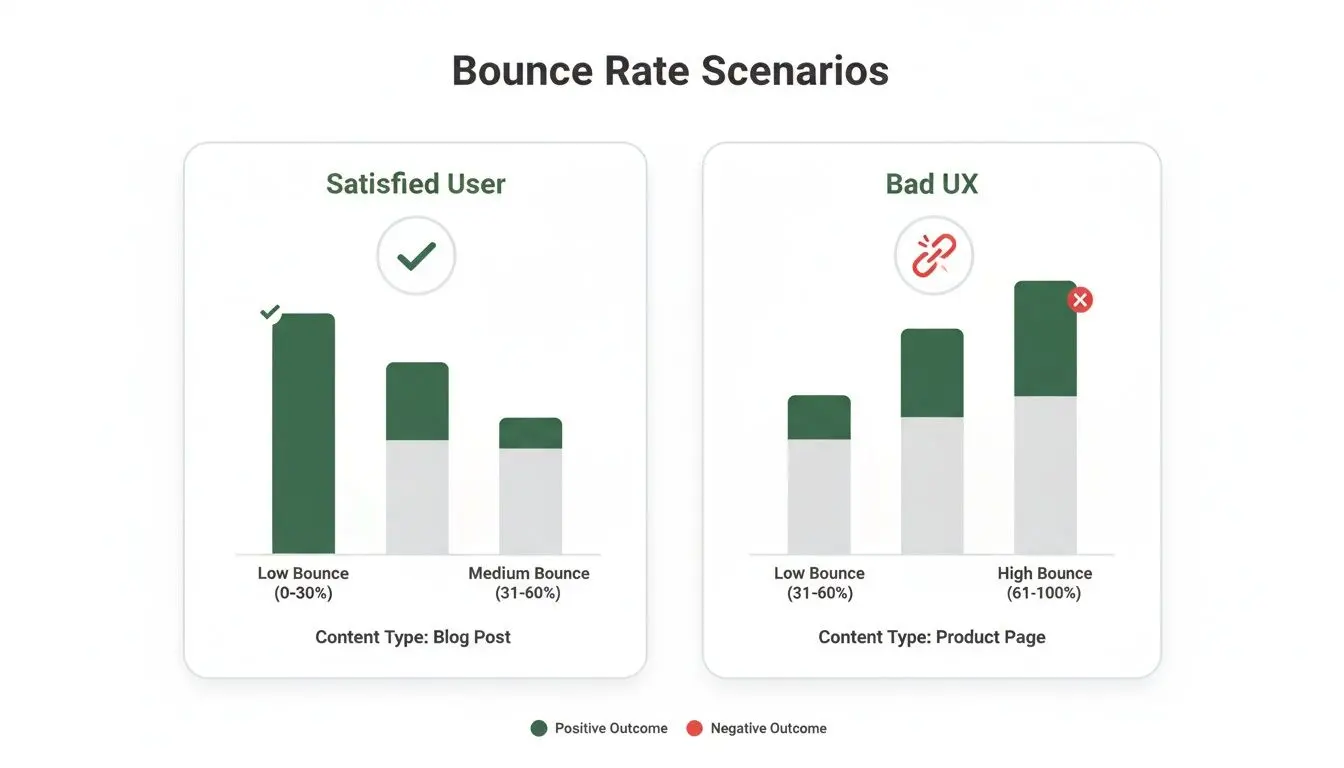
As you can see, a bounce can mean a happy user who found what they wanted, or a frustrated one who didn't. That’s why a single number is never the full story.
Putting Your Bounce Rate in Context
Moving from just knowing your bounce rate to truly understanding it requires one simple thing: segmentation. Stop looking at that single, site-wide average. It’s a blended number that hides the real story.
Instead, start slicing up your data to get actionable insights. Analyse bounce rates by:
- Page Type: How do your blog posts perform compared to your crucial service pages?
- Traffic Source: Are visitors from organic search more engaged than those from your paid campaigns?
- Device: Is your mobile experience driving people away, resulting in a much higher bounce rate than on desktop?
When you break it down like this, you can stop obsessing over a vague 'good' bounce rate and start fixing the actual problems. A 90% bounce rate on your 'Privacy Policy' page is nothing to worry about. But a 50% bounce rate on your homepage? That’s where your attention needs to be.
Identifying the Real Causes of a High Bounce Rate
So, that high bounce rate is staring you in the face. Before you dive into a full-blown redesign, it's time to put on your detective hat. A high bounce rate is just a symptom, not the actual illness, and understanding why people are leaving is the first step to a cure.
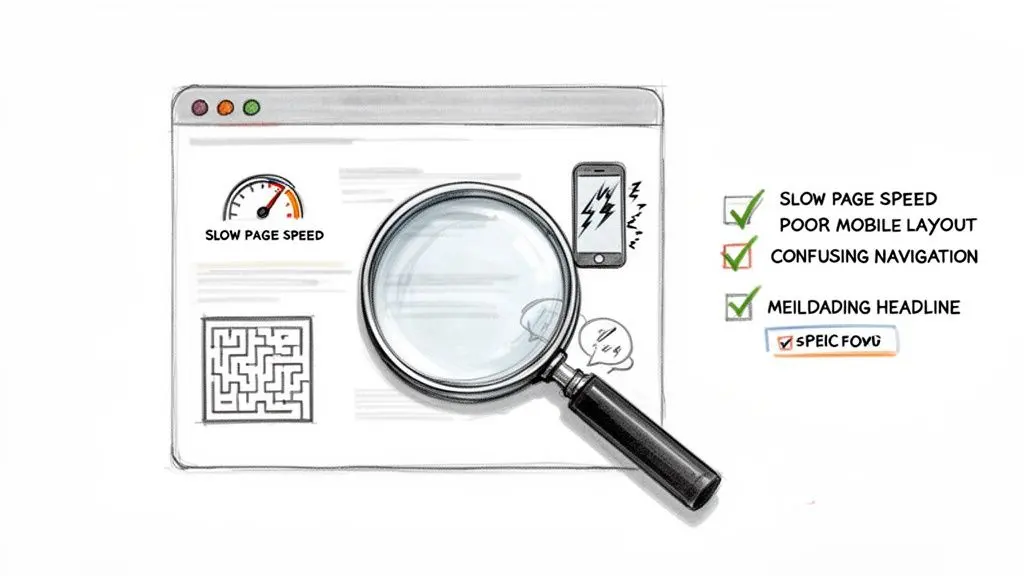
Most of the time, the problem comes down to a simple disconnect. What your visitor expected to find isn't what your page actually delivers. This mismatch is frustrating, and it’s what sends them straight back to their search results. Let's dig into the common culprits behind those single-page visits.
Technical Glitches and Performance Headaches
Sometimes, the reasons for a high bounce rate are purely technical. These are the showstoppers that create friction the moment a visitor lands on your site, often before they’ve even had a chance to read a single word.
- Slow Page Load Speed: This is the ultimate engagement killer. In 2026, visitors have zero patience. If your page takes more than a couple of seconds to load, a huge chunk of your audience is already gone. Every millisecond really does count.
- A Poor Mobile Experience: With the majority of web traffic coming from smartphones, a clunky, non-responsive design is simply not an option. If people have to pinch and zoom just to read your text or tap on tiny buttons, they won't stick around to see what you're offering.
- Technical Errors: Broken links, missing images, and scripts that just don't work are red flags. These problems make your site look amateurish and untrustworthy, giving visitors an easy excuse to leave.
Content and User Experience Mismatches
If you're confident your site is technically sound, the next place to look is your content and the overall user experience. This is where you'll find issues with your messaging, design choices, and site navigation.
A high bounce rate is often a direct result of failing to answer the user's core question immediately. When someone lands on your page, they should instantly know they are in the right place.
This is particularly true for B2B websites that get a lot of traffic from organic search. In fact, research showed that UK B2B websites saw their median bounce rates climb to 52% in early 2025. This was partly because visitors were landing on pages with dense, generic content that didn't solve their specific problem. You can dig into these UK benchmarks and their enterprise impact at Semrush.
To help you diagnose these issues, the table below breaks down common causes and their direct impact on visitors.
Bounce Rate Cause and Effect
| Common Cause | Why It Increases Bounce Rate | Who It Affects Most |
|---|---|---|
| Misleading Ad Copy or Titles | The page content doesn't match the promise of the ad or link, creating a "bait-and-switch" feeling. | Visitors from paid ads (PPC) and social media campaigns. |
| Confusing Navigation | Users can't easily find what they are looking for next (e.g., related articles, product categories, or a contact page). | First-time visitors trying to understand your site's structure. |
| Aggressive Pop-ups/Ads | Intrusive elements that block content or auto-play videos are frustrating and immediately drive people away. | Mobile users, where screen space is limited and pop-ups are more intrusive. |
| A Wall of Text | Long, unbroken paragraphs without headings, images, or lists are intimidating and difficult to scan. | Anyone looking for a quick answer or trying to read on a small screen. |
Think of these as the primary suspects in your investigation. A mismatch between your headline and your content is a surefire way to alienate a visitor. If they can't figure out where to go next because your menu is a mess, they’ll choose the easiest path: leaving.
Finally, give your content room to breathe. A page cluttered with pop-ups, adverts, and auto-playing videos is just plain annoying. It screams desperation and distracts from the very information you want your visitor to consume. Clean it up, and guide their focus.
How to Reduce Bounce Rate with Smart A/B Testing
So, you've pinpointed what might be causing your high bounce rate. That’s a great start, but diagnostics are only half the story. Now it’s time to turn those insights into action, and the most reliable way to do that is with systematic A/B testing.
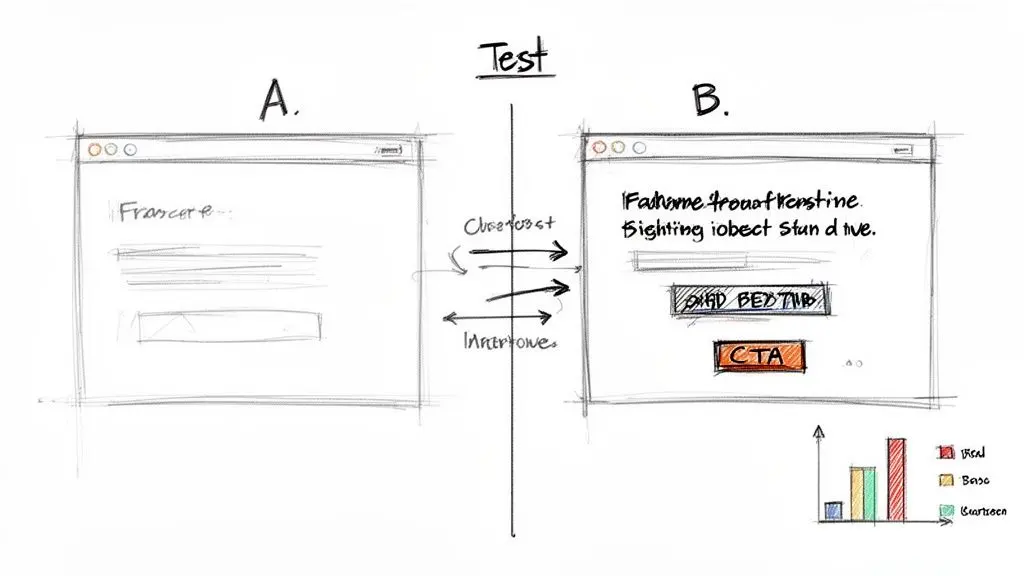
If you're new to the concept, A/B testing (or split testing) is pretty straightforward. You create two variations of a page—an 'A' version and a 'B' version—and show them to different segments of your audience. You then simply measure which one does a better job of hitting a specific goal, whether that’s reducing bounces or getting more clicks. It’s a powerful method that takes the guesswork out of design and lets real user data lead the way.
A common worry is that running these kinds of tests will slow a site down, which ironically could make bounce rates even worse. It’s a valid concern, but modern tools like Otter A/B have been built from the ground up to be lightweight. They can load in under 50ms with zero flicker, meaning your experiments won’t get in the way of the very user experience you're trying to fix.
High-Impact A/B Tests to Run Today
You don't need to redesign your entire website to move the needle. In my experience, small, focused changes often have the biggest impact on bounce rate.
Here are a few high-priority tests you can get started with right away:
-
Test Your Headline and Subheadings: Does your main headline instantly reassure visitors they’re in the right place? Try testing a clear, benefit-driven headline against a more creative one. The key is to make sure it directly matches whatever promise you made in the ad or search result that brought them there.
-
Experiment with Your Call-to-Action (CTA): Your CTA is the main gateway to deeper engagement. Test everything: the button text ("Get Started for Free" vs. "Create Your Account"), the colours, and even its placement. You’d be surprised how often simply moving the CTA above the fold can slash bounce rates.
-
Simplify Your Forms: Is a long, intimidating form scaring visitors away? Test a stripped-back version that only asks for the absolute essentials. Another great test is to break it up into a multi-step form, which can make the whole process feel much less daunting.
Tiny optimisations can lead to huge wins, especially in fast-paced industries. For example, travel and hospitality sites in the UK saw average bounce rates of 48.7% in 2026, with a lot of those exits happening on slow or confusing hotel booking pages. Just a few small tweaks to loading speed and clarity could have kept a huge chunk of those potential customers. You can read more about these travel industry benchmarks and their findings on CXL.
Structuring Your Tests for Clear Results
A good experiment always starts with a clear hypothesis and a specific goal. Before you launch a single test, you need to know what you’re trying to prove.
Hypothesis: "We believe that changing our CTA button colour from grey to green will make it more visible, leading to more clicks and a lower bounce rate."
This structured thinking is the heart of conversion rate optimisation. It transforms "what is bounce rate on a website" from a passive number you just look at into an active lever you can pull to drive growth. Every test, win or lose, gives you valuable data and teaches you more about what makes your audience tick.
By adopting this experimental mindset, you can start chipping away at your bounce rate methodically. You’ll not only improve engagement but also build a website that genuinely serves your visitors better. For a deeper dive into the methodology, you can read our detailed guide on the A/B test definition and its core principles.
Your Action Plan for Lowering Bounce Rate
Alright, we’ve covered the theory, from defining bounce rate to figuring out why it’s happening. Now comes the important part: rolling up our sleeves and actually fixing it. This is where all that data you've gathered turns into a real plan for improvement.
Think of this as a constant loop of learning. Every test you run is a conversation with your audience. Sometimes you’ll get it right, sometimes you won't, but you'll always learn something valuable about what they respond to. That's how smart businesses grow.
From Data to Decisions
First things first, don't try to fix everything at once. Zero in on the pages where a high bounce rate really stings—your crucial product pages, sign-up forms, or key landing pages.
Then, form a single, clear hypothesis. Is it the headline? Maybe the call-to-action button is the wrong colour? Pick one thing you think will make a difference and launch a targeted A/B test. One change at a time is the golden rule here.
Remember, the real goal isn't just to make a number go down. It's to build a website experience that feels more intuitive, helpful, and satisfying for your visitors. When you get that right, better business results naturally follow.
A good plan to lower your bounce rate often goes hand-in-hand with bigger goals to improve ecommerce conversion rate and generate more sales. By testing and refining your site one step at a time, you stop just reacting to metrics and start building a better customer journey.
This disciplined approach to experimenting is the core of modern marketing. If you're ready to dive deeper, exploring conversion rate optimisation best practices is the perfect next step.
Your Bounce Rate Questions, Answered
Even after you get the hang of bounce rate, a few tricky questions always seem to surface. Let's clear up some of the most common points of confusion so you can use this metric with confidence.
What Is a Good Bounce Rate?
This is the classic question, and the honest answer is: it depends. There’s no universal “good” number, because it’s all about context.
For an e-commerce site, a bounce rate between 20% and 45% might be considered excellent. You want people to click around, view different products, and add things to their cart. A single-page visit is often a missed opportunity.
But for a blog? A bounce rate of 90% could be perfectly fine. Someone might search for an answer, land on your article, find exactly what they need, and leave feeling satisfied. In that case, you’ve done your job perfectly. The goal of the page was met, even with a high bounce.
Is Bounce Rate a Google Ranking Factor?
Let's be crystal clear: No, bounce rate is not a direct ranking factor. Google has said time and again that they don't look at your Google Analytics data to rank your site.
However, it can be a symptom of something Google does care about: a poor user experience. If someone clicks on your page from Google, immediately hits the "back" button, and clicks on another result, that’s a powerful signal. This behaviour, often called "pogo-sticking," tells Google your page wasn't a good answer to their query. If this happens consistently, it can certainly hurt your rankings over time.
Why Did My Bounce Rate Suddenly Change?
Seeing a sudden spike or dip in your bounce rate can be alarming, but it's almost always a clue. Before you panic, play detective. A sudden jump in bounces often points to one of these culprits:
- New Traffic Source: Did you just launch a new ad campaign or social media push? This new traffic might be less targeted or have different expectations, leading to more single-page sessions.
- Technical Glitches: A recent update to your website could be the villain. Slow page load times, broken links, or mobile display issues are common reasons people leave immediately.
- Tracking Errors: Sometimes the problem isn't your visitors, it's your measurement. A change to your site's code or Google Tag Manager setup can easily break your analytics tracking.
On the flip side, a sudden drop could be a great sign that a recent site improvement is working. Or, it could be another tracking error, like an event firing incorrectly and making it seem like everyone is interacting. To be sure your A/B test results are valid, you need to understand the principles of testing statistical significance.
The key is to investigate, not panic. Correlate the change with any recent site updates, marketing activities, or technical deployments to diagnose the cause. A sudden shift is almost always a symptom of a specific event.
Does Bounce Rate Matter in GA4?
This is a great question. In Google Analytics 4 (GA4), the concept of bounce rate has been fundamentally changed. While it technically still exists, Google has flipped the script and now prioritises its opposite: engagement rate.
GA4 defines an "engaged session" as one that lasts longer than 10 seconds, has a conversion event, or includes at least two pageviews. This shift is deliberate. Google is encouraging us to focus on positive signals—what users are doing—rather than just the absence of interaction. It’s a more nuanced and, frankly, more useful way to understand how people are actually using your site.
Ready to stop guessing and start improving? With Otter A/B, you can run fast, flicker-free A/B tests to discover what truly resonates with your audience and turn your bounce rate insights into measurable growth. Start your free trial today.
Stop guessing
Ready to start testing?
Set up your first A/B test in under five minutes. No credit card required.
- 14-day free trial
- No credit card required
- Cancel anytime