Optimising a Website: A Guide to Boosting Revenue
Learn how optimising a website goes beyond speed. Our guide covers auditing, SEO, CRO, and A/B testing to directly connect site improvements to revenue growth.

You’ve probably seen the pattern already. Traffic is steady, paid campaigns are doing their job, branded search looks healthy, and yet revenue refuses to move in line with visits. The dashboard says people are arriving. The bank balance says too few are buying.
That’s usually the moment teams start treating optimisation as a list of disconnected chores. Someone compresses images. Someone else rewrites a headline. SEO fixes sit in one backlog, UX issues in another, and CRO becomes a separate experiment stream with no shared logic behind it. The result is motion without momentum.
Optimising a website properly means treating performance, search visibility, user experience, and experimentation as one operating system. Technical fixes create the conditions for better journeys. Better journeys create stronger test hypotheses. Testing tells you which changes deserve to scale because they improve business outcomes, not because they looked sensible in a planning meeting.
Beyond Traffic Jams Your Path to Profitable Growth
A common first optimisation project starts with the wrong question. Teams ask, “How do we get more traffic?” when the underlying issue is that the traffic they already have leaks value at every stage. Product pages load a bit too slowly on mobile. Category pages rank, but don’t persuade. Checkout works, but not smoothly enough. The site isn’t broken. It’s just underperforming.
That underperformance compounds. A small delay on load time affects engagement. Weak engagement makes user signals worse. Poor journeys reduce conversions. Lower conversion quality means the business starts buying more traffic to stand still.
What stalled growth usually looks like
The pattern is familiar in e-commerce and lead generation alike:
- Traffic looks respectable but key pages don’t convert in proportion to visits.
- Bounce and exit behaviour stays stubborn even after design refreshes.
- Teams make isolated fixes without a shared metric for success.
- Reporting celebrates activity rather than revenue impact.
The shift happens when optimisation stops being framed as a technical tidy-up and starts being managed as a growth discipline.
In the UK, that connection is direct. A UK website optimisation benchmark summary states that a 100-millisecond improvement in page load time can boost conversion rates by up to 1.3%, and that sites loading in under 2 seconds retained 32% more visitors and saw a 15% uplift in average order value.
Practical rule: If a fix can improve speed, clarity, or trust on a revenue-critical page, it belongs in the growth roadmap, not a side backlog.
That’s why I push teams to define one commercial measure before they touch the site. If you don’t know your primary success metric, you’ll optimise for noise. A useful framing is a north star metric for website growth that ties changes on the site to actual business value rather than vanity reporting.
Why siloed optimisation keeps failing
A faster page that still confuses buyers won’t scale revenue. A polished checkout on a page that struggles to rank won’t get enough qualified traffic. A/B tests run on shaky technical foundations often return muddy results because the experience itself is unstable.
The profitable path is simpler than it sounds. Fix what slows people down. Improve what helps them decide. Test what you believe will increase conversion quality. Then repeat.
That’s the loop. It’s also the difference between having a busy website and having a commercially effective one.
Conducting Your 360-Degree Website Audit
Many audits begin by collecting too much information and answering too few commercial questions. A useful audit doesn’t try to document everything. It identifies what is blocking revenue, ranking, and user progress.
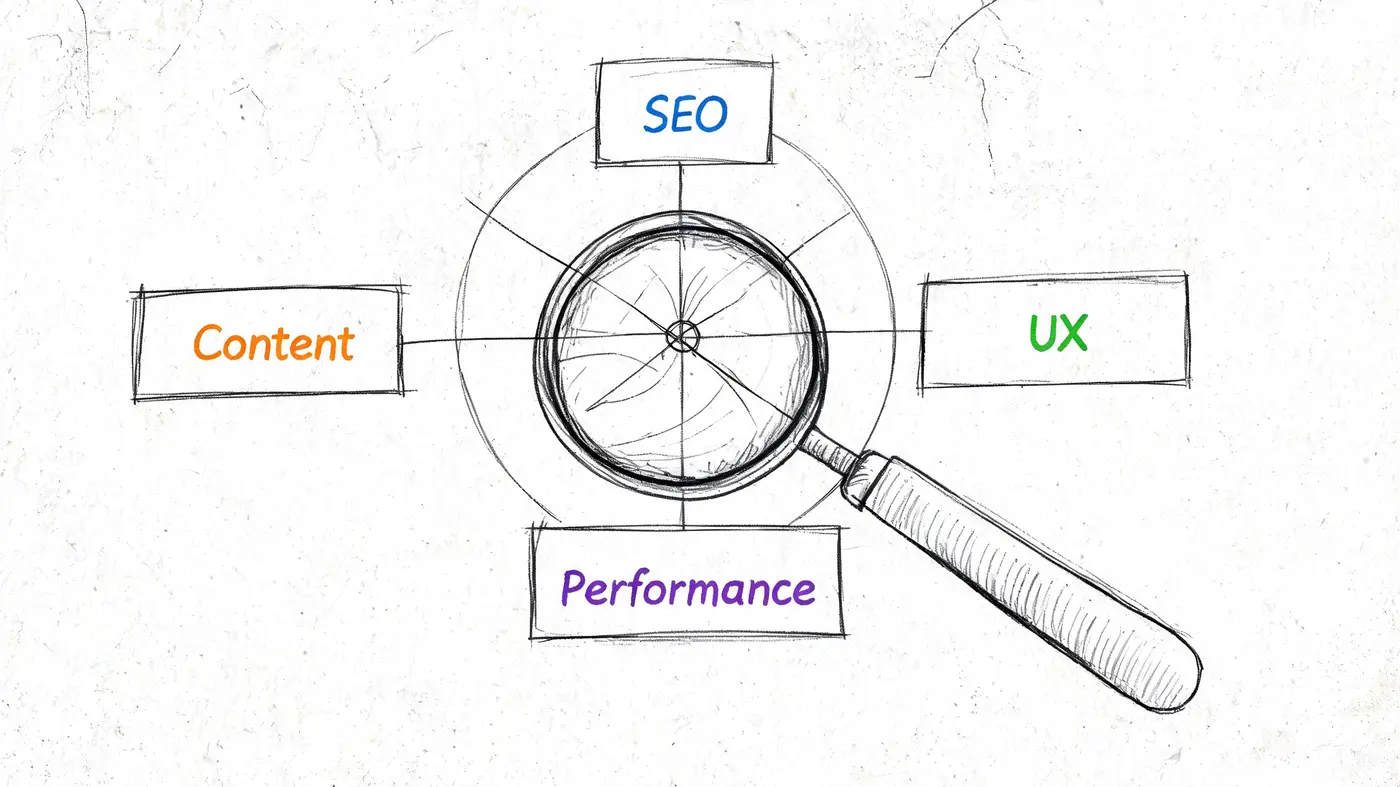
Start with three lenses only. Performance, user experience, and on-page SEO. If you can’t connect an issue to one of those, it probably isn’t urgent.
Audit performance first
Use Google PageSpeed Insights and your analytics platform to inspect your highest-value templates, not just the homepage. That usually means category pages, product pages, landing pages, pricing pages, and checkout steps.
Look for:
- Slow loading above the fold on mobile and desktop
- Heavy imagery or scripts that delay interaction
- Template inconsistency where one page type performs far worse than another
- High bounce on acquisition landing pages that should be doing introductory work
The point isn’t to chase a perfect score. The point is to identify where technical friction is interrupting intent. If paid traffic is landing on a page that feels sluggish, every later optimisation gets harder.
Audit behaviour, not opinions
A lot of teams jump from page-speed reports straight to redesign ideas. That’s a mistake. You need evidence of how people move, hesitate, and abandon.
A proper UX review combines analytics with recordings, heatmaps, and journey analysis. If you need a practical walkthrough, this user experience audit guide is a solid reference for structuring the work.
A simple audit table helps keep the team honest:
| Area | What to inspect | Business meaning |
|---|---|---|
| Entry pages | Bounce, scroll depth, click patterns | Are we matching visitor intent? |
| Product or service pages | CTA interaction, content engagement, dead clicks | Are people getting enough confidence to proceed? |
| Forms or checkout | Field abandonment, error points, repeated backtracking | Where are we creating avoidable friction? |
| Mobile journeys | Layout shifts, tap frustration, slow interactions | Are we losing the majority of practical buying sessions? |
Slow pages don’t just hurt experience. They distort what you think users want because friction masks intent.
Audit search visibility at the page level
On-page SEO in an optimisation project isn’t about publishing more content for the sake of it. It’s about making commercially important pages crawlable, understandable, and aligned with the terms they should win.
Check for:
- Broken internal links on key money pages
- Weak title tags and headings that don’t reflect search intent
- Duplicate or thin category content
- Poor internal linking between informational and transactional pages
- Indexation mismatches where valuable pages aren’t being surfaced properly
If your team wants a broader checklist of site review inputs, the resource on improving Charlotte business website performance is useful because it frames audits around practical website diagnostics rather than abstract theory.
The output of this audit should fit on a few pages. List the problem, the affected page type, the likely business consequence, and the evidence. If a finding can’t be linked to lost visibility, lower conversion, weaker lead quality, or reduced revenue, it doesn’t belong near the top of the queue.
Prioritising Fixes with an Impact-Effort Matrix
An audit usually creates a dangerous kind of enthusiasm. Suddenly everyone has a favourite issue. Design wants a cleaner layout. SEO wants a template rewrite. Engineering wants to refactor the front end. Paid media wants sharper landing pages. All of those may be valid. None of them are automatically first.
When teams skip prioritisation, they often end up polishing low-impact work because it feels manageable. That’s one reason many businesses plateau. A discussion of website conversion ceilings argues that businesses often stall in the 2% to 5% range not because a single tactic is missing, but because they lack a systematic, layered optimisation strategy.
Use the matrix to force trade-offs
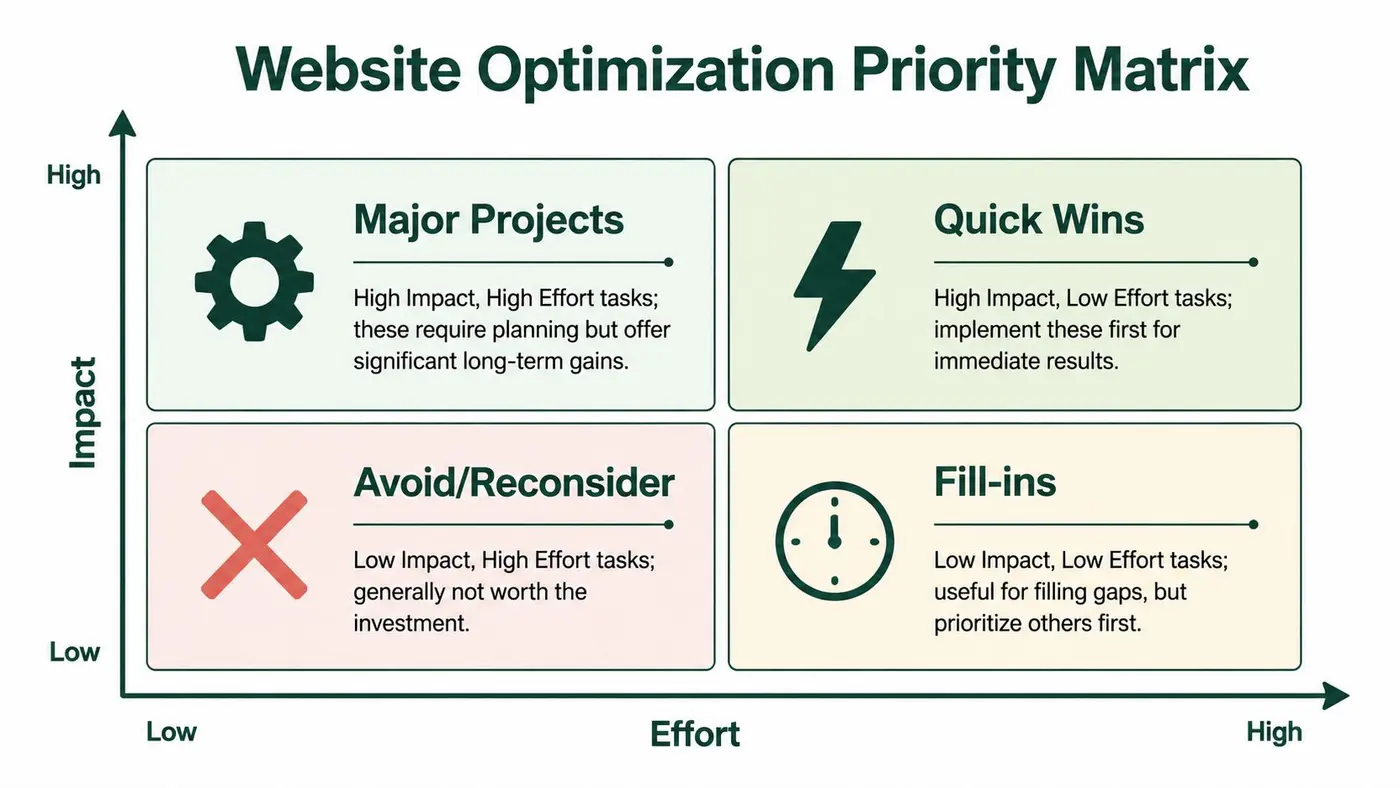
Every issue from the audit should be placed in one of four groups:
| Quadrant | What belongs there | Typical example |
|---|---|---|
| Quick wins | High impact, low effort | Fixing a broken checkout CTA or compressing oversized product imagery |
| Major projects | High impact, high effort | Reworking a product page template or rebuilding internal search logic |
| Fill-ins | Low impact, low effort | Minor metadata clean-up on low-priority pages |
| Avoid or reconsider | Low impact, high effort | A full redesign with no evidence of commercial upside |
This exercise sounds basic. It isn’t. It prevents teams from confusing “visible work” with “valuable work”.
A realistic example
Take an e-commerce site with three known issues. Mobile product pages are slow. Shipping information is buried. Brand pages look dated. A redesign of the brand pages may satisfy internal stakeholders, but it doesn’t deserve priority if mobile buyers are dropping before they see delivery details.
The disciplined call is usually:
- First, remove friction on pages closest to purchase
- Second, improve confidence signals where decision-making happens
- Third, consider broader visual or structural work if the data supports it
That sequencing matters more than ambition. Big projects often absorb months of attention while smaller commercial fixes sit untouched.
What to test first
If a page is both commercially important and visibly flawed, it belongs near the top. If a task sounds strategic but lacks evidence, move it down until the audit proves its value.
A simple decision rule works well:
- Choose pages with buying intent first
- Choose fixes that remove friction before fixes that add flourish
- Choose changes you can measure clearly
- Choose ideas that can inform later experiments
For teams planning test roadmaps, this framework for deciding what to A/B test helps turn a crowded backlog into a sequence that can be executed.
Prioritisation is where optimisation becomes commercial. Without it, the backlog expands and the conversion rate stays where it is.
The best optimisation teams don’t chase everything. They line up a small set of fixes that can change user behaviour in meaningful ways, then let the results determine what earns more investment.
Implementing Foundational Website Improvements
Foundational work rarely gets applause because users only notice it when it’s missing. But this is the layer that makes every later SEO and CRO decision more reliable. If you’re optimising a website without first fixing the fundamentals, you’re testing on unstable ground.
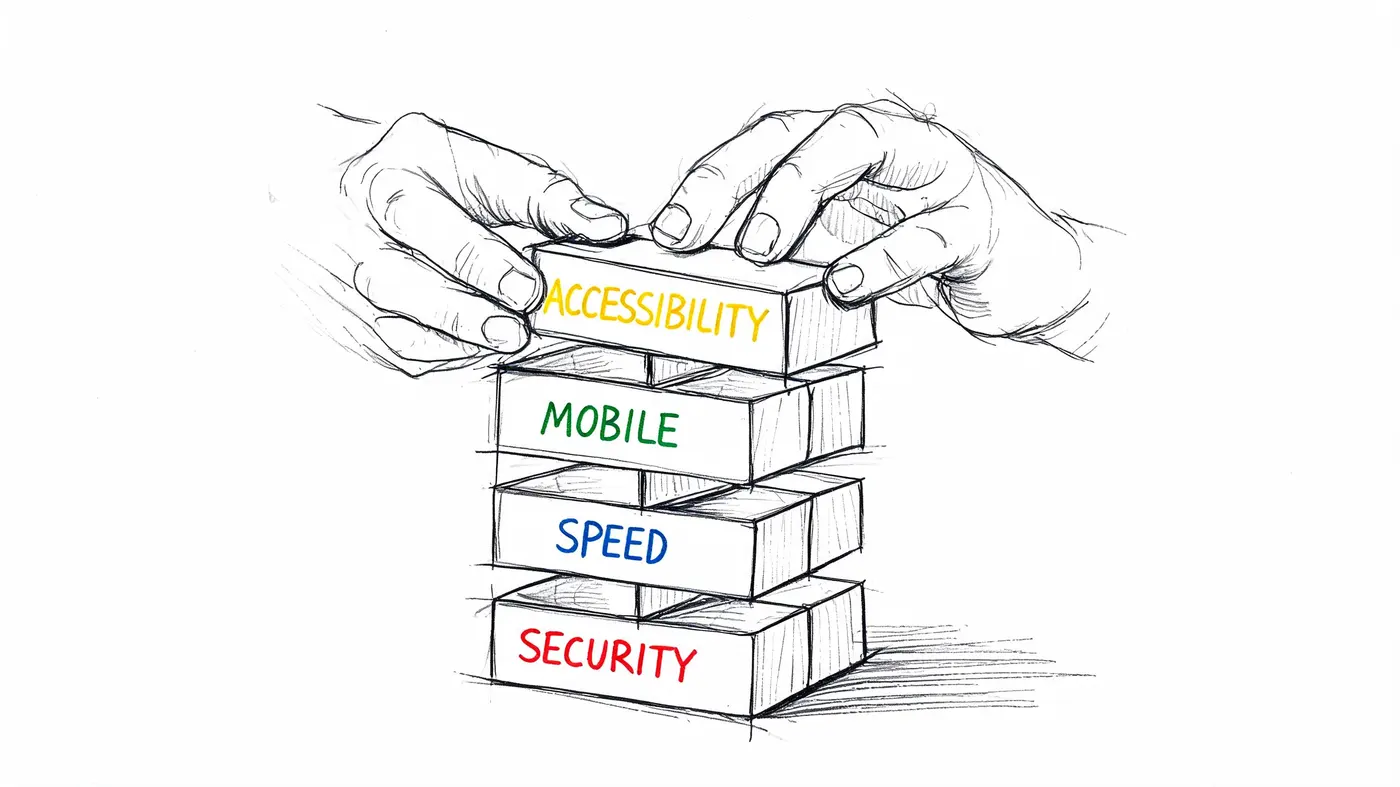
A good implementation sprint focuses on no-regret improvements. These are changes that help search visibility, user experience, and conversion potential at the same time.
Fix speed where it affects buying behaviour
On technical SEO and performance, the targets should be clear. A UK technical SEO benchmark summary says sites should aim for Largest Contentful Paint under 2.5 seconds and Time to First Byte under 200 milliseconds, while noting that the UK average TTFB of 600 milliseconds hurts rankings and that these kinds of fixes can improve organic click-through rates by up to 12.5%.
That gives you a practical implementation list:
- Compress and resize images on templates that carry commercial traffic
- Remove or defer non-essential scripts that block rendering
- Use caching and CDN support to reduce response delays
- Review third-party app bloat on Shopify, WordPress, and similar stacks
- Check mobile template weight instead of assuming desktop performance tells the full story
A fast site doesn’t guarantee conversion. A slow one often prevents it.
Clean up technical SEO basics
The most valuable SEO fixes are often unglamorous. Broken links, poor heading hierarchy, duplicate metadata, and weak internal linking all make it harder for search engines and users to understand your pages.
Treat this as production hygiene:
- Fix broken links first on high-intent pages
- Use one clear H1 per page that reflects the page purpose
- Tighten title tags and meta descriptions so they match likely search intent
- Strengthen internal links from guides and category pages into conversion pages
- Write image alt text that describes the content plainly and usefully
For teams that need extra implementation capacity, especially when front-end clean-up and template edits start piling up, using specialist contractors or LATAM developers can help keep the backlog moving without stalling internal engineering priorities.
Accessibility is conversion work
Accessibility gets pushed into compliance conversations, which is too narrow. If someone can’t complete your forms, understand your buttons, or interpret your page structure, that’s not just an accessibility issue. It’s lost business.
Check these basics on every key template:
-
Button clarity
Buttons should say what happens next. “Continue to payment” outperforms vague labels because it reduces uncertainty. -
Form usability
Labels, error messages, and field states need to be obvious. Hidden requirements create abandonment. -
Readable structure
Proper heading order, contrast, spacing, and keyboard usability all improve comprehension. -
Mobile interaction
Tap targets, sticky elements, and overlays need to work without obstructing the task.
A short visual refresher can help teams align on the essentials before implementation gets too deep.
Reality check: Foundational improvements feel slow because they don’t always create a dramatic before-and-after screenshot. They do create cleaner journeys, stronger rankings, and more trustworthy test results.
When this layer is done well, later experiments become easier to interpret. You’re no longer asking whether a test lost because the idea was weak or because the page was slow, confusing, or hard to use.
Driving Growth Through Experimentation and CRO
Once the foundations are stable, optimisation stops being a repair job and becomes a learning system. In this context, CRO earns its place. Not as button-colour theatre, but as a structured way to validate which changes improve commercial outcomes.
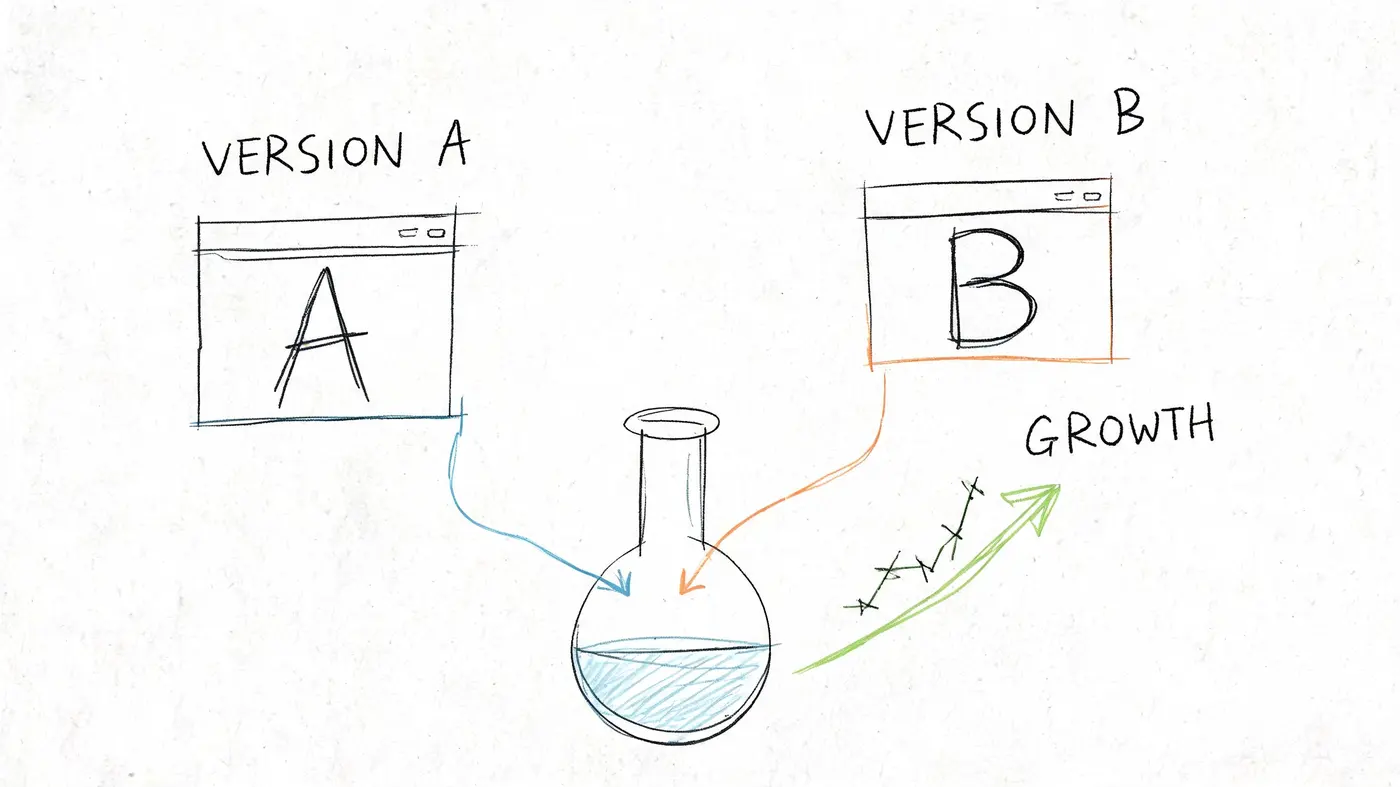
A common mistake in experimentation is starting with ideas one wants to prove. Strong experimentation starts with observed friction. If recordings show users hesitating around pricing, your hypothesis should address price communication. If product pages get traffic but weak add-to-cart behaviour, test the information hierarchy, CTA framing, trust signals, or offer clarity.
Turn audit findings into testable hypotheses
A useful hypothesis has three parts:
-
Observed problem
Users reach the product page but don’t progress. -
Proposed change
Replace a soft CTA and reposition delivery information higher on the page. -
Expected outcome
More users add to basket because the decision feels clearer and lower risk.
That structure forces discipline. It stops the team from testing random creative preferences.
A UK A/B testing methodology overview describes a six-phase process of Baseline Audit, Hypothesis, running a Frequentist Z-Test at 95% confidence, Analysing Flows, Iterating, and Scaling. It also warns that underpowered tests are common and recommends aiming for at least 1,000 UK visitors per week per variant, with correctly executed programmes capable of conversion uplifts of 18% to 38%.
What a first proper test looks like
Take a Shopify product page with healthy traffic and a weak add-to-cart rate. The team notices three issues from the audit: the headline is generic, shipping reassurance sits too low, and the CTA wording is passive.
A sensible first test might compare:
- Variant A with the current headline and CTA
- Variant B with a more specific headline, stronger CTA wording, and delivery reassurance moved nearer the buying controls
That’s a worthwhile test because it is tied to a real behavioural problem, affects a commercially meaningful page, and can be measured clearly.
If you can’t explain why users might behave differently after a change, you’re not ready to test it.
If you want more tactical examples, this guide on converting e-commerce visitors is a practical companion because it keeps the focus on user decision-making rather than isolated design trends.
Keep the testing environment clean
Tooling matters here because bad implementation can contaminate results. Otter A/B is one option for running these experiments. It allows teams to test headlines, CTAs, and layouts, split traffic precisely, and evaluate outcomes with a frequentist engine at a 95% confidence threshold while also tracking purchases, average order value, revenue per variant, and revenue trends.
That matters for two reasons. First, experiments need to run without creating obvious UX issues. Second, a winning variant isn’t necessarily the one with the highest conversion rate if it brings in lower-value orders.
Good CRO teams treat each test as a decision. Did the variant improve behaviour? Did it improve revenue quality? What does that result suggest you should test next?
Those questions are what turn experimentation from a series of isolated tests into a durable growth process.
From Data to Pounds Sterling Analysing Results and Scaling Wins
A test result is only useful if it changes what the business does next. “Variant B won” is not a business outcome. It’s a shorthand note. The fundamental question is whether the change improved revenue, order quality, lead quality, or some other commercial measure that matters to the team.
Read results through a commercial lens
Conversion rate is a helpful signal, but it’s incomplete on its own. Some tests increase low-intent actions and create noise downstream. Others produce fewer conversions but better ones.
That’s why mature optimisation programmes look at a small group of outcome metrics together:
- Conversion rate to understand behavioural movement
- Average order value where relevant to see whether spend quality changed
- Revenue per visitor or revenue per variant to connect behaviour to money
- Downstream quality signals such as lead progression or repeat purchase patterns
The important shift is conceptual. Mainstream optimisation guides often stop at conversion lift, but advanced teams recognise that a 5% lift in conversions could represent a 20% lift in revenue if those conversions skew toward higher-ticket items. That’s why post-conversion optimisation and revenue-per-visitor analysis deserve more attention than they usually get.
Decide whether to ship, segment, or retest
Not every positive test should be rolled out universally. A variant might perform better on mobile than desktop. It might improve results for paid traffic but not for returning users. It might lift top-line conversions while weakening average basket quality.
Use a simple decision table:
| Result pattern | What it usually means | Next move |
|---|---|---|
| Higher conversion and stronger revenue | Genuine commercial win | Ship and document |
| Higher conversion but weaker order quality | Volume increased, quality may have dropped | Segment further before rollout |
| No clear result | Hypothesis may be weak or sample insufficient | Refine and retest |
| Strong segment-specific gain | Behaviour differs by audience or device | Implement selectively |
Build a record of what the business learns
Most optimisation programmes fail because the team forgets what it learned six months earlier. Keep a test archive that records the hypothesis, the page, the audience, the result, and the business interpretation.
That archive becomes one of the most valuable assets in the programme because it tells you:
- Which messages increase confidence
- Which page elements are sensitive to change
- Which audience segments behave differently
- Which assumptions keep failing
Winning tests matter. Knowing why they won matters more.
Once the team starts reporting optimisation in pounds sterling instead of generic uplift language, stakeholder conversations improve quickly. Engineering sees why certain fixes matter. Leadership sees why optimisation deserves budget. Marketing stops arguing about preferences and starts discussing evidence.
That’s when optimising a website becomes part of how the company operates, not a one-off project with a launch date.
If you want a simpler way to turn website changes into measurable decisions, Otter A/B gives teams a lightweight way to test headlines, CTAs, and layouts, track conversion and revenue outcomes, and share clear results with stakeholders without turning experimentation into a heavy engineering project.
Stop guessing
Ready to start testing?
Set up your first A/B test in under five minutes. No credit card required.
- 14-day free trial
- No credit card required
- Cancel anytime