10 Landing Page Best Practices for 2026
Boost conversions with our 10 landing page best practices for 2026. Get actionable tips on headlines, CTAs, speed, and A/B testing to maximise your results.

Stop guessing. Start with the parts of the page that usually move conversions first.
For UK marketers, one of the clearest signals is speed. Google's UK retail research found that 53% of mobile visits were abandoned when pages took longer than 3 seconds to load, and pages loading in 1 second converted up to 3x higher than pages loading in 5 seconds. That's not a design detail. It's a revenue issue.
Most advice on landing page best practices stays too general. It tells you to “improve copy” or “make it mobile-friendly” without saying what to test first. This guide takes the opposite approach. It prioritises the practices that usually have the biggest conversion impact, then ties each one to a practical A/B testing framework you can run with a lightweight platform.
If you want to optimize landing pages for conversions, start with message clarity, friction, trust, and speed before you spend weeks tweaking cosmetic details. That's where teams usually win.
1. Single Value Proposition with Clear CTA
If the visitor can't explain your offer in a few seconds, the page is already underperforming.
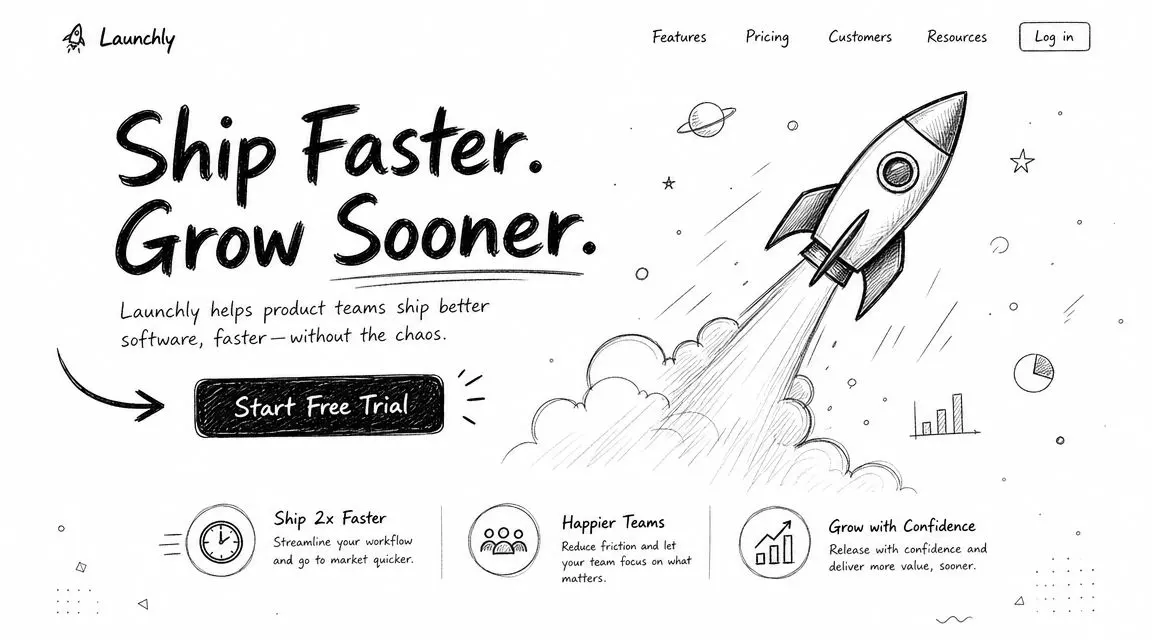
Strong landing pages don't try to say everything. They present one offer, for one audience, with one next step. Stripe does this well with a simple payments-led message. Slack has long used focused positioning rather than feature overload. Notion keeps the promise broad enough to be flexible, but still anchored around one clear idea.
Google's UK-focused Core Web Vitals guidance treats usability signals such as Largest Contentful Paint, Cumulative Layout Shift, and Interaction to Next Paint as part of page experience. That matters because clarity only works if the page appears quickly and stays stable while loading. A shifting hero section weakens the message before the visitor even reads it.
What works in practice
Keep the headline narrow. Match the CTA to the promise. If the page promises speed, the button should offer a speed-related next step. “Start testing faster” is stronger than a vague “Learn more” when speed is the core benefit.
The benchmark data is useful here too. Short, focused pages with clear CTAs outperform longer, more distracting versions by 13.5%, and pages using a single primary CTA convert around 13.5% on average versus about 10.5% for pages with five or more links.
Practical rule: if a button, link, or navigation item doesn't support the primary conversion action, remove it.
A/B test this in the simplest possible way:
- Version A: one headline, one subhead, one primary CTA
- Version B: same layout, but sharper benefit-led headline and tighter CTA copy
- Primary metric: conversion rate
- Watch for: whether clicks rise but lead quality falls
If you need help tightening the core message, study a few strong value proposition examples. Don't test ten ideas at once. Test one promise against another and keep the rest of the page stable.
2. Minimal Form Fields for Friction Reduction
Most forms ask for information the business wants, not information the conversion requires.
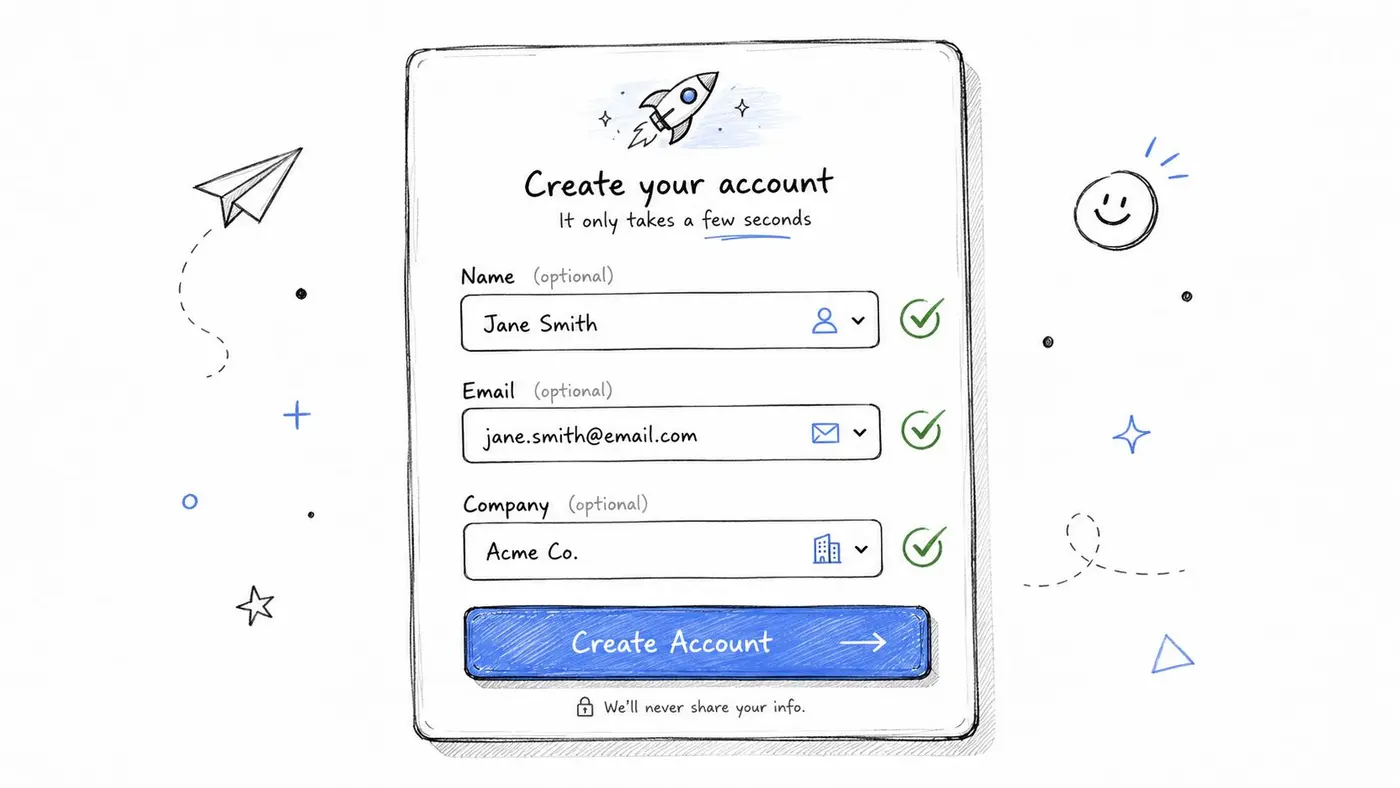
That's the mistake. On a landing page, every extra field feels like cost. If the offer is a newsletter, free tool, demo request, or trial, the form should only collect what the next step genuinely needs. Slack, Calendly, and Typeform all benefit from reducing early friction rather than trying to qualify every lead on the first screen.
Where shorter forms win
A short form usually works best when the traffic is cold, the offer is low commitment, or the visitor hasn't built much trust yet. Email and one qualifying field often beats a detailed form packed with company size, phone number, budget, and timelines.
This is especially important on mobile. UK audience behaviour is heavily smartphone-led, and Ofcom reporting points to frequent daily online use alongside growing mobile interaction. That changes how forms should be built. Use larger fields, fewer taps, clear labels, and autofill-friendly inputs. Long desktop forms often collapse on mobile because the typing burden becomes obvious.
A useful A/B test is simple:
- Short form: only essential fields
- Longer form: essential fields plus qualification questions
- Primary metric: completed submissions
- Secondary metric: downstream lead quality
Shorter forms often increase volume. That doesn't automatically mean better leads, so judge the test on both conversion and sales outcome.
If qualification matters, move it to the thank-you page, a follow-up email, or the sales call. The landing page's first job is to secure intent, not complete your CRM record.
3. Trust Signals and Social Proof Integration
Visitors don't just ask, “Do I want this?” They also ask, “Can I trust this page enough to act?”
That second question matters more in UK markets than many teams realise. The Competition and Markets Authority's guidance puts real weight on clear pricing, claims, and endorsements. If your page makes promises, shows reviews, or presents pricing terms unclearly, trust drops fast. Good social proof doesn't decorate the page. It reduces perceived risk.
The trust signals worth testing
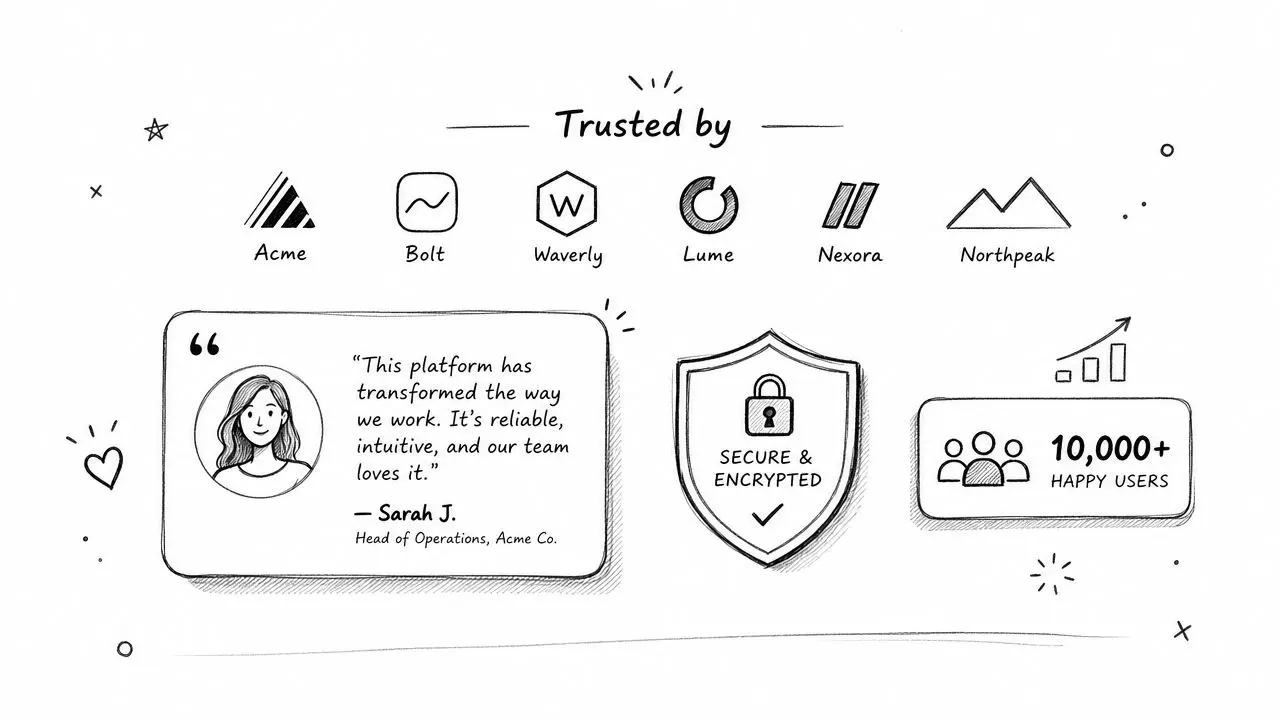
Use proof that matches the buying decision. For B2B, client logos, compliance badges, named testimonials, and credible case studies usually carry more weight than generic star ratings. For e-commerce, delivery details, returns terms, payment security indicators, and customer reviews near the add-to-cart action often matter more.
There's also a clear pattern in industry benchmarking. Testimonials appeared in 36% of best-performing landing pages in one 2026 benchmark, and 47% of marketers now create a new landing page for every campaign while businesses with 10 to 15 landing pages generate 55% more customers than those with fewer than 10. The practical lesson is that trust works best when it's specific to a campaign, not pasted onto a generic page.
Try these experiments:
- Logo bar near the hero: useful when brand recognition is strong
- Testimonial near the CTA: useful when objection handling matters
- Risk reducer by the form: useful when visitors hesitate at submission
Don't fake specificity. If you don't have named testimonials, use transparent proof instead, such as delivery policies, certifications, or sector credibility. Weak social proof can hurt more than having none.
4. Fast Loading Speed and Performance Optimisation
This one usually gets pushed into a technical backlog. It shouldn't.
A slow landing page wastes paid traffic, weakens organic visibility, and makes every other optimisation look worse than it is. If the hero image stalls, the form jumps, or your testing script delays rendering, visitors leave before your message gets a fair chance.
What to fix first
Start above the fold. Compress the hero image. Strip nonessential scripts. Delay widgets that don't support the first conversion decision. Use modern image formats where possible. Check that experimentation tools, chat overlays, and personalisation layers don't create flicker or layout shift.
Google's page experience guidance already makes the underlying standards clear through Core Web Vitals. For landing pages, that translates into three practical rules. Load the key content quickly, keep the layout stable, and make the page responsive when people try to interact.
A/B testing software should never be allowed to damage the page it's supposed to improve.
A clean performance test framework looks like this:
- Variant A: current page
- Variant B: lighter hero assets, fewer scripts, deferred extras
- Primary metric: conversion rate
- Secondary metrics: bounce behaviour, page engagement, device split
Test on real phones and ordinary networks, not just a fast office connection. Many teams fool themselves by overlooking this. The page feels fine on a developer laptop and still underperforms badly on a commuter's mobile connection.
5. Compelling Headline Variations and Headline Testing
Headlines carry more conversion weight than they are typically credited for. Change the headline and you often change how every element below it is interpreted.
A weak headline creates confusion. A clever headline creates work. A good headline tells the visitor what they're getting and why it matters.
Which headline angles usually win
Benefit-led headlines tend to outperform feature-led ones when the audience is cold. Problem-led headlines can work well for pain-aware traffic. Identity-led headlines are useful when the audience strongly identifies with a role, such as creators, finance teams, or growth marketers.
Examples from well-known products show the pattern. Slack's positioning has focused on outcomes rather than software categories. Basecamp has often used opinionated, benefit-heavy language. HubSpot typically leads with growth outcomes. These work because they frame the result, not just the product type.
Good tests are tight, not sprawling:
- Benefit-led: focus on the result
- Problem-led: focus on the pain removed
- Outcome plus mechanism: result with a short explanation of how
Keep the body copy and CTA the same while you test the headline. Otherwise you won't know what caused the lift.
If the headline changes, the rest of the page should still make sense. Don't create a promise the page can't cash.
If you want fast inputs before writing variants, use a headline generator built for testing ideas. Then trim the list hard. Two or three strong variants are enough for a real experiment.
6. Mobile-Responsive Design and Mobile-First Optimisation
Mobile design isn't a responsive afterthought anymore. For UK traffic, it's often the primary experience.
Ofcom reporting and UK retail behaviour both point in the same direction. Mobile phones are a primary access point for many adults, and UK shoppers increasingly browse and buy on mobile. That means mobile UX affects persuasion, not just usability. If the CTA sits awkwardly, the form keyboard covers the submit button, or the page feels heavy, conversion intent leaks out fast.
Mobile-first means fewer decisions
Design the page for the smallest useful screen first. That usually leads to cleaner desktop layouts too. Strong mobile pages have fewer visual interruptions, tighter copy, larger tap targets, simpler forms, and better spacing around the primary CTA.
The big trade-off is often content density. Desktop teams want more proof above the fold. Mobile users need faster comprehension. In practice, the better compromise is a concise hero, one strong CTA, a short proof section, and the next layer of detail below.
Test mobile separately from desktop whenever possible:
- Mobile variant A: standard responsive layout
- Mobile variant B: shorter hero copy, larger CTA, reduced clutter
- Primary metric: mobile conversion rate
- Secondary metric: form completion or CTA click-through
A page can win on desktop and still lose badly on mobile. Treat those as different environments, because they are.
7. Strategic Use of Colour for Attention and Conversion
Colour testing is popular because it's easy. It's also where teams waste time if they ignore hierarchy.
Button colour matters less than contrast, prominence, and consistency. A bright CTA won't save a weak offer. But when the page structure is solid, colour can help direct attention and clean up the visual path to conversion.
What to test instead of random button colours
The best approach is to test the full visual emphasis of the CTA area. That includes button colour, surrounding white space, text contrast, and the number of competing colours nearby. Amazon-style orange works because it stands out in context. Basecamp's green treatment works because the page around it stays restrained. ConvertKit often benefits from warm, high-contrast buttons because the rest of the layout stays simple.
Useful experiments include:
- Higher contrast CTA vs lower contrast CTA
- Filled button vs outlined button
- One accent colour reserved only for conversion actions
Don't let support links, badges, and secondary actions use the same visual weight as the main CTA. If everything is highlighted, nothing is.
For accessibility, keep contrast strong and check the button on real devices. A colour that pops on a calibrated monitor can look muddy on a mid-range phone in daylight.
8. Clear Value Communication and Benefit-Focused Copy
Features tell. Benefits convert.
That sounds obvious, but many landing pages still read like internal product notes. They list capabilities, integrations, and components without translating any of that into user outcomes. Visitors don't buy “advanced analytics dashboards.” They buy faster decisions, fewer mistakes, and clearer reporting.
Rewrite features into outcomes
Stripe doesn't lead with infrastructure detail alone. Slack doesn't market itself as message transport. Good pages translate capability into relief, speed, control, savings, or confidence.
A simple rewrite method works well:
-
Feature: unlimited variants
Benefit: test more ideas without waiting for engineering -
Feature: lightweight script
Benefit: run experiments without slowing the page -
Feature: detailed reporting
Benefit: connect test winners to revenue, not just clicks
UK landing page advice often underplays how closely this ties to compliance and trust. Clear claims, transparent offers, and visible proof points matter because vague benefits can feel slippery. Concise copy with plain language usually outperforms puffed-up marketing phrases.
Write the first screen so the visitor can answer three questions quickly. Is this for me? What do I get? What do I do next? If the copy doesn't answer those, keep editing before you test design changes.
9. Strategic Placement of High-Converting Elements
Placement changes behaviour. The same CTA, proof block, or form can perform very differently depending on where it appears.
Teams often argue about “above the fold” as if it's the only placement decision that matters. It isn't. The better question is whether the element appears at the moment the visitor is ready for it. A CTA too early can feel premature. A CTA too late can miss the decision window.
Where important elements usually belong
The primary CTA should be visible early. That part is straightforward. After that, think in sequence. Place proof near moments of doubt. Place form reassurance near submission friction. Repeat the CTA after the value explanation if the page has any length at all.
For UK users, scannability matters because smartphone usage is so common and many visitors skim rather than read in order. Short sections, visible hierarchy, and well-timed proof blocks support that pattern better than one long uninterrupted page.
A good placement test could compare:
- Hero CTA only
- Hero CTA plus repeated CTA after benefits
- Hero CTA plus proof directly above the form
Use heatmaps or session recordings to spot dead zones, but validate changes with an A/B test. Scroll behaviour can suggest where attention drops. It doesn't prove what will lift conversions.
10. A/B Testing Framework and Statistical Significance
Without testing, landing page best practices are still just educated guesses.
The page might improve because your copy changed. Or because traffic quality shifted. Or because payday landed mid-test. This is why disciplined experimentation matters. You need a hypothesis, a primary metric, a clean variable, and enough patience to let the result settle.
Start with one major test at a time. Headline, CTA copy, form length, proof placement, or page speed. Don't redesign the whole page and call it insight. That only tells you that “something” changed.
Here's a practical explainer worth keeping close when you're building a testing process: landing page split testing with clear experiment structure.
The basics are simple:
- Define the hypothesis: what change should improve what outcome
- Choose the primary metric: usually conversion rate
- Track business context: revenue, lead quality, average order value, or downstream sales signal
- Keep the test clean: one core variable per test when possible
- Wait for enough data: don't call winners early because the graph looks exciting
A lightweight tool matters here because heavy testing setups can slow the page and contaminate the result. That's why implementation quality is part of test quality.
A short walkthrough can help if your team needs a visual reference before launching experiments:
The teams that improve fastest aren't the ones with the most opinions. They're the ones that turn strong hypotheses into repeatable tests and keep a record of what won.
10-Point Landing Page Best Practices Comparison
| Item | Implementation 🔄 | Resources ⚡ | Expected Outcomes 📊⭐ | Ideal Use Cases 💡 | Key Advantages ⭐ |
|---|---|---|---|---|---|
| Single Value Proposition with Clear CTA | Low–Medium: copy + layout change, simple design alignment | Low: copywriter + designer, minimal dev time | 📊 10–20% conv. uplift typical; clearer funnel | Landing pages, single-product pages, mobile-first campaigns | Reduces cognitive load; directs users to one action |
| Minimal Form Fields for Friction Reduction | Low: adjust fields & validation; progressive profiling adds complexity | Low–Medium: form dev, validation, backend for profiling | 📊 ~3–5% lift per field removed; faster completions | Sign-ups, free trials, gated content, mobile onboarding | Faster conversions; lower bounce; better mobile UX |
| Trust Signals and Social Proof Integration | Low–Medium: content collection and placement; regular updates needed | Low: design + content curation; medium if producing case studies | 📊 20–50% lift when credible proof shown | B2B SaaS, high‑risk purchases, early-stage trust building | Increases credibility; reduces perceived risk |
| Fast Loading Speed and Performance Optimisation | High: technical changes across frontend/backend, continuous work | High: engineers, monitoring, CDN, tooling | 📊 High impact: ~7% conv. per 1s improvement; SEO gains | High‑traffic sites, e‑commerce, mobile-heavy audiences | Better UX, lower bounce, improved search rankings |
| Compelling Headline Variations and Headline Testing | Low: copy changes + A/B tests; rapid iterations | Low: copywriter + A/B testing tool | 📊 Moderate–High ROI; large effect on engagement & clicks | Any landing page; early tests to learn audience language | Fast insights into what resonates; easy to test |
| Mobile-Responsive Design and Mobile-First Optimisation | Medium–High: design system + responsive implementation | Medium: designers, devs, device testing | 📊 High: improves mobile conversions and search ranking | Sites with >50% mobile traffic, mobile apps funnel | Better accessibility, consistent cross-device UX |
| Strategic Use of Colour for Attention and Conversion | Low: design tweaks and A/B tests; contextual decisions required | Low: designer + testing tool | 📊 Moderate: 20–50% uplift in some CTA tests; context-dependent | CTA optimisation, visual hierarchy refinement | High ROI; improves scanning and prominence of CTAs |
| Clear Value Communication and Benefit-Focused Copy | Low–Medium: rewrites and alignment with user needs | Low: copywriter, stakeholder interviews, testing | 📊 20–40% better than feature-focused messaging on average | Pages needing stronger message–market fit, onboarding flows | Clarifies value quickly; increases trust and relevance |
| Strategic Placement of High-Converting Elements | Medium: layout changes, heatmap analysis, repeated CTAs | Medium: analytics tools, design & development time | 📊 Moderate: increases conversion opportunities across behaviors | Long-form pages, pages with mixed visitor intent | Captures different visitor types; sustains engagement |
| A/B Testing Framework and Statistical Significance | Medium–High: process, tooling, and statistical rigour | Medium: testing platform, analyst time, traffic requirements | 📊⭐ High: validates impact, prevents false positives, drives compounding gains | Ongoing optimisation programs, high-traffic sites | Data-driven decisions; repeatable, measurable improvements |
Your Path to Higher Conversions
The best landing pages usually don't win because of one dramatic redesign. They win because the team fixed the biggest conversion blockers in the right order.
Start with message clarity. If the value proposition is muddy, nothing else will compensate for it. Then remove friction from the form and tighten the path to action. Add trust where hesitation appears. Improve speed before you layer on extra scripts, widgets, or experiments. After that, refine headlines, mobile layouts, visual hierarchy, and CTA placement.
That order matters. Too many teams start with small visual tweaks because they're easy to ship. They test a green button against a blue one while the page still has three competing offers, a slow hero image, and a form that asks for too much too soon. That isn't optimisation. It's avoidance.
A better process is brutally simple. Pick one hypothesis with a plausible business impact. Launch a controlled test. Measure the primary conversion event and the downstream business effect. Keep the winner only if it improves the outcome you care about.
A lightweight experimentation workflow proves useful. You don't need a bloated setup to run solid tests. You need a platform that loads fast, lets you change one important variable at a time, and tells you when a result is worth trusting. That's the difference between testing as theatre and testing as a growth system.
The strongest habit you can build is a prioritised backlog. Put each idea through a blunt filter. Will this likely affect clarity, friction, trust, or speed? Can we implement it cleanly? Can we measure the result without muddying the test? If the answer is yes, run it. If not, it probably belongs lower on the list.
One more point matters. Your audience decides what works. Not your internal preferences, not design trends, and not a competitor's layout copied into Figma. Best practices are starting points. They help you avoid obvious mistakes and focus on proven levers. Genuine gains come when you validate them against your own traffic, offer, and buying journey.
That's the practical path to higher conversions. Build a page around one promise. Reduce friction. Add trust. Keep it fast. Test the highest-impact change first. Then repeat.
Otter A/B helps teams turn landing page ideas into measured wins. It's a lightweight A/B testing platform built for fast experiments on headlines, CTAs, layouts, and other high-impact conversion elements, without dragging down UX or Core Web Vitals. If you want a simpler way to test landing pages and make decisions from real results instead of opinion, it's a strong place to start.
Stop guessing
Ready to start testing?
Set up your first A/B test in under five minutes. No credit card required.
- 14-day free trial
- No credit card required
- Cancel anytime