WordPress Split Testing: A Practical Guide for 2026
Learn WordPress split testing from start to finish. Our guide covers choosing a tool, setting up tests, avoiding Core Web Vitals issues, and interpreting data.
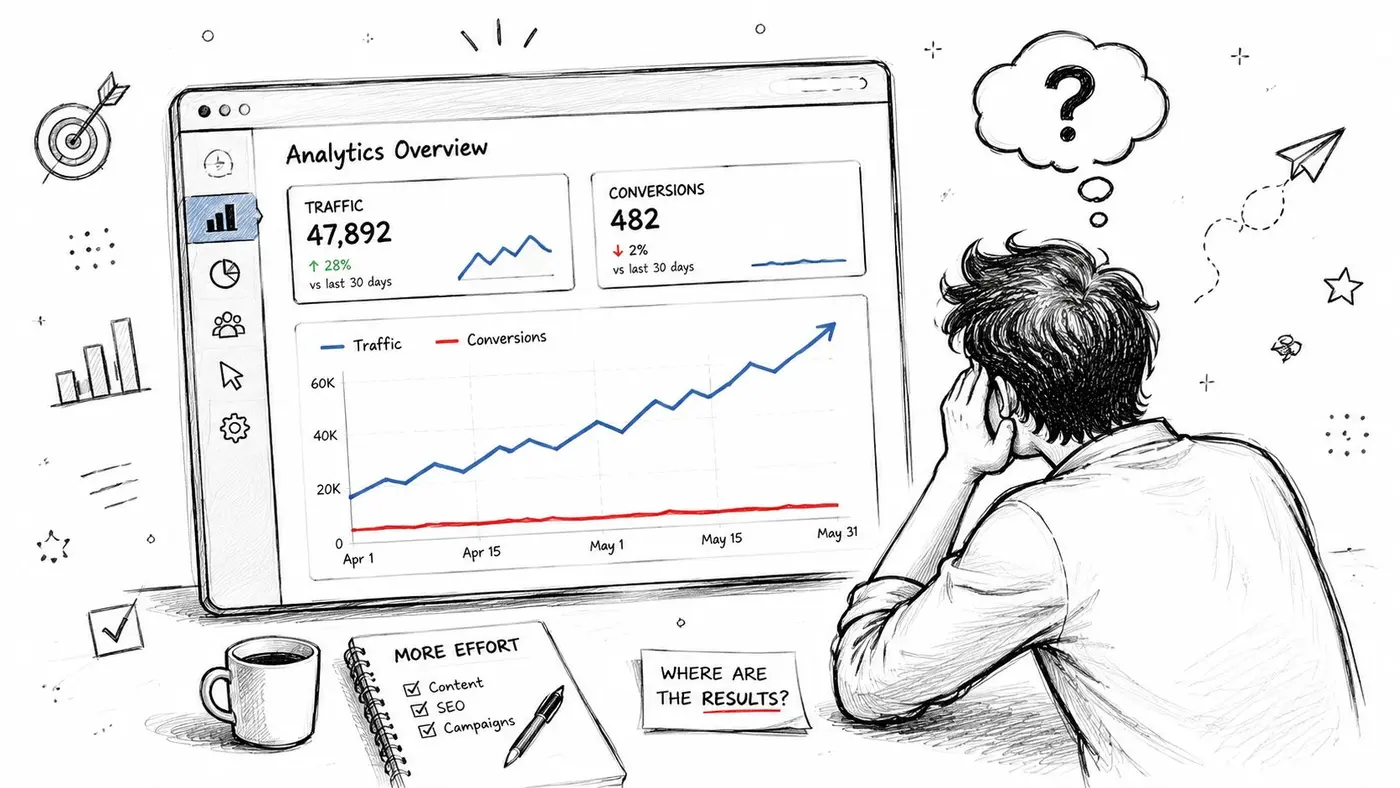
You've polished the landing page, tightened the copy, and pushed more traffic into WordPress. Analytics says people are arriving. Revenue says something else. That gap is where most growth teams get stuck.
The usual reaction is to redesign the page, swap a button colour, shorten a form, or add social proof and hope for the best. Sometimes it works. More often, teams end up arguing from preference instead of evidence. WordPress split testing fixes that, but only if you run it in a way that doesn't distort the result with slow scripts, visual flicker, or shaky tracking.
Why Your Website Needs Data-Driven Decisions
A familiar scenario plays out on a lot of WordPress sites. Traffic rises after a campaign launch, but conversions barely move. The homepage looks sharp, the offer is clear enough, and nobody can point to an obvious technical issue. That's exactly when teams start making expensive guesses.
WordPress split testing gives you a cleaner way to decide. You keep a control version, create a variation, split traffic, and measure which version gets more people to take the action that matters. That could be a product purchase, a demo booking, a lead form submission, or a click into a checkout flow.
What good testing changes in practice
The biggest shift isn't technical. It's operational. Teams stop saying “I think this layout feels better” and start asking “Did this version generate more conversions from the same page under the same conditions?”
That sounds simple, but it changes how you work:
- Design decisions get less political because the control and variant are judged on behaviour, not opinion.
- Marketing learns faster because each experiment produces a clear lesson, even when the variant loses.
- Product and content teams align more easily because everyone can see the same goal and the same outcome.
If you want a broader primer on site optimisation through A/B testing, that resource is useful for grounding the wider process before you build your first WordPress experiment.
Set realistic expectations
Not every test produces a dramatic winner. In the UK market, a consistent 5% to 10% lift in conversion metrics is considered a benchmark for high-impact experiments, while UX optimisation through A/B testing has been shown to increase conversion rates by up to 400% when teams target specific exit pages and analyse visitor pathways, according to Torque's WordPress A/B testing guide.
Practical rule: Chase repeatable wins, not miracle wins. A small lift on a high-intent page usually matters more than a flashy test on a page nobody relies on.
The reason this matters so much in WordPress is that small changes often affect high-traffic, high-intent touchpoints. A tighter headline. A clearer CTA. A shorter lead form. A cleaner product page layout. Those aren't cosmetic tweaks when they sit close to the point of conversion.
If you need a refresher on what teams are trying to improve when they test, this explanation of conversion rate optimisation gives the right commercial framing.
Choosing Your WordPress Split Testing Approach
Your first real decision isn't what to test. It's how to run the test.
The natural inclination is often to explore traditional WordPress plugins given their familiarity. Install, configure, and test from inside the CMS. That can work. But it also introduces two issues that many plugin roundups barely mention: performance overhead and compliance risk.
The method matters more than the feature list
A testing setup that slows rendering, injects page changes late, or relies on fragile third-party cookies can damage both user experience and data quality. If the page visibly changes after load, users see flicker. If tracking depends on the wrong consent setup, you create a compliance problem. If the test script is heavy, your Core Web Vitals can suffer before the experiment even starts producing insight.
That's why many teams now prefer a lightweight snippet-based approach. It gives you tighter control over page speed, makes deployment simpler across themes and builders, and is generally easier to manage when marketing, development, and compliance all need a say.
Split testing method comparison
| Factor | Traditional WordPress Plugin | Lightweight Snippet (e.g., Otter A/B) |
|---|---|---|
| Setup style | Installed and managed inside WordPress | Added via site snippet or tag manager |
| Performance impact | Can add plugin bloat and more moving parts | Usually leaner and easier to keep fast |
| Flicker risk | More likely if changes apply after page render | Better suited to reducing visible content swaps |
| Theme and builder flexibility | May depend on plugin compatibility | Often easier across varied front-end setups |
| Maintenance | Another plugin to update and troubleshoot | Fewer WordPress-specific dependencies |
| Compliance path | Can rely on cookie-heavy tracking models | Better fit for first-party or cookieless approaches |
GDPR is no longer a side issue
For UK businesses, testing method now has a legal dimension. Research from the UK ICO (2025) shows 42% of UK WordPress sites fail GDPR compliance in A/B testing due to cookie reliance, leaving businesses exposed when they use outdated tracking approaches.
That single point should change how you evaluate tools. If the platform assumes third-party cookies, or if the implementation gets murky once consent rules enter the conversation, it isn't a modern choice for a UK team.
A test result isn't a win if the implementation creates compliance debt or weakens user trust.
What works and what doesn't
What tends to work:
- Snippet-based deployments that keep the site lean.
- First-party or cookieless measurement approaches where your legal basis and tracking design are clear.
- Simple experiments on single page elements rather than a pile of simultaneous tweaks.
- Coordination with whoever owns consent and analytics before launch.
What usually goes wrong:
- Installing a bulky plugin just because it's easy to find in the WordPress repository.
- Ignoring flicker and then wondering why the page feels unstable.
- Treating GDPR as a banner problem only, instead of a measurement design problem.
- Running experiments on a live site without checking whether the page builder, theme, and optimisation stack conflict with the test layer.
If your site depends on speed and trust, the lightweight route is usually the safer one.
Setting Up Your First Experiment with Otter A/B
The first experiment should be boring in the best way. Small scope, clear hypothesis, one element changed, and no technical drama. Don't begin with a full-page redesign. Start with a page that already matters and a single decision point you can improve.
A strong first test is often a landing page headline, a primary CTA, or the layout of a lead form introduction. Those elements are close enough to the conversion moment that the result usually teaches you something useful.
Pick one element and write a real hypothesis
Before you touch the dashboard, write the change in one sentence.
For example: changing the CTA text from a vague action to a more specific one may increase form starts because the button better matches visitor intent. That's enough. You don't need a grand theory. You need a reason for the test.
Best practice in WordPress split testing is to test one element at a time and run versions simultaneously so the comparison reflects the same conditions, as outlined in WPMU DEV's A/B testing guide.
Add the tracking snippet
The implementation step should be simple. This is typically done one of two ways:
-
Direct install into WordPress
Add the snippet through your theme settings, header injection method, or whichever site-wide code location your build uses. -
Deployment through Google Tag Manager
This is often cleaner if marketing already manages scripts there and wants faster publishing without touching theme files.
The goal is the same in both cases. The testing layer needs to load reliably, early enough to avoid visible page swapping, and without creating unnecessary weight.
A practical reference for the build workflow lives in Otter A/B's guide to creating a test.
Create the control and variant
Once the snippet is in place, build the experiment inside the testing dashboard.
Use this sequence:
-
Start with the control
Choose the live page you want to test. This is your benchmark. -
Duplicate into a variant
Create one variation from the original rather than building from scratch. That reduces accidental differences. -
Change one thing only
If you're testing CTA copy, don't also alter spacing, colour, iconography, and page order. You'll lose the ability to explain the result. -
Keep the conversion path intact
Don't break links, form actions, thank-you pages, or purchase events while editing the variant.
Change one variable. Keep everything else stable. That discipline is what turns a page tweak into a trustworthy experiment.
Split traffic and launch carefully
For a first experiment, keep traffic allocation straightforward. Equal distribution is usually easiest to interpret because both versions get a fair read under the same campaign, audience, and time period.
Before launching, check these basics:
-
Desktop and mobile rendering
Review both versions on common screen sizes. -
Event tracking
Make sure the button click, form submission, or purchase event fires correctly. -
Consent behaviour
Confirm the test respects your site's privacy setup. -
Caching and optimisation tools
Clear caches and verify that the right version is being served consistently.
Then leave it alone.
That last part matters. New testers often launch an experiment and then start editing the control page in WordPress because someone wants a quick wording fix. That contaminates the test. Once live, freeze the relevant page elements until the experiment ends.
Good first-test candidates
If you're not sure where to begin, these are usually safe starting points:
- Headline clarity on a landing page with steady traffic.
- Primary CTA wording on a service page.
- Hero section message order when visitors need quick context.
- Lead form intro copy where users hesitate before starting.
Avoid advanced tests at the beginning, especially anything that changes pricing, multiple checkout steps, or several modules across the same page. First experiments should teach your team how to operate the testing process cleanly.
Defining Goals and Measuring What Matters
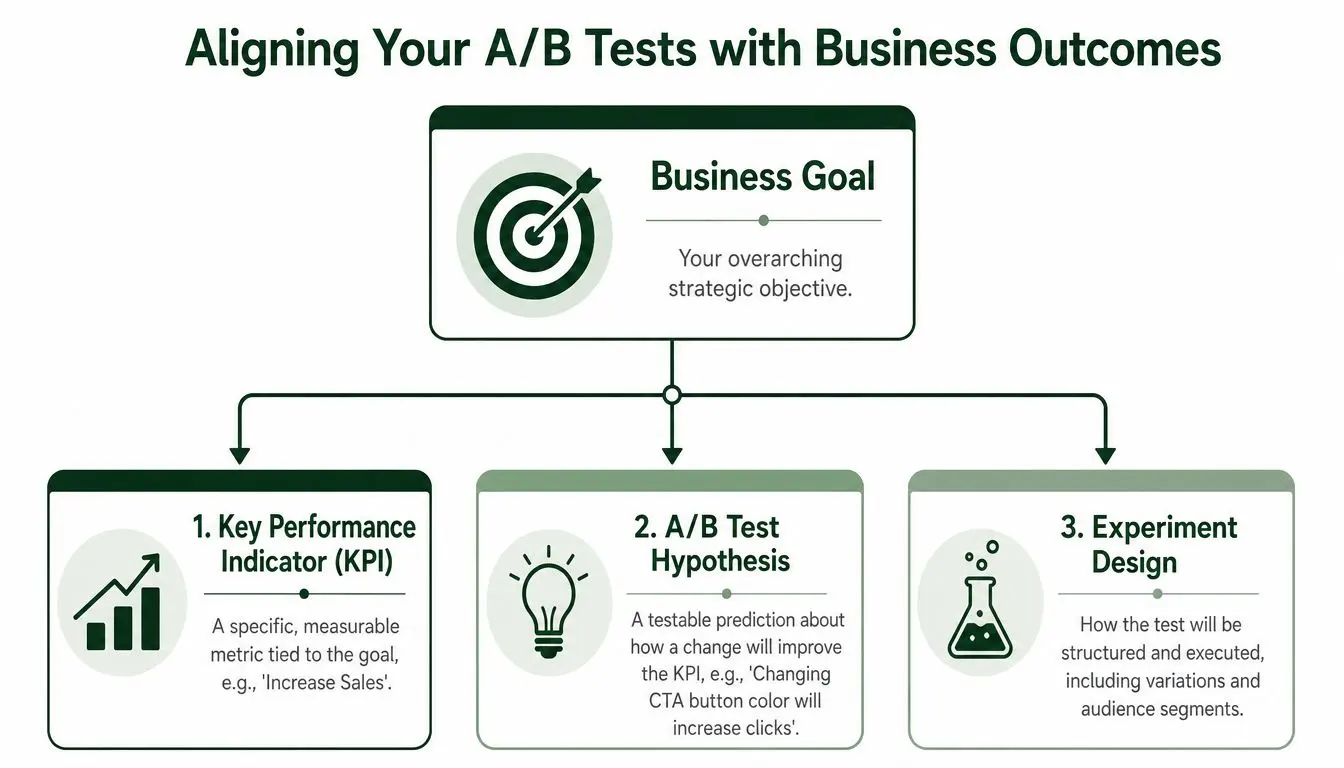
A lot of WordPress tests fail before launch because the goal is weak. “See which version performs better” isn't a goal. It's an intention. A useful goal ties the experiment to a business outcome.
If you test a button, ask what that click is supposed to lead to. If you test a form layout, decide whether success means more starts, more completed submissions, or better lead quality. If you run WooCommerce, the question usually isn't whether users clicked more. It's whether the variant produced more revenue.
Match the goal to the page type
Not every page should be judged by the same metric. That's where many early experiments go off course.
Use a goal that fits the page's job:
-
Lead generation pages
Form submissions are usually the primary outcome. Button clicks can be a supporting metric, not the main one. -
E-commerce pages
Purchases matter most. Revenue per variant and average order value are more commercially useful than raw CTR. -
Content or blog pages
Clicks into the next step can be valid if the page exists to move visitors deeper into a funnel.
Build a simple measurement hierarchy
A clean test has one primary metric and a few supporting checks. That's enough.
| Layer | What to ask |
|---|---|
| Business goal | What commercial outcome are we trying to improve? |
| Primary KPI | What single metric best represents success on this page? |
| Supporting signals | What secondary behaviours help explain the result? |
For example, if you test a WooCommerce product page, your primary KPI might be purchases. Supporting signals could include add-to-cart behaviour or progress into checkout. If purchases don't move, those secondary signals can still show where the page helped or failed.
The best goal is the one that survives a stakeholder challenge. If someone asks “Why does this metric matter?”, you should be able to answer in one sentence.
Don't confuse engagement with outcome
Clicks are easy to track, so teams overvalue them. More clicks can mean a better CTA. They can also mean more confusion, curiosity, or accidental taps on mobile. A test that increases click-through but lowers completed forms isn't a win.
That's why revenue-oriented thinking is useful even outside retail. Service businesses can judge qualified enquiry volume. SaaS teams can look at trial starts or booked demos. Publishers can focus on subscription completions instead of teaser clicks.
For WordPress and WooCommerce specifically, the strongest testing setups let you judge variants by deeper outcomes such as purchases, average order value, and revenue trends. That gives the experiment commercial meaning instead of cosmetic significance.
Keep the data model boring
Good goal tracking is usually plain:
- One primary conversion event
- Clear attribution to each variant
- No duplicate event firing
- A stable thank-you page, order confirmation, or completion signal
The more improvised your measurement setup, the harder the analysis becomes later. Keep the experiment design simple enough that you can explain it to a teammate in under a minute.
Analysing Results and Reaching Significance
Most bad testing decisions happen at the end, not the beginning. A variant looks ahead after a few days, someone gets excited, and the team declares a winner before the data has earned that label.
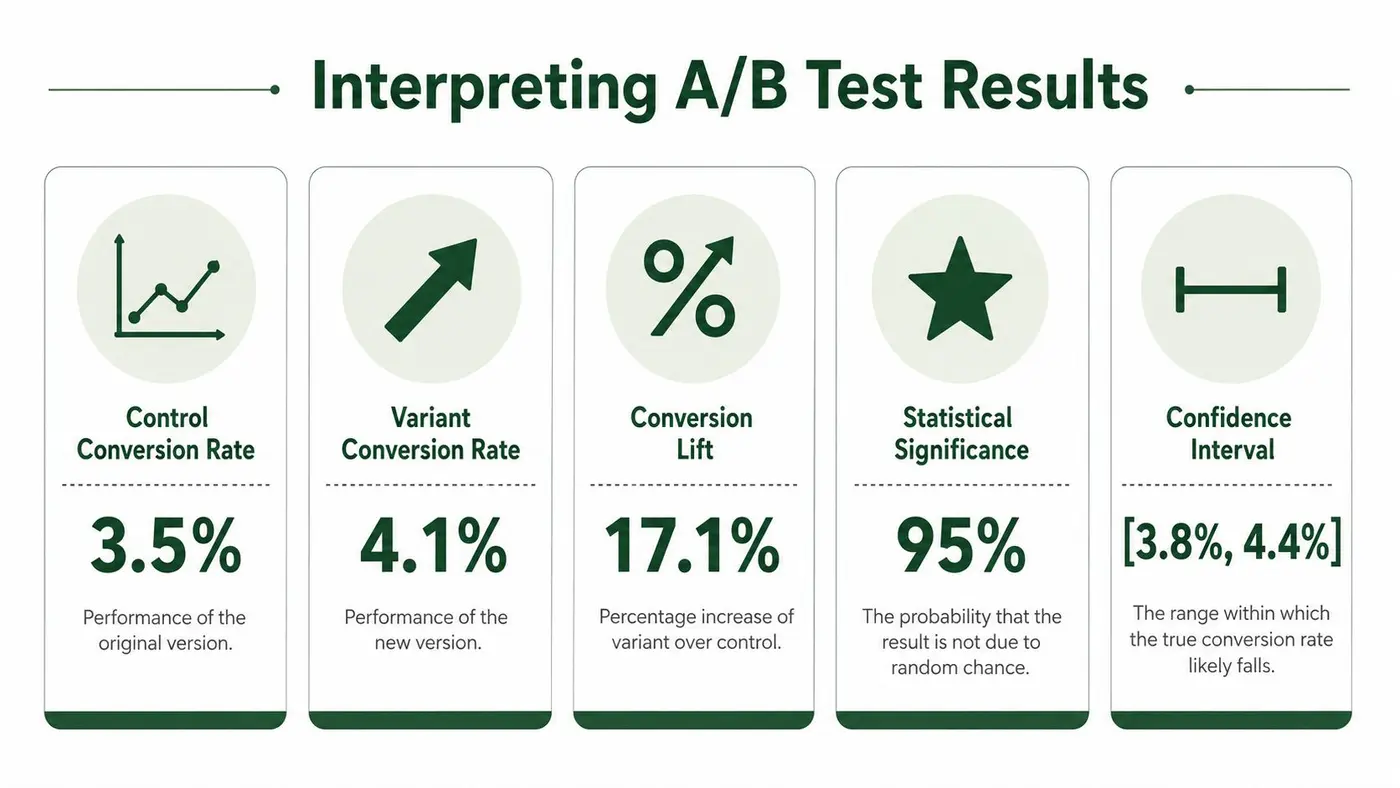
Trustworthy WordPress split testing requires patience. Tests should run for a minimum of one to two full weeks and reach at least 95% confidence, according to Jetpack's guide to high-integrity WordPress A/B testing. Sites with low visitor numbers may need a month or longer to get there.
What significance actually means
Statistical significance is a confidence check. It answers one practical question: is the observed difference likely to be real, or could it have happened by random chance?
That's why confidence matters more than a flashy early lift. A variant can look strong on Monday and weak by Friday once more traffic enters the sample. Weekday and weekend behaviour often differ, so a test needs enough time to capture that rhythm.
If you want a plain-English explanation of the decision threshold, this article on testing statistical significance is worth reviewing before you call any result.
Read the dashboard in the right order
Don't start with the prettiest uplift number. Start with the basics.
Review results in this sequence:
-
Check that the test ran long enough
If it hasn't covered a full cycle of traffic patterns, wait. -
Confirm the confidence threshold
If the result hasn't reached the required level, it isn't ready for a business decision. -
Look at the primary metric first
Judge the test by the goal you defined earlier, not by a side metric that happens to look better. -
Use secondary metrics as explanation, not verdict
They help interpret behaviour. They shouldn't overrule the primary outcome.
Don't stop a test because the graph looks exciting. Stop it because the result is stable enough to trust.
Three valid outcomes
Not every experiment produces a dramatic next step. In practice, there are only three honest outcomes.
-
Clear winner
One version beats the control on the primary metric with enough confidence and clean test conditions. -
Clear loser
The variant underperforms. That's still useful. You've ruled out a bad idea. -
Inconclusive result
No meaningful difference emerged, or the sample never became reliable enough. That doesn't mean the test failed. It means the change wasn't strong enough, the traffic was too thin, or the hypothesis needs work.
Common mistakes during analysis
A few habits ruin otherwise decent tests:
- Checking too often and reacting emotionally
- Ending the test after a temporary spike
- Explaining away a loss because the team likes the design
- Calling a tie a win
- Ignoring low traffic and pretending the sample is enough
Discipline matters here more than enthusiasm. Good analysts protect the integrity of the result, even when the answer is inconvenient.
Beyond the First Test and Next Steps
Once you've got a winner, push it live for everyone and document what changed, why you tested it, and what happened. That record matters more than generally realized. It stops you from retesting the same idea six months later and helps you spot patterns across pages.
If the result was inconclusive, don't force a conclusion. Keep the control, refine the hypothesis, and test a more meaningful change. Sometimes the page element you chose doesn't influence the decision enough. That's useful to know.
Build a testing rhythm, not a one-off project
The teams that get real value from WordPress split testing treat it as an operating habit:
- Archive every experiment with the page, hypothesis, metric, outcome, and notes.
- Prioritise by impact so high-intent pages get attention before low-value pages.
- Sequence tests logically because each result should inform the next question.
This is also where more advanced opportunities start to matter. One of the most overlooked in the UK is mobile form optimisation. Mobile accounts for 68.5% of UK web traffic, while mobile conversion rates can be 23% lower than desktop, which makes mobile-first form testing an important gap to close for WordPress teams.
A strong next test for UK sites
If you want a practical second or third experiment, test your lead or checkout forms for mobile users specifically.
Good candidates include:
- Field count on mobile lead forms
- Input order when users complete forms one-handed
- Button spacing and tap targets near the submit action
- Error message placement so users can recover quickly on small screens
That kind of testing is more valuable than endlessly swapping headline wording on desktop while most of your real audience struggles through the form on a phone.
Continuous optimisation wins because it compounds. One test rarely changes the business on its own. A disciplined series of trustworthy experiments often does.
If you want a lightweight way to run WordPress split testing without adding plugin bloat, Otter A/B is built for exactly that workflow. You can launch tests with a simple snippet, reduce flicker, keep the site fast, and measure outcomes that matter, including conversions, purchases, average order value, and revenue by variant.
Stop guessing
Ready to start testing?
Set up your first A/B test in under five minutes. No credit card required.
- 14-day free trial
- No credit card required
- Cancel anytime