Find 10 Best A/B testing platforms for 2026
Find the best A/B testing platforms for your needs. We compare 10 top tools on features, performance, pricing, and integrations to help you choose.

You launch a new pricing page on Friday. By Monday, the team likes the design, sales likes the messaging, and paid traffic is already hitting it. Then a critical question shows up. Did conversion improve, or did you just ship a version everyone happens to prefer?
That is the point where an experimentation tool stops being a nice-to-have and starts affecting revenue. A good platform helps you test ideas quickly, measure them cleanly, and avoid hurting page speed while you do it. A bad one creates flicker, adds script weight, and turns simple tests into tickets that sit in a developer backlog for two weeks. If you need a quick refresher on what counts as an experiment, this guide to what an A/B test is and how it works covers the basics.
The choice is rarely about who has the longest feature list. In practice, the hard trade-offs are performance, statistical rigour, and implementation effort. Some tools give marketers a visual editor and fast launch cycles, but they can be heavier on the page. Some give product teams stronger flagging, governance, and analytics, but ask for more engineering time up front. Some are priced well for smaller teams, yet fall short once you need advanced targeting, holdouts, or deeper revenue reporting.
That trade-off matters because so much acquisition spend now depends on pages you can still improve after launch. The IAB reported that UK digital ad spend reached £32.5 billion in 2023. The Office for National Statistics also reported that 27.6% of retail sales in Great Britain were made online in 2024. If you're also working on scaling Meta ads faster, that trade-off gets even sharper because wasted traffic gets expensive quickly.
We evaluate these platforms through the lens that matters during rollout: how much code they add, how reliably they avoid flicker, how trustworthy the stats are, and how much specialist help your team needs to get tests live. That gives you a better buying lens than a polished demo ever will.
Here are 10 platforms worth serious consideration.
1. Otter A/B
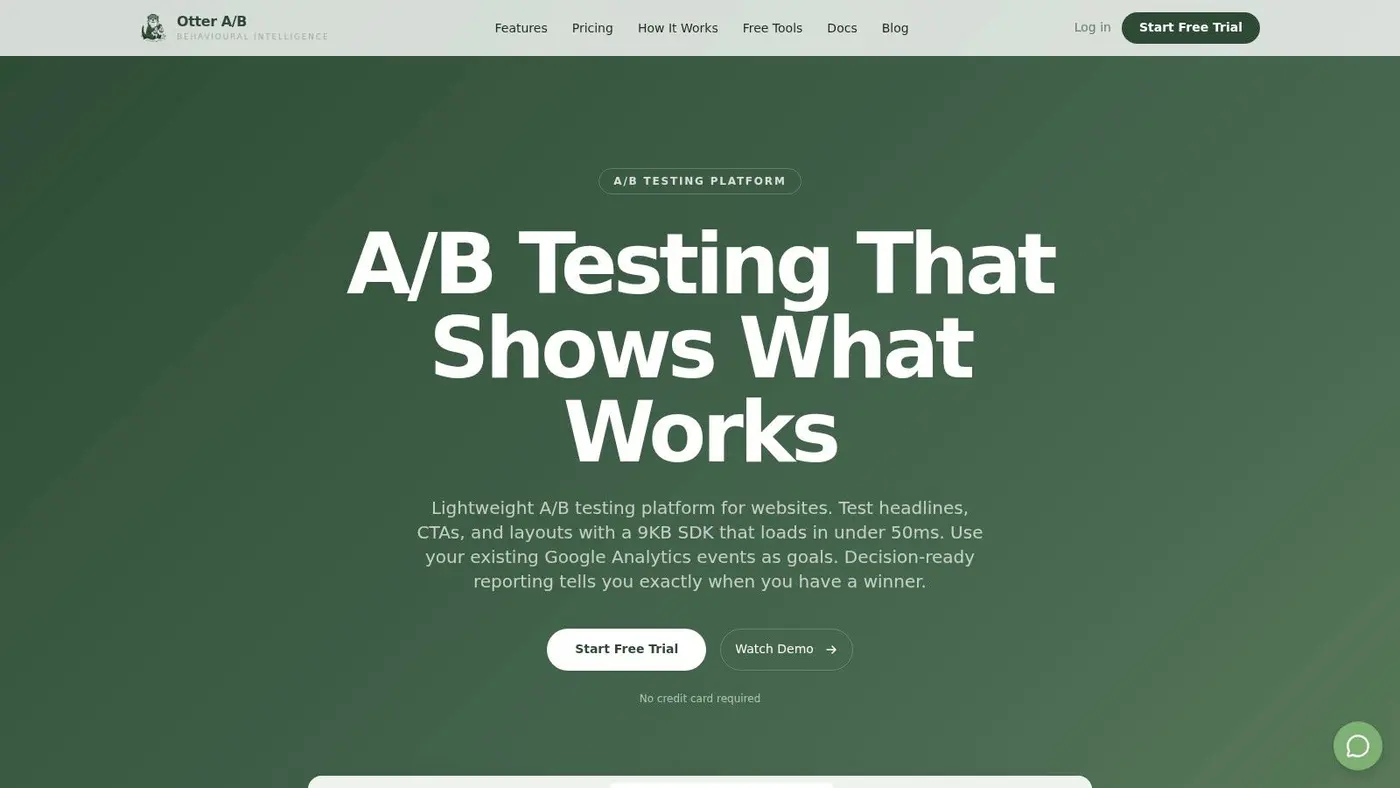
You launch a paid campaign to a landing page, traffic lands cleanly, and then the testing tool adds a visible flicker before the variant appears. On mobile, that delay is enough to hurt conversion rate before the experiment even starts. Otter A/B is built for teams trying to avoid that problem.
Its appeal is straightforward. It is a website-focused experimentation tool that stays lightweight, gets tests live quickly, and avoids the overhead that often comes with larger platforms. For CRO teams running frequent page tests, that trade-off matters. A platform can have every feature on the sales deck and still be the wrong choice if it slows the site or turns simple test launches into a technical project.
The implementation details are a big part of the pitch. Otter A/B uses a 9KB SDK, loads in under 50ms, and is designed to prevent flicker while maintaining 99.9% uptime. Those are practical buying criteria, not minor technical specs. If your acquisition mix is mobile-heavy, extra script weight and rendering delay show up in bounce rate and wasted ad spend fast.
Why it works for lean CRO workflows
Setup is simple. You can install it with a one-line snippet or through Google Tag Manager, then use the visual editor to launch tests without queueing every change with engineering. It supports unlimited variants, traffic allocation controls, and targeting by device, location, URL pattern, or custom attributes.
The reporting is stronger than what you get from tools that stop at top-line conversion lifts. Otter A/B tracks purchases, average order value, revenue by variant, and revenue trends over time. That helps teams judge whether a winning variant improved commercial performance or just drove more low-intent clicks. If you need to sense-check test planning before launch, Otter's guide on how to calculate sample size for an A/B test is a useful reference.
Practical rule: If you mainly test landing pages, product detail pages, pricing sections, offers, and checkout journeys, speed to launch and clean revenue reporting usually matter more than enterprise-level feature breadth.
Best fit and trade-offs
Otter A/B handles statistics in a way that suits working growth teams. It uses a frequentist z-test with 95% confidence by default, and it also offers Bayesian settings if that better matches how your team reviews results. Slack alerts are a useful operational feature. They reduce the common problem where a test reaches a decision point and sits untouched because nobody noticed.
There are limits, and they are worth stating plainly:
- Best for web experimentation: It is strongest for client-side website testing where you want fast deployment and low implementation drag.
- Less suited to full-stack programmes: Teams running server-side experiments across backend services, product logic, and native apps will likely need a broader platform.
- Pricing is unusually clear: Plans start at $39 per month with unlimited visitors and tests, which is easier to evaluate than quote-only enterprise pricing.
- Useful for agencies and stakeholder reporting: Branded, password-protected reports make it easier to share outcomes with clients or internal teams.
Otter A/B will not cover every enterprise use case. It does, however, fit a common real-world need very well. You can get website experiments live quickly, keep performance overhead low, and report on revenue without buying a platform built for a level of complexity your team may not need yet.
2. Optimizely Web Experimentation
Optimizely is still one of the first names that comes up when large organisations talk about experimentation seriously. That's not just brand inertia. It has mature web experimentation capabilities, broad deployment options, and enough governance to satisfy teams that need approval layers, multiple workspaces, and a formal operating model.
Where Optimizely earns its keep is on scale and control. It supports client-side and server-side experimentation, multivariate testing, and more advanced delivery patterns that help reduce flicker. If you're working inside a larger digital experience stack, that ecosystem effect can be valuable because content, experimentation, and personalisation can sit closer together.
Where it shines and where it drags
For UK and EU teams, the bigger question isn't whether Optimizely can do the job. It can. The question is whether your team will use enough of it to justify the cost and complexity.
The practical strengths are clear:
- Enterprise governance: Strong for larger organisations with multiple brands, regulated workflows, or central experimentation teams.
- Broader testing options: Supports more than basic page-level A/B testing, including server-side use cases.
- Performance-aware delivery: Better suited than older client-side setups if flicker control is a serious concern.
- Documentation depth: Most implementation questions have already been asked by someone else.
A sophisticated stats engine doesn't save a weak experiment design. Teams still need proper hypotheses, clean instrumentation, and sensible stopping rules.
The downsides are equally real. Pricing is custom, and in most cases the total cost of ownership is high once you include implementation, training, and internal process overhead. It's also not the easiest fit for smaller growth teams who just need to test pricing blocks, hero sections, or signup forms this week. If you're planning traffic allocation and minimum detectable effects, this explainer on how to calculate sample size is worth reviewing before you buy any premium platform.
Optimizely makes sense when experimentation is already a strategic programme, not just a tactic. If your team is still trying to prove the habit, it can be more platform than process.
You can find it at Optimizely Web Experimentation.
3. VWO
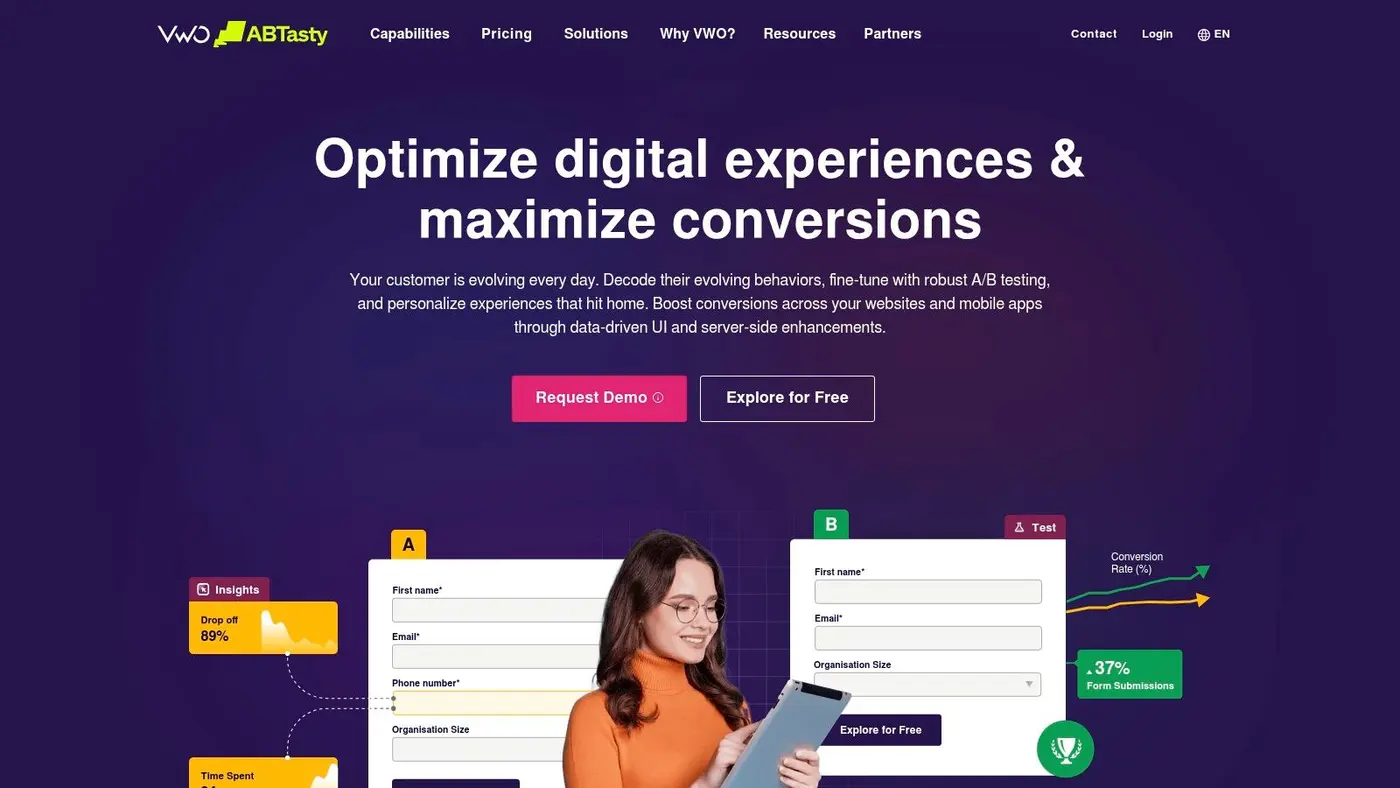
VWO sits in a useful middle ground. It's broader than a pure web testing tool, but usually less intimidating than a full enterprise suite. For teams that want testing plus behavioural insight in one place, that package can be attractive because you can pair an experiment with heatmaps, session recordings, and form analysis instead of duct-taping several products together.
That all-in-one model is VWO's main appeal. You can move from “where are users struggling?” to “let's test a fix” without changing platforms. For marketer-led CRO teams, that often creates better momentum than a more fragmented stack.
Good choice for teams that want context
VWO offers visual and code-based experimentation, server-side and feature experimentation, and Bayesian SmartStats for decision support. It also points to a growing market for experimentation software, with a global A/B testing tools market projected to reach USD 850.2 million in 2024 and grow at a 14.0% CAGR through 2031. That projection matters less as an industry headline and more as a practical signal. These tools are becoming part of the standard stack, not an optional add-on.
For day-to-day use, VWO tends to work well when:
- Your team wants one vendor for multiple CRO jobs: Testing, recordings, heatmaps, and form analysis can live together.
- Marketers need autonomy: The visual editor reduces dev dependency for many web tests.
- You still need code-based paths: Developers aren't boxed out when a test gets more technical.
A real caution here is configuration. VWO's product structure can get complicated once you start layering modules, environments, and usage limits. Teams often underestimate that setup burden. Before any rollout, I'd run a proper conversion rate optimisation audit so you know whether the bottleneck is insight, implementation speed, or analysis discipline.
VWO is a sensible choice if you want breadth. It's less compelling if your priority is the leanest possible page performance or the simplest pricing model.
You can explore it at VWO.
4. AB Tasty
AB Tasty has a strong reputation with retail and marketing-led experimentation teams, and that shows in the product. It feels built for organisations where merchandising, marketing, and digital experience teams want to move quickly on web changes without handing every test to engineering.
The visual editor is central to that experience. It's approachable, and the platform has expanded beyond basic A/B tests into server-side use cases, personalisation, and multivariate testing. For teams that need both campaign agility and a path toward more mature experimentation, that mix is useful.
Strong for marketing-led programmes
AB Tasty is particularly appealing if your experimentation programme lives close to commercial teams rather than inside product engineering. Marketers can launch and iterate faster, while developers still have room to support more advanced use cases when needed.
Its practical strengths include:
- Visual editing that marketers can use comfortably
- Client-side and server-side options for broader testing maturity
- Advanced targeting for audience-specific journeys
- A service model that suits teams wanting vendor support, not just software
That said, AB Tasty isn't the cheapest or simplest path if you only want quick website tests. Pricing is quote-based, and more advanced configurations still need technical input. That's common in this category, but it matters if your team is trying to build a lightweight experimentation habit first.
Another point worth considering for UK businesses is privacy and deployment design. A lot of “best tool” roundups gloss over the harder issue. The setup model matters as much as the tool name, especially when consent rules and measurement quality complicate analysis. That gap is visible in broader coverage of A/B testing tools for privacy-conscious teams, where the unresolved question is often how to test cleanly without compromising performance or consent handling.
AB Tasty is strongest when a business wants a vendor that can support a broader optimisation programme across testing and personalisation, not just a simple point solution.
You can see more at AB Tasty.
5. Kameleoon
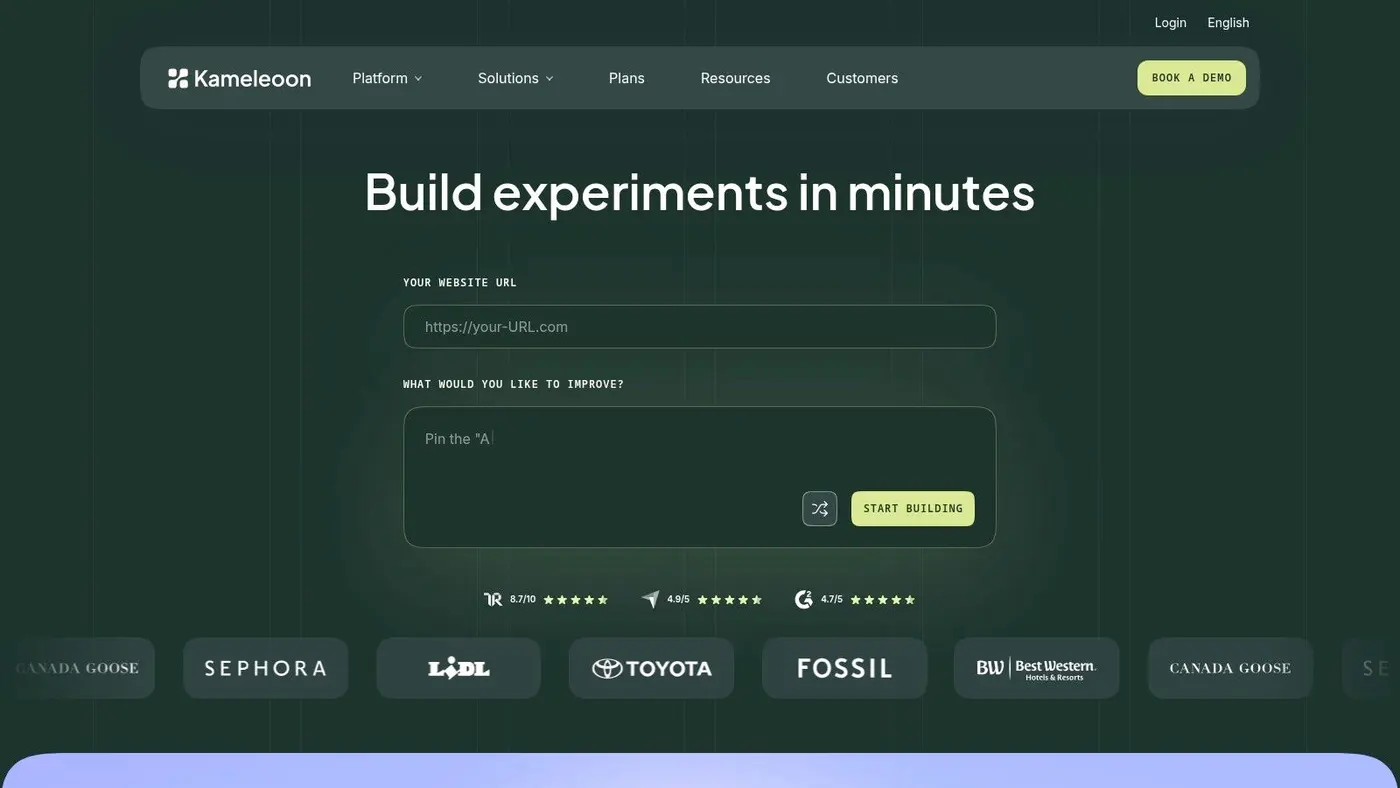
A common CRO problem looks like this. The team wants faster test delivery, developers want fewer risky front-end changes, and analysts want stronger guardrails around result quality. Kameleoon is built for that middle ground, and that is why it stands out.
What makes it different is not just the visual layer. Kameleoon puts more weight on experimentation discipline than many tools aimed at marketing teams, while still trying to reduce implementation friction. That balance matters if you care about performance, statistical quality, and release speed rather than just how quickly someone can change a headline in a WYSIWYG editor.
Its Prompt-Based Experimentation workflow is the clearest example. Natural-language setup can shorten the path from idea to launch, especially for teams with a heavy testing backlog. In practice, that helps with throughput, but it does not remove the need for clear hypotheses, QA, or sensible targeting rules.
Stronger choice for teams that have outgrown entry-level testing
Kameleoon supports sequential testing, multivariate tests, mutually exclusive groups, and sample ratio mismatch detection. Those are practical controls, not brochure features. They reduce the odds of polluted results, overlapping audiences, and false confidence in a winning variant.
Privacy and deployment options are also part of the buying decision here. UK teams often need more control over how data is collected, processed, and stored, especially under the UK GDPR and the Data Protection Act 2018. Kameleoon's private cloud and privacy-focused positioning will matter more to regulated businesses than another flashy visual editor feature.
From a practical CRO standpoint, the trade-offs are fairly clear:
- Good fit for maturing experimentation programmes: You get more control over test design and analysis than with lighter website testing tools.
- Better suited to compliance-sensitive organisations: Deployment flexibility and data handling options are part of the platform decision, not an afterthought.
- Faster workflow for some teams: Prompt-based setup can reduce production time for straightforward ideas.
- Requires a more deliberate operating model: Teams still need technical review, QA discipline, and a clear process for who builds and approves tests.
I would not put Kameleoon at the top of the list for a very small team that only wants quick client-side changes and the lowest possible setup burden. It makes more sense for teams that already know where weak experimentation habits show up. Flicker, messy audience allocation, poor measurement discipline, and slow implementation cycles all become more expensive as the programme grows.
You can explore it at Kameleoon.
6. Adobe Target
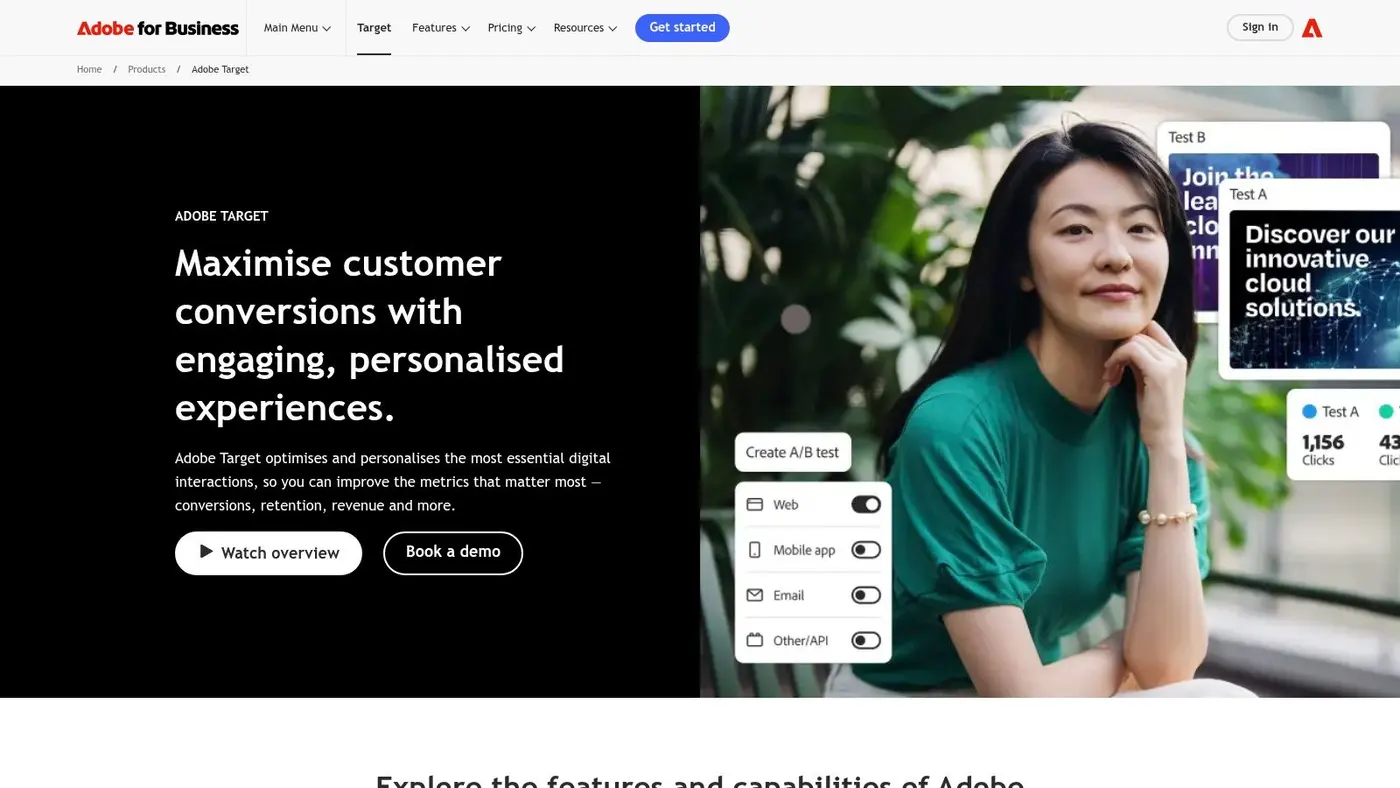
Adobe Target makes the most sense when you're already deep in Adobe Experience Cloud. Outside that ecosystem, it can feel heavy. Inside it, the platform becomes far more logical because analytics, audiences, content, and governance are already connected.
That integration is a major selling point. Adobe Target supports A/B/n testing and automated personalisation, but the bigger advantage is the handoff between Target and Adobe Analytics. Teams that already trust Adobe for reporting can keep experimentation closer to the data model they use elsewhere.
Best for organisations with analytics maturity
Adobe Target is rarely the tool I'd recommend to a lean CRO team starting from scratch. It's built for larger organisations with structured workflows, established technical resources, and a need for governance.
Its strengths are clear:
- Deep Adobe Analytics integration
- Strong enterprise controls and permissions
- Suitable for complex personalisation programmes
- Useful planning tools for traffic and power calculations
The trade-off is that you're buying into a system, not just a testing tool. If you don't already use Adobe heavily, the implementation burden and cost can be difficult to justify. In practical terms, Adobe Target tends to reward companies that have enough traffic, enough team structure, and enough internal demand to keep the platform busy.
One broader market signal supports why these larger suites continue to attract buyers. Another study cited in industry coverage projects A/B testing software growing from USD 1.50 billion in 2025 to USD 4.82 billion by 2036 at an 11.2% CAGR. That doesn't mean every business needs an enterprise suite. It does mean mature experimentation is becoming a standard operating capability for larger digital businesses.
Adobe Target is powerful. It's just expensive power, and it pays off best when the rest of Adobe is already in place.
You can visit Adobe Target.
7. Dynamic Yield by Mastercard
Dynamic Yield is less of a pure testing tool and more of a personalisation platform that happens to include strong experimentation. That distinction matters. If you only need clean A/B tests on landing pages, it may be too much. If you want testing tied closely to recommendations, merchandising, and customized experiences, it becomes much more compelling.
This is especially relevant for ecommerce teams. Dynamic Yield has long been strongest where catalogue depth, segmentation, and merchandising logic affect outcomes as much as page design.
Strong when testing and personalisation need to work together
A lot of CRO teams start with A/B testing and later realise they also need recommendation logic, audience-specific content, and merchandising control. Dynamic Yield is designed for that more advanced stage.
Its practical strengths include:
- A/B testing across web and app
- Strong recommendation and merchandising capabilities
- Good fit for retail and ecommerce operations
- Enterprise support through Mastercard backing
If the business goal is personalisation at scale, pick a platform built for that. If the goal is simply faster website experiments, don't pay for a recommendation engine you won't use.
The main drawback is focus. Smaller teams can end up with more platform than they need, and quote-based pricing usually reflects that. This is not an SMB-first tool. It's strongest when an ecommerce brand is serious about orchestrating experiences, not just validating one page change at a time.
For retailers, there's also a good business case for tools that connect experimentation to commercial metrics rather than cosmetic wins. Industry commentary keeps highlighting that gap. A lot of “best platform” articles still focus on feature checklists when teams really want guidance on which tools can show revenue impact fastest under real ecommerce pressure. That under-served angle is outlined well in broader analysis of how A/B tools are framed for revenue-focused teams.
Dynamic Yield is a strong choice when your roadmap already includes personalisation. It's less attractive if you're still proving whether experimentation deserves budget.
You can learn more at Dynamic Yield by Mastercard.
8. Convert Experiences
Convert Experiences has built a loyal following among agencies, privacy-conscious teams, and experimentation specialists who want a tool that takes testing seriously without wrapping everything in enterprise theatre. It's a cleaner fit for people who already know what they're doing and want fewer surprises in implementation.
One reason practitioners like Convert is that it stays focused. It offers client-side and server-side testing, feature flags, visual and code editors, QA tooling, and collision prevention. That's practical functionality, not fluff.
Why agencies and mid-market teams like it
Collision prevention is one of those features that sounds boring until your site is running overlapping tests and nobody can explain why data quality has gone sideways. Convert addresses that operational problem directly, which makes it attractive for teams juggling multiple experiments across client accounts or busy ecommerce properties.
The day-to-day advantages are straightforward:
- Good fit for disciplined testing programmes
- Support for both client-side and server-side setups
- Collision prevention helps protect result quality
- Predictable enough for agencies managing several experiments at once
Convert also appeals to teams that care about terms, documentation, and human support quality. That matters more than vendors like to admit. When a test is misfiring on a sales page, responsive support beats another AI feature.
The trade-off is that Convert doesn't try to be a broad behavioural analytics suite. If you want recordings, heatmaps, and deep UX diagnostics in one package, you'll need to pair it with other tools. For many experienced teams, that's fine. They'd rather keep experimentation clean and choose the rest of the stack deliberately.
You can explore it at Convert Experiences.
9. GrowthBook
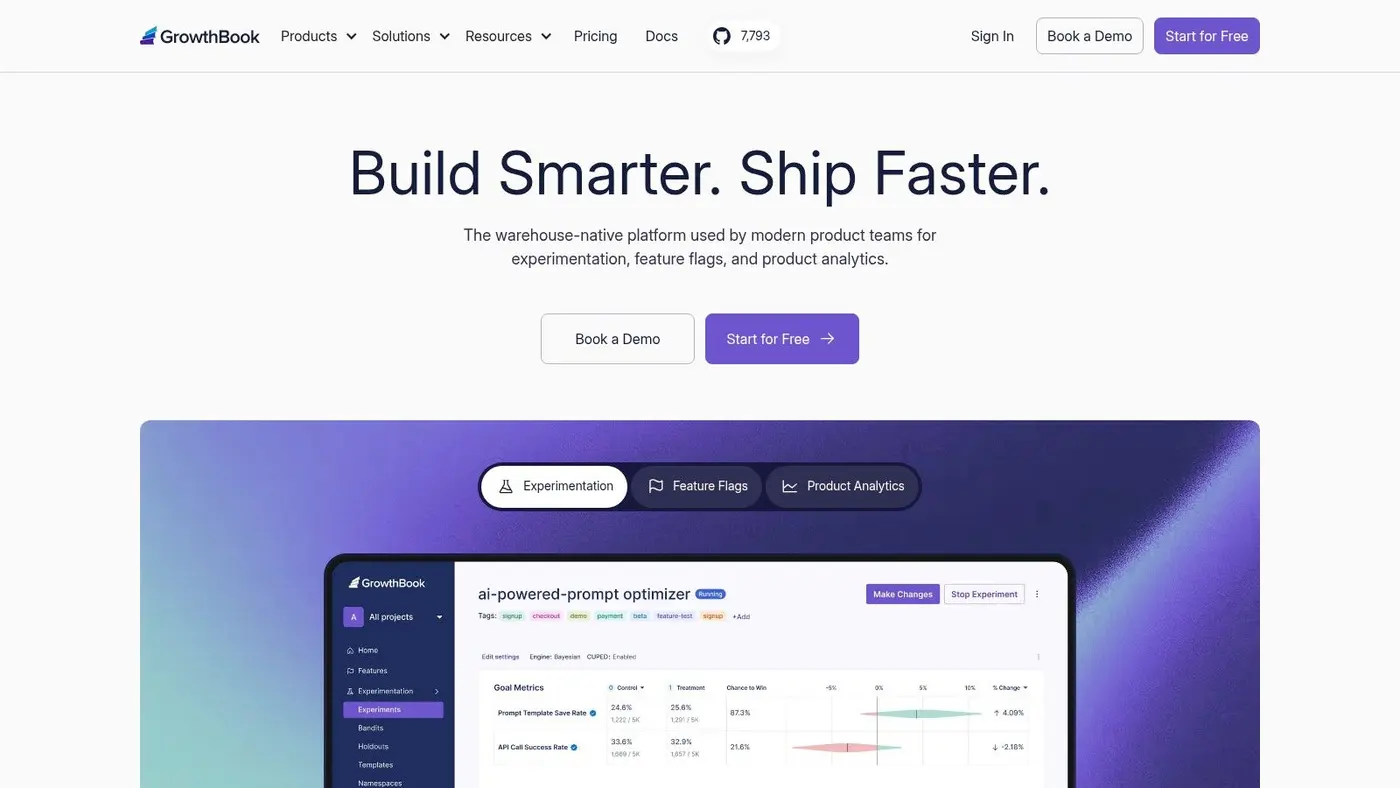
GrowthBook is one of the most appealing options for data-savvy teams that want control over their experimentation layer. It's warehouse-native, open-source, and flexible enough to support self-hosting. That combination makes it distinctly different from the typical marketer-first web testing platform.
If your team already works comfortably with Snowflake, BigQuery, Redshift, or Databricks, GrowthBook can slot into the way you measure product decisions instead of forcing you into a vendor-owned reporting model.
Excellent for product and data teams
This isn't the easiest platform for every marketing team. It assumes a certain level of analytics maturity. But when that maturity exists, GrowthBook can be an excellent fit because your metrics stay under your control.
Its strengths are practical:
- Warehouse-native design keeps data in your environment
- Open-source core allows flexibility and self-hosting
- Supports feature flags and experimentation together
- Advanced statistical options suit more technical teams
The visual editor is available on paid plans, which helps broaden usability, but the platform still feels most natural in product-led environments. Teams that rely heavily on warehouse metrics often prefer that because they can define metrics once and avoid endless arguments about whether the vendor dashboard matches the internal BI dashboard.
A smaller commercial footprint compared with long-established enterprise vendors is the obvious trade-off. Some organisations still want a bigger vendor relationship, especially when procurement and security reviews get involved. But for teams that value flexibility and ownership, GrowthBook is often one of the smartest buys in this space.
You can visit GrowthBook.
10. Statsig
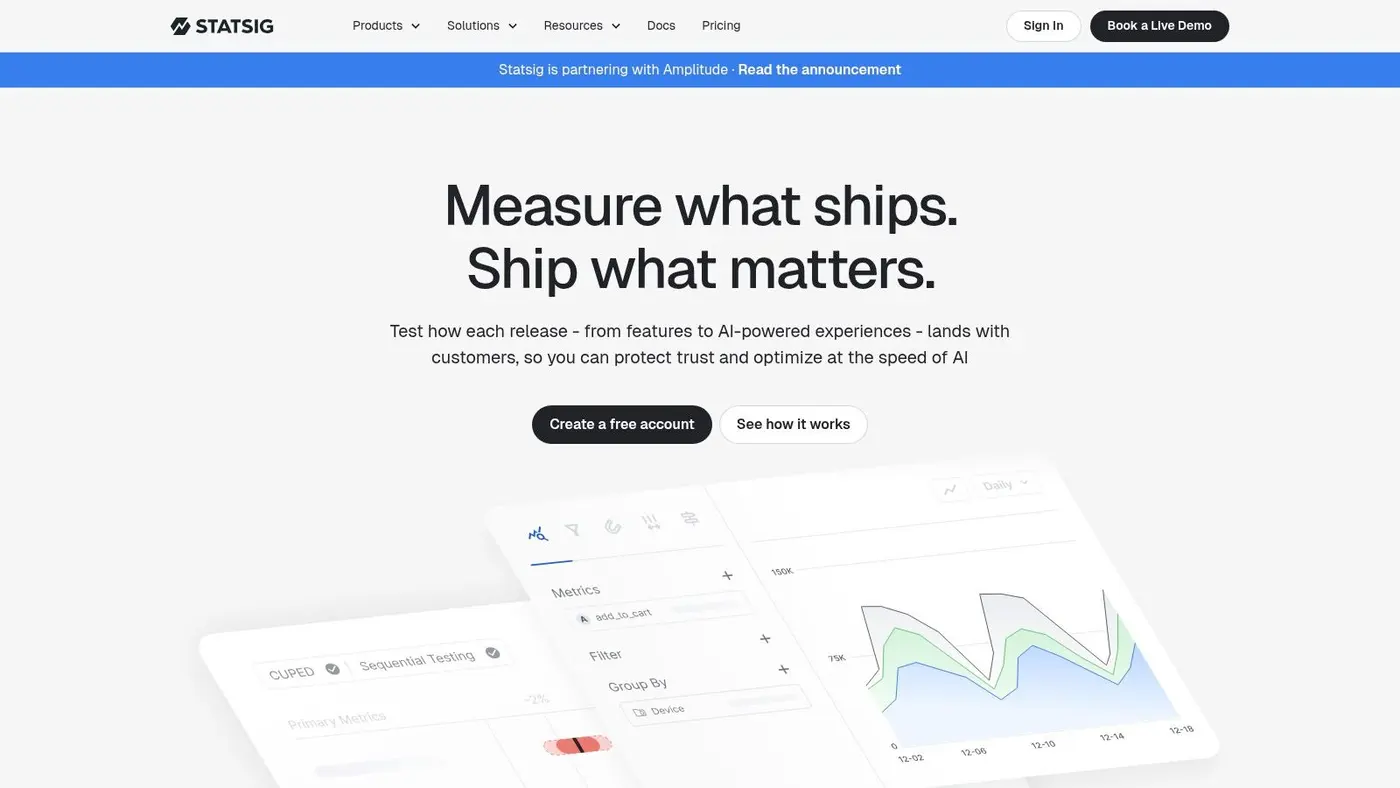
Statsig is a strong choice for product organisations that want experimentation, feature flags, and product analytics in the same operating layer. It feels modern in the best sense. Fast to start, developer-friendly, and built around event instrumentation rather than page editing alone.
That makes Statsig a natural fit for PM, engineering, and data teams working together on product changes, onboarding flows, and feature rollouts. It's less of a classic CRO tool for marketers swapping homepage copy in a visual editor.
Best for cross-functional product teams
Statsig's combination of feature flags, experimentation, built-in analytics, and usage-based pricing is attractive because it keeps the stack tighter. Product teams can roll out features gradually, measure impact, and iterate without jumping across several systems.
Where it works well:
- Strong for product-led experimentation
- Good SDK coverage across client and server environments
- Useful when teams already instrument events consistently
- Transparent enough to start quickly without a long sales cycle
The caution is billing discipline. Event-metered pricing can look efficient at the start and become something you need to watch carefully at scale. That's not a flaw so much as a management requirement. If nobody owns instrumentation hygiene, event-based platforms can become messy.
Statsig is one of the better options if your experimentation programme lives inside product development rather than classic marketing CRO. For web-first marketers who want drag-and-drop page editing and immediate revenue views, a website-focused tool will usually feel easier.
You can check it out at Statsig.
Top 10 A/B Testing Platforms Comparison
| Product | Core features & unique selling points ✨ | Performance & UX ★ | Pricing & value 💰 | Target audience 👥 |
|---|---|---|---|---|
| Otter A/B 🏆 | ✨ 9KB SDK, unlimited variants, frequentist z-test + Bayesian option, revenue-linked goals | ★★★★★ <50ms load, zero flicker, 99.9% uptime | 💰 Free start; paid from $39/mo, flat-rate, unlimited visitors/tests | 👥 SMBs, ecommerce teams, agencies |
| Optimizely Web Experimentation | ✨ Edge/server-side delivery, AI-assisted workflows, MVT & bandits | ★★★★ Enterprise-grade, flicker-minimised | 💰 Custom/enterprise pricing (higher TCO) | 👥 Large enterprises, governance-focused orgs |
| VWO (Web Testing & FE) | ✨ All-in-one CRO: visual editor, server-side FullStack, Bayesian SmartStats, analytics | ★★★★ Mature UX, integrated behaviour tools | 💰 Opaque MTU-based pricing; product limits | 👥 CRO teams, mid-enterprise marketers |
| AB Tasty | ✨ Marketer-friendly visual editor, AI prompting, client/server testing | ★★★★ Fast for marketing workflows, retail focus | 💰 Quote-based (enterprise) | 👥 Marketing-led ecommerce teams |
| Kameleoon | ✨ Prompt-Based Experimentation (PBX), GDPR/HIPAA-ready, private cloud option | ★★★★ Fast snippet, high uptime claims | 💰 Transparent starter pricing + free 30-day PBX trial | 👥 EU/privacy-first teams, rapid-testers |
| Adobe Target | ✨ A/B/n + Auto-Target, deep Adobe Analytics integration, enterprise governance | ★★★★ Strong analytics & governance | 💰 Quote-based, expensive; best with Adobe stack | 👥 Large enterprises using Adobe Experience Cloud |
| Dynamic Yield (Mastercard) | ✨ Personalisation-first, recommendations, merchandising controls | ★★★★ Scales well for ecommerce personalisation | 💰 Custom/enterprise pricing | 👥 Ecommerce & retail brands |
| Convert Experiences | ✨ Privacy-focused experimentation, collision prevention, feature flags | ★★★★ Clear docs & fast human support | 💰 Public base prices limited; documented overages | 👥 Agencies, mid-market teams needing predictability |
| GrowthBook | ✨ Open-source, warehouse-native, CUPED & sequential tests, self-host option | ★★★★ Cost-effective; flexible for data teams | 💰 Free/self-host; paid tiers for hosted features | 👥 Data-savvy teams, analytics-first orgs |
| Statsig | ✨ Feature flags + experimentation + product analytics, client & server SDKs | ★★★★ Modern stats engine, fast to start | 💰 Free dev tier; usage/event‑based billing | 👥 Product & engineering teams |
How to Choose Your A/B Testing Platform
A team picks a platform, gets the tag live, launches two tests, then slows to a crawl. The visual editor fights the site, engineers do not trust the stats, or the snippet adds enough flicker to make the experiment feel questionable before results even come in. That is usually where platform selection goes wrong. The key decision is not feature count. It is operational fit.
Start with the way your team works. Marketing-led web experimentation needs fast setup, low developer dependence, and reporting that stakeholders can read without a stats debate in every meeting. Product and engineering teams usually need more control, stronger feature flagging, server-side support, and cleaner links to analytics pipelines. If you buy above your current maturity, the tool sits underused. If you buy below it, the team outgrows it fast.
Performance deserves more scrutiny than many buyers give it. A heavy client-side setup can introduce flicker, delay render paths, and create implementation quirks that affect the very conversion rate you are trying to measure. For high-traffic sites, those costs are not theoretical. They show up in user experience, test quality, and in the engineering time needed to keep experiments from breaking.
Measurement quality is the second filter. Look closely at the stats model, how the platform handles attribution, what happens when consent reduces visibility, and whether the reporting matches how your team makes decisions. A platform can look polished in a demo and still create confusion if analysts cannot validate results or if marketers cannot explain why one report says a test won and another says it is inconclusive.
Cost needs the same practical treatment. Licence price matters, but so do setup time, QA overhead, support quality, and the number of tests you can realistically ship each month. I have seen cheaper tools cost more because every launch needed engineering help. I have also seen expensive suites turn into shelfware because the team only used basic A/B tests and none of the personalisation or governance they paid for.
A useful way to narrow the choice:
- Pick a lightweight web-first tool if speed to launch, low overhead, and straightforward revenue or conversion reporting matter most.
- Pick a broader CRO suite if you want testing alongside heatmaps, session recordings, and other research tools.
- Pick an enterprise platform if governance, advanced personalisation, and cross-team control are already part of the programme.
- Pick a warehouse-native or product-led platform if experimentation is tightly tied to engineering workflows and your data stack.
If you're pairing experimentation with broader UX work, it's also worth reviewing leading virtual user testing solutions so your test ideas come from observed friction, not guesswork.
The right platform removes friction from the programme itself. You can launch tests without long implementation cycles, trust the results enough to act on them, and choose a setup your team can sustain quarter after quarter. Otter A/B can suit teams that want lightweight web experimentation and revenue-focused reporting. Optimizely, Adobe Target, GrowthBook, or Statsig may be a better fit when governance, product experimentation, or data stack depth matters more. Choose the tool that matches the programme you can run well now.
Stop guessing
Ready to start testing?
Set up your first A/B test in under five minutes. No credit card required.
- 14-day free trial
- No credit card required
- Cancel anytime