Difference between Bayesian and Frequentist Testing
Learn the difference between Bayesian and Frequentist testing. Practical guide for CRO & e-commerce teams to analyze A/B test data & make decisions.

You have a test running right now, or you are about to launch one. The control uses your current headline. Variant B swaps in a sharper value proposition. A few hours in, B looks better. Slack starts buzzing. Someone asks the question that always matters more than the design itself: should we ship it?
That is where the difference between Bayesian and Frequentist testing stops being academic.
Most articles explain the philosophy, then leave you stranded when you open Excel and face a CSV export full of sessions, conversions, and order values. In practice, the method you choose changes how you plan the test, when you’re allowed to look at results, what you can say to stakeholders, and how much risk you take when you push a change live.
If you want the shortest version, it’s this. Frequentist testing is strict, defensible, and easy to misuse. Bayesian testing is more intuitive for business decisions, but only if you understand what assumptions sit underneath the output. The fastest way to grasp that trade-off is to manually work through a Frequentist analysis once. Excel makes the pain obvious.
Choosing Your A/B Testing Philosophy
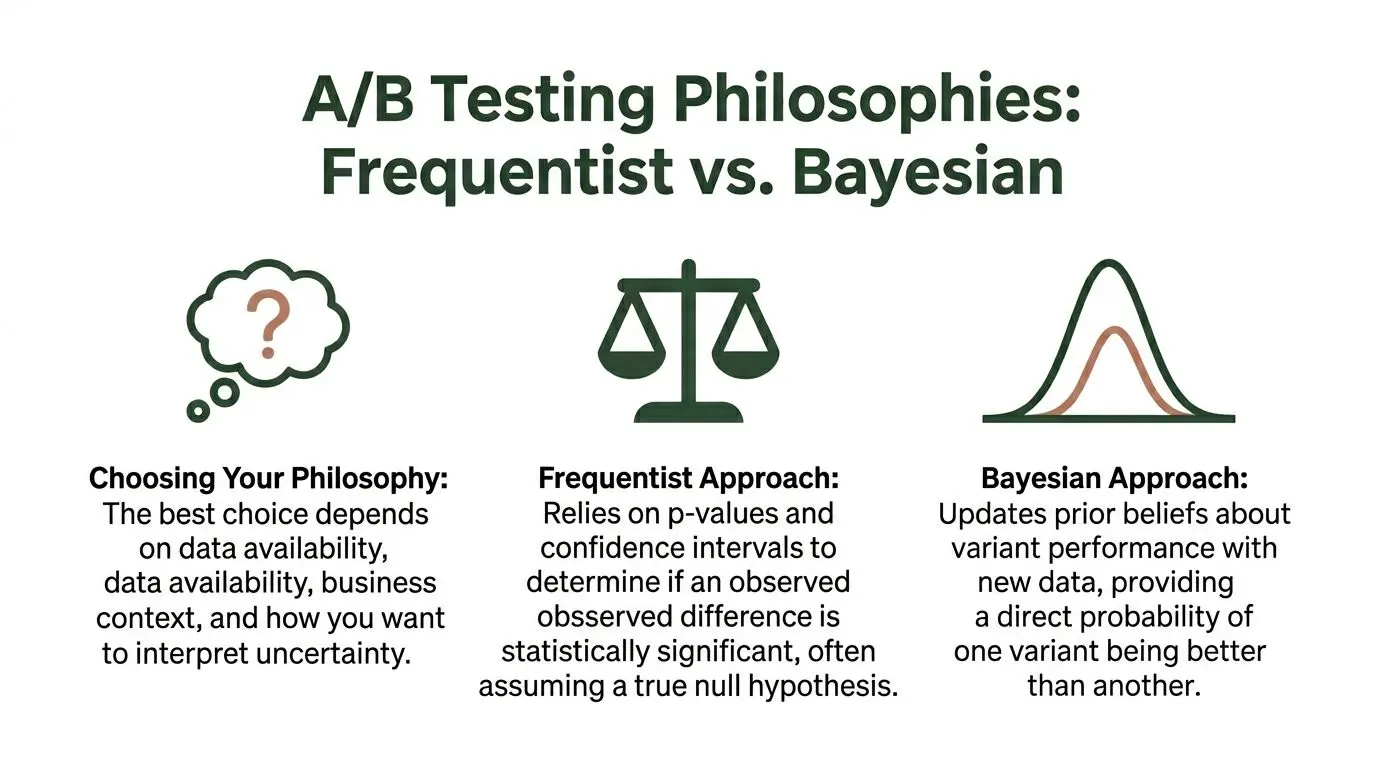
The usual CRO dilemma is simple. Variant B has a higher conversion rate than control, but you do not know whether that gap reflects a real improvement or random noise. Both Bayesian and Frequentist testing try to answer that same question. They frame uncertainty differently.
A practical approach:
- Frequentist works like a courtroom. The new variant starts under the assumption that it is not different from control. You need enough evidence to reject that assumption.
- Bayesian works more like an investigation. You start with an initial belief, or a neutral starting point, and update it as evidence arrives.
That difference sounds philosophical, but it shows up in everyday decisions. A growth marketer wants to know whether to roll out a headline, pause a weak CTA, or keep collecting data. The statistics are only useful if they help answer that business question clearly.
If you want a refresher on the broader discipline these methods sit inside, What Is Conversion Rate Optimization gives useful context before you get deep into testing mechanics.
Where teams get tripped up
Teams do not fail because the maths is impossible. They fail because they ask a Bayesian-style question from a Frequentist result.
They look at a p-value and say, “So there’s a 95% chance B is better.” That is not what a p-value says. The result feels close enough, so the mistake survives in reporting decks and client updates.
Frequentist testing gives you a rule for rejecting the null hypothesis under a pre-defined process. Bayesian testing gives you a probability statement about the variant, based on a model and prior assumptions. Similar destination. Different route. Different language.
If your stakeholders keep asking “What is the chance this variant is better?”, they are asking for a Bayesian-style answer even if your tool is running a Frequentist engine.
Frequentist vs Bayesian Testing at a Glance
| Aspect | Frequentist Approach | Bayesian Approach |
|---|---|---|
| Core question | Is the observed difference unlikely if there is no effect? | Given the data, how probable is it that one variant is better? |
| Planning style | Fixed in advance | More flexible as data arrives |
| Reading results | p-values and confidence intervals | Probabilities and posterior distributions |
| Peeking at results | Risky under standard setups | More natural within the framework |
| Stop rule | Typically tied to a planned sample size | Frequently based on decision confidence |
| Best fit | Teams that need strict process and defensible thresholds | Teams that want intuitive decision language |
A lot of confusion disappears once you accept that neither philosophy is “the truth”. Each is a decision framework.
For a first manual analysis, Frequentist testing is the better starting point because it forces discipline. You must define the hypothesis, estimate the sample, avoid peeking, and calculate significance correctly. That discipline is why many teams begin there, even if they later prefer Bayesian reporting.
A useful primer on significance language sits in this guide to https://www.otterab.com/blog/testing-statistical-significance. It helps clarify what teams mean when they say a result is valid.
The Frequentist Framework for E-commerce Testing
Monday morning. Your headline test shows an increase after two days, the merch team wants to push it live before the weekend, and the spreadsheet is still half-built.
Here, Frequentist testing earns its keep. It gives you a strict process for deciding whether an apparent lift is evidence or noise. That process can feel slow, especially when revenue is on the line, but the discipline is useful. If you are analysing a test manually in Excel, it also shows you how many ways a result can go wrong before anyone touches the site.
Start with a decision, then write the hypotheses
A Frequentist test begins with a business choice: ship the change or keep the control.
For a simple product page headline test, the statistical framing is straightforward:
- Null hypothesis H0: conversion rate is the same for control and Variant B.
- Alternative hypothesis H1: conversion rate is different between control and Variant B.
Writing that down sounds basic. It is also the step that stops teams from changing the win condition halfway through the test. If the original goal was conversion rate, do not switch to revenue per visitor at the end because the first metric came back flat.
That habit creates pretty slides and bad decisions.
Frequentist testing rewards planning and punishes improvisation
The workflow is fixed on purpose. Set the hypothesis. Choose the primary metric. Estimate the sample size. Split traffic cleanly. Run the test for the planned duration. Calculate the result at the end.
In theory, that is clean. In practice, it is where marketers get impatient.
A proper Frequentist setup frequently needs more traffic than stakeholders expect, especially when the uplift you care about is small. If you are trying to detect a modest conversion change on a category page, the test may need to run far longer than the team wants. That is one reason manual Excel analysis is so useful for beginners. It forces you to see the mechanics instead of treating the testing tool like a black box.
What the p-value does
The p-value answers a narrow question. If there were no real difference between control and variant, how unusual would the observed gap be?
That is all.
If your p-value is below 0.05, teams frequently treat that as the green light. Sometimes that is fine. Sometimes it is reckless. A tiny lift can clear a significance threshold and still be too small to justify the design work, engineering time, or downstream risk of rollout.
Use the p-value as a quality check, not as the whole decision.
A test result should clear two filters:
- Statistical evidence. The effect is unlikely to be random noise.
- Commercial value. The effect is large enough to matter to the business.
A variant that lifts conversion by a trivial amount may satisfy the first filter and fail the second. For an e-commerce team, that typically means do not ship yet, or at least validate with a follow-up test on a higher-impact page.
The two mistakes that inflate false winners
The first is peeking.
You launch on Tuesday, check results on Wednesday, check again on Friday, then stop the moment the sheet shows significance. That breaks the rules of a standard Frequentist test because your stopping point was driven by the result. The practical consequence is simple. You increase your odds of calling a winner that will not hold up after rollout.
If you need a plain-English refresher, read this explanation of Type I error in A/B testing before trusting a test you watched too closely.
The second mistake is testing several variants and reading each result as if it were a clean one-to-one comparison. Add extra headlines, extra CTA treatments, or extra page layouts, and your chance of a false positive rises unless you apply a correction. Excel will still return a number. The number will not protect you from bad experimental hygiene.
Why Frequentist testing feels heavier in practical application
The method is statistically disciplined. The operations around it are frequently awkward.
Traffic is rarely stable. Promo calendars interrupt clean test windows. Black Friday hits in the middle of your run. Paid spend changes the audience mix. Someone updates the email hero and suddenly your homepage test is receiving a different kind of visitor than it did three days earlier.
That is the fundamental trade-off. Frequentist testing is defensible when you follow the rules, but those rules are harder to maintain than many first-time testers realise. Manual analysis in Excel makes that obvious fast. You are not merely calculating a z-test. You are protecting the decision from timing issues, messy data, and your own urge to declare a win early.
Keep the operating rules tight:
- Write the hypothesis before launch
- Pick one primary metric
- Estimate the sample before looking at results
- Do not stop early because the chart looks good
- Check practical impact before shipping
Follow those rules and Frequentist testing is a solid framework for e-commerce decisions. Break them, and the spreadsheet can still produce a neat-looking answer while pointing you toward the wrong headline, the wrong CTA, or the wrong rollout call.
How to Structure Your A/B Test Data in Excel
Bad spreadsheet structure ruins more analyses than bad statistics.
If your export is messy, manual testing becomes harder than it needs to be. The cleanest layout is a long-format table where each row represents one observation, typically a user session or user-level event depending on how your test is designed.
Use a simple raw-data layout
A workable Excel sheet typically includes columns like these:
| SessionID | Variant | Converted | OrderValue | Device |
|---|---|---|---|---|
| S001 | Control | 0 | 0 | Mobile |
| S002 | Variant B | 1 | 64.00 | Desktop |
| S003 | Control | 1 | 38.50 | Mobile |
This structure is better than pasting in a summary table from another tool because it gives you flexibility. You can filter by device, remove obvious tracking issues, inspect outliers in order value, and rebuild summaries without re-exporting everything.
Pre-aggregated data hides problems. Raw rows expose them.
The checks to do before any formula
Before you touch a z-test or t-test, audit the sheet.
- Variant labels: Make sure “Control”, “control”, and “A” are not mixed together.
-
Conversion coding: Use one convention only. Typically
1for converted and0for not converted. - Missing values: Blank cells in conversion or revenue columns will distort calculations.
- Date range: Confirm the export matches the exact test window.
- Duplicate rows: Session duplication can make a weak test look stronger than it is.
In manual analysis, cleaning the sheet is not admin work. It is part of the statistical method.
Summarise with a PivotTable
Once the raw data is clean, use a PivotTable to generate the numbers you need.
For a conversion test, the important outputs are:
- Visitors in control
- Conversions in control
- Visitors in variant
- Conversions in variant
Put Variant in Rows. Put SessionID in Values as a count. Put Converted in Values as a sum. That gives you the counts required for a two-proportion test.
If you are evaluating revenue metrics such as average order value, add OrderValue to Values as an average and keep the raw order values available for variance calculations.
A short video can help if you want to see spreadsheet setup and formula flow in action:
Keep one sheet for inputs and one for analysis
This small habit saves time.
Use one tab for raw data and another for calculations. On the analysis tab, create labelled cells for:
- Control visitors
- Control conversions
- Variant visitors
- Variant conversions
- Control conversion rate
- Variant conversion rate
- Absolute difference
- Relative uplift
When someone asks how you got the result, you want an audit trail, not a maze of overwritten cells.
If your spreadsheet is organised well, the next stage is mechanical. If it is not, every formula becomes suspect.
Running Key Statistical Tests in Excel
Monday morning, the test has ended, the paid traffic bill has landed, and someone asks the only question that matters. Do we ship the new headline or not?
Excel can answer that. It can also expose every shortcut that turns A/B test analysis into guesswork. Running the maths by hand once is useful for that reason alone. You see how much setup sits behind a clean-looking result in a testing tool.
Use a two-proportion z-test for conversion rates
For binary outcomes such as purchases, sign-ups, or add-to-cart events, use a two-proportion z-test.
Assume your analysis sheet contains:
-
B2= control visitors -
B3= control conversions -
C2= variant visitors -
C3= variant conversions
Calculate conversion rates:
- Control rate in
B4:=B3/B2 - Variant rate in
C4:=C3/C2
Then calculate the pooled conversion rate in D2:
=(B3+C3)/(B2+C2)
Standard error in D3:
=SQRT(D2*(1-D2)*(1/B2+1/C2))
Z-score in D4:
=(C4-B4)/D3
Two-tailed p-value in D5:
=2*(1-NORM.S.DIST(ABS(D4),TRUE))
If the p-value is below your pre-set threshold, you have evidence against the null. That still does not mean the variant is automatically worth rolling out. A tiny uplift can clear a significance threshold and still be too small to justify the design work, engineering time, or downstream risk of rollout.
That is why I always pair this with the absolute lift in conversion rate and the estimated revenue impact. If Variant B lifts conversion by 0.2 percentage points, ask what that means in orders, margin, and payback period. Statistical significance answers one question. The business still has to answer the rest.
Add a confidence interval for the uplift
A p-value tells you whether the result is unusual under the null. A confidence interval tells you how big the effect might realistically be. For decision-making, that is frequently the more useful output.
For the difference in conversion rates, calculate the unpooled standard error in D6:
=SQRT((B4*(1-B4)/B2)+(C4*(1-C4)/C2))
Margin of error in D7:
=1.96*D6
Lower bound in D8:
=(C4-B4)-D7
Upper bound in D9:
=(C4-B4)+D7
If the interval crosses zero, the test has not ruled out no effect. If the interval is quite wide, the result may be too uncertain to justify a sitewide rollout, even if the p-value looks acceptable.
For marketers who need a refresher on how to read interval width and what it says about uncertainty, this guide to confidence intervals in statistics is worth reviewing before you present results to stakeholders.
Use T.TEST for revenue-style metrics
Conversion is the clean metric. Revenue is where manual analysis gets messy.
If you want to compare average order value, revenue per user, or session duration, store the raw observations in two columns and run:
=T.TEST(control_range, variant_range, 2, 3)
That is a two-tailed test with unequal variances. For live commercial data, that is typically the safer choice.
The p-value is only the start. Revenue metrics are frequently skewed, and one large order can move the average enough to create a misleading story. Before trusting the result, inspect the spread, check for obvious outliers, and calculate standard deviation for each group. If you need help with the spreadsheet mechanics, this guide shows how to calculate standard deviation in Excel.
This is also where device mix starts to matter. Mobile-heavy tests frequently produce noisier order values and wider intervals, especially if checkout friction or tracking gaps affect lower-intent sessions. In practice, that means a revenue test can stay inconclusive long after a conversion test on the same experiment is clear enough to act on. If the business decision is about checkout completion, analyse that first. Do not let a noisy AOV readout block an obvious UX improvement.
Use chi-square when outcomes have multiple categories
Some tests are not binary. You may be comparing which pricing plan users choose, which navigation route they take, or which CTA attracts the click.
Use a chi-square test for that kind of categorical outcome.
Build a contingency table with observed counts by variant and category. Then calculate expected counts and apply Excel’s chi-square function to test whether the distributions differ. The mechanics are straightforward. The interpretation is where people get sloppy.
If one variant wins on Plan A selection but loses on total checkout starts, the category result is not enough on its own. Tie it back to the metric the business cares about. More clicks on a CTA can be meaningless if fewer of those users finish the funnel.
What works and what does not
After doing this manually enough times, the pattern is clear.
What works
- A z-test for binary goals such as conversion
- A t-test when you have raw continuous values and have checked variance
- Confidence intervals beside p-values
- Device-level cuts used for interpretation, not fishing for wins
- A clear decision rule before opening the spreadsheet
What does not
- Analysing from dashboard screenshots instead of raw counts
- Treating a p-value as a launch recommendation
- Ignoring outliers in AOV or revenue per visitor
- Rechecking results every few hours and changing the stopping point
- Running enough segments until one happens to look significant
Manual Frequentist analysis in Excel is excellent training. It forces discipline, shows where errors creep in, and makes automated reporting feel less mysterious. It also shows why experienced growth teams rely on tools for calculation hygiene and auditability, then spend their time on the harder question. Whether the observed lift is strong enough, reliable enough, and valuable enough to ship.
Understanding the Bayesian Alternative
After doing the Frequentist workflow manually, many marketers reach the same conclusion. The discipline is valuable, but the reporting language is awkward for business conversations.
Bayesian testing exists partly because of that frustration.
The output matches the question stakeholders ask
Stakeholders typically do not ask, “Assuming no true effect, how surprising is this result?”
They ask, “How likely is Variant B to be better?”
Bayesian testing is built to answer that kind of question directly. It combines:
- Prior. What you believed before seeing the new test data.
- Likelihood. What the current experiment observed.
- Posterior. Your updated belief after combining the two.
That framing is easier to explain in meetings because it sounds like decision-making rather than a courtroom procedure.
Why Bayesian feels more natural in CRO
The biggest practical difference is not that Bayesian is smarter. It is that Bayesian outputs map more cleanly to product and marketing decisions.
A Bayesian result might tell you the challenger has a strong probability of outperforming control. That is much closer to how a product manager evaluates risk. It also handles ongoing observation more naturally than a fixed-horizon Frequentist setup.
If you need a refresher on interval thinking before comparing confidence and credible interpretations, this explanation of https://www.otterab.com/blog/what-is-a-confidence-interval-in-statistics helps ground the discussion.
Bayesian testing frequently wins hearts because it speaks the language of action, not solely the language of evidence thresholds.
The trade-off people skip over
Bayesian reporting is more intuitive, but it is not assumption-free.
The method depends on priors. At times, those priors are weak or neutral. At other times, they are informed by previous tests or category benchmarks. Either way, they shape the result. That is the part many teams gloss over when they say Bayesian is simpler.
In this, practitioners should remain honest. Bayesian testing can reduce friction around peeking and make results easier to explain, but you still need to justify the assumptions underneath the model.
When each approach earns its place
A practical split looks like this:
| Situation | Better fit |
|---|---|
| Strict governance, pre-planned analysis, scrutiny from analysts | Frequentist |
| Fast-moving optimisation, easier stakeholder communication, iterative decision-making | Bayesian |
| Teams learning the mechanics of significance and error control | Frequentist |
| Teams trying to answer “How probable is this variant to win?” | Bayesian |
The difference between Bayesian and Frequentist testing is not about picking a tribe. It is about choosing the framework that matches the cost of delay, the quality of your data, and the way your organisation makes decisions.
For a first manual analysis, I still recommend learning Frequentist mechanics first. It teaches respect for sample size, noise, and false positives. Once you understand that pain, Bayesian outputs stop looking like magic and start looking like a different operating model.
How to Report A/B Test Results That Drive Action
Most test reports fail because they lead with statistics and hide the decision.
A stakeholder does not need your worksheet archaeology. They need to know what changed, what happened, how certain you are, and what you recommend doing next.
Build the report around the decision
A good one-page test summary typically contains:
-
Hypothesis
- Example: changing the checkout button copy to a more specific CTA will improve completed purchases.
-
Primary metric
- State the main success metric clearly. Do not bury it under secondary KPIs.
-
Observed result
- Summarise the directional outcome in plain English.
-
Uncertainty
- Include the p-value or probability language used by your method, plus an interval where relevant.
-
Recommendation
- Roll out, keep testing, or reject.
The strongest reports also mention implementation cost. A weak uplift on a trivial copy change may still be worth shipping. A similar uplift on a development-heavy redesign may not.
Weak reporting versus useful reporting
Weak version:
- Variant B reached significance.
- p < 0.05.
- Recommend shipping.
Useful version:
- Variant B outperformed control on the primary conversion metric.
- The interval around the effect suggests the change may be modest, so rollout is reasonable because implementation cost is low.
- Secondary revenue effects remain noisy, so track post-launch performance.
That second version gives the team a decision and the reason behind it.
The report should reduce ambiguity, not display your command of statistical vocabulary.
Keep visuals simple
For manual Excel analysis, you do not need a dashboard masterpiece.
Use:
- A bar chart for control versus variant conversion rate
- Error bars if you have confidence intervals
- A short note under the chart explaining the business implication
Do not overload the slide with ten metrics. One primary KPI, one supporting visual, one recommendation.
Say what not to conclude
Experienced CRO teams sound different from inexperienced ones by what they advise against concluding.
If the effect is statistically significant but commercially minor, say so. If the result is promising but still noisy on mobile revenue, say so. If a segment looked strong but was not pre-specified, treat it as a follow-up idea, not proof.
That honesty builds trust. It also prevents the all-too-common cycle where teams celebrate a “winner”, ship it, and stop mentioning the result when revenue does not move.
A solid closing line in a report frequently sounds like this:
- Ship now when the effect is clear and cheap to implement.
- Hold and gather more data when uncertainty remains high and the change is costly.
- Reject and learn when the test disproves the hypothesis cleanly.
That is the primary job. Not producing a p-value. Producing a decision the business can defend.
If you want the rigour of A/B testing without building z-tests, confidence checks, and reporting workflows by hand in Excel every time, Otter A/B is built for that middle ground. It gives teams a lightweight way to test headlines, CTAs, and layouts, track conversion and revenue outcomes, and know when a result is ready to act on, without turning every experiment into a spreadsheet project.
Stop guessing
Ready to start testing?
Set up your first A/B test in under five minutes. No credit card required.
- 14-day free trial
- No credit card required
- Cancel anytime