User Experience Testing: Methods & Guides for 2026
Learn user experience testing: compare methods like qualitative vs. quantitative & get a step-by-step guide to improve website performance.
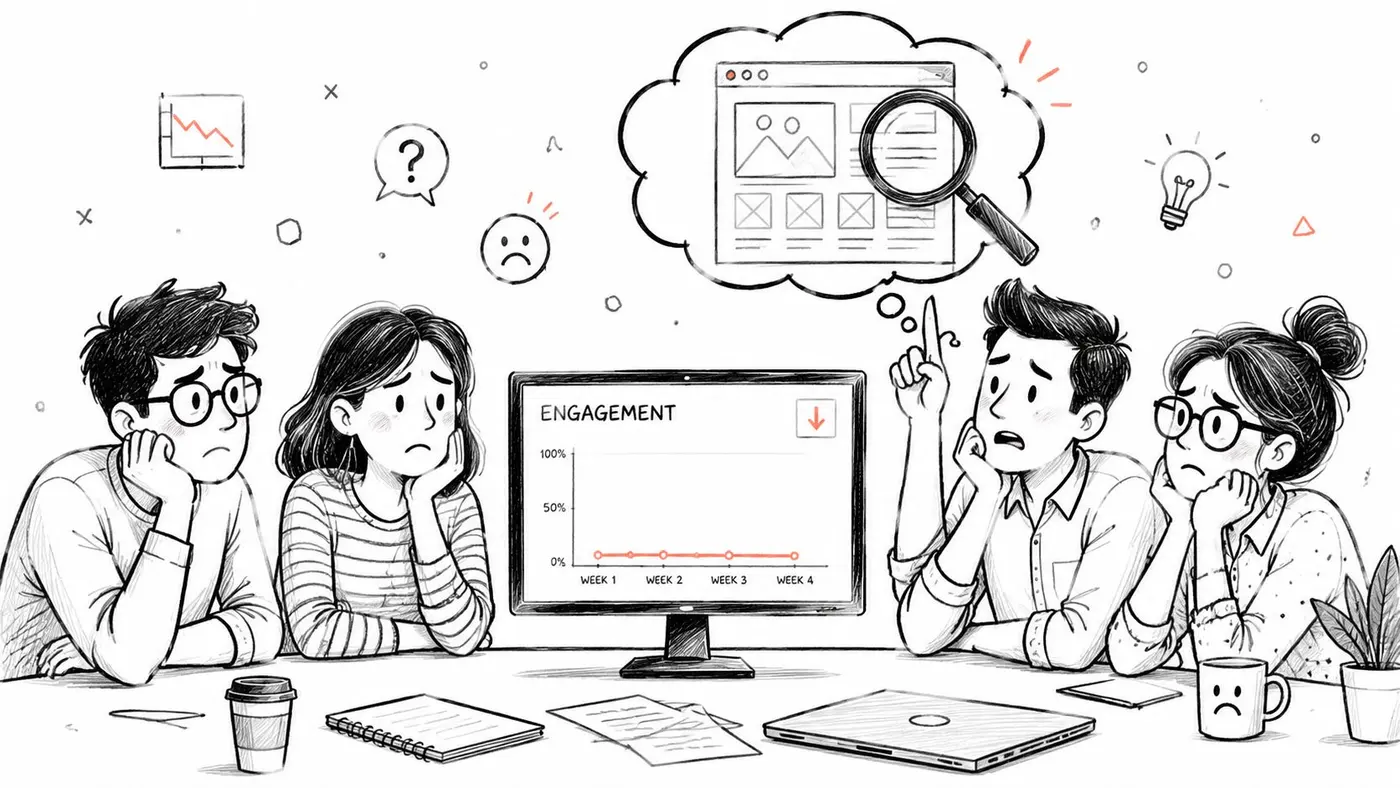
You shipped a new feature. The team liked the design review, the build went live on time, and analytics looked ready to prove the idea. Then nothing happened. Conversion barely moved. Engagement stayed flat. Support tickets started hinting at confusion, but nobody could say exactly where the experience broke down.
That's the moment user experience testing becomes useful.
Not as a formal exercise. Not as a box to tick for design. As a way to watch real people try to use what you built, so you can stop guessing and start learning. Good teams don't test because they lack confidence. They test because confidence without evidence is expensive.
What Is User Experience Testing and Why Does It Matter
User experience testing means observing people as they use a website, app, checkout flow, dashboard, or feature. You give them realistic tasks, stay quiet enough to avoid steering them, and pay close attention to where they hesitate, where they recover, and where they give up.
What testing actually reveals
A dashboard can tell you that users dropped off on a pricing page. It can't tell you what they were thinking when they got there.
User experience testing closes that gap. It's like asking a customer to look over your shoulder and talk through what feels obvious, what feels risky, and what makes them stop. Sometimes the issue is copy. Sometimes it's layout. Sometimes the product is doing the right thing in a way users don't recognise.
Here's a simple example. A team adds a new onboarding step because it seems helpful. Analytics later shows fewer people completing setup. Without testing, the team argues about causes. With testing, they might see that users think the new step is mandatory paperwork instead of optional guidance.
Practical rule: If your team is debating why users behave a certain way, that's usually a signal to run a test rather than hold another meeting.
Why businesses should care
This work matters because experience problems rarely stay in the design file. They show up in revenue, retention, support load, and wasted development time.
AbilityNet notes that organisations investing in continuous UX testing can improve revenue retention by up to 10.8% over three years, and that 88% of online consumers are less likely to return to a site after a bad experience in its overview of user testing and digital accessibility services. That's the business case in one sentence. Poor UX doesn't just frustrate users. It makes them leave.
A junior team often asks whether UX testing is mainly for big redesigns. It isn't. It helps with:
- Checkout friction: Find where buyers hesitate before payment
- Onboarding confusion: Spot the step that makes new users stall
- Feature adoption: Learn why a new tool isn't being used
- Content clarity: Check whether users understand what you're offering
From opinion to evidence
The biggest shift user experience testing creates is cultural. Teams move from “we think users want this” to “we watched five people try it, and they struggled at this point.”
That change sounds small, but it affects every decision afterwards. Designers write clearer labels. Product managers prioritise fixes with more confidence. Developers spend less time polishing the wrong thing. Marketers stop pushing traffic into journeys that don't work.
User experience testing isn't about making a product look nicer. It's about making it easier for people to succeed, and making it easier for the business to grow.
Qualitative vs Quantitative The Two Faces of UX Testing
Most confusion around user experience testing starts here. People lump every method together, then wonder why one test gave rich observations while another gave charts and significance thresholds.
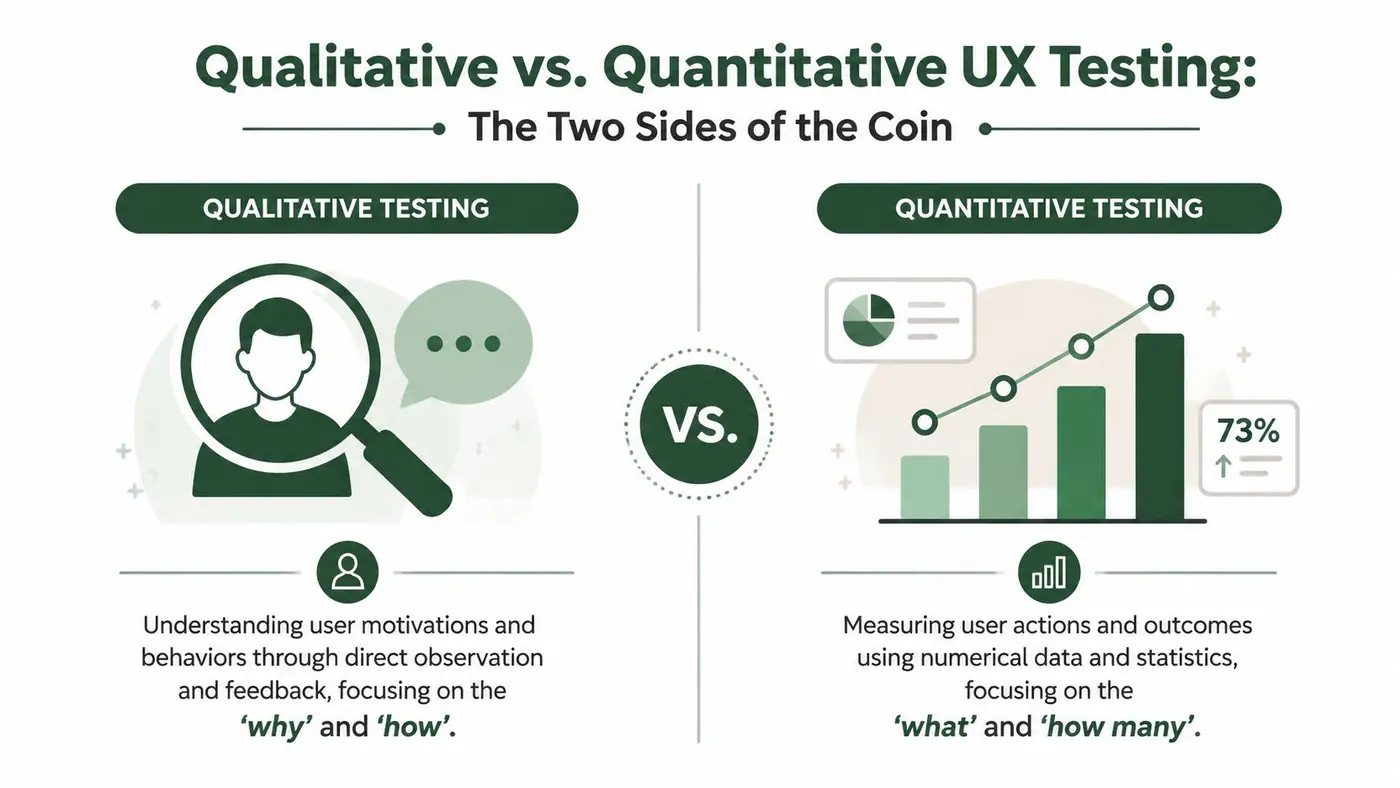
The easiest way to separate them is this. Qualitative testing is like a detective interviewing witnesses. Quantitative testing is like counting how often the same event happens across a large population. One helps you understand reasons. The other helps you measure scale.
Qualitative testing finds the why
Qualitative methods are best when you need to understand behaviour in detail. You watch sessions, listen to users think aloud, and note the moments that reveal confusion or unmet expectations.
Through user testing, feedback often includes:
- “I don't know what happens if I click this”
- “I expected shipping details earlier”
- “This looks like an ad, so I ignored it”
Those comments are powerful because they reveal mental models. They show how users interpret the interface, not how your team intended it to work.
Common qualitative methods include moderated usability tests, unmoderated task-based tests with open feedback, and follow-up interviews after a journey. The output is usually patterns, observations, and problem themes rather than headline metrics.
Quantitative testing tells you how often
Quantitative methods answer a different question. Once you suspect a problem or have a hypothesis, you measure prevalence and impact.
That might mean looking at:
- Task success: Did people complete the task?
- Time on task: How long did it take?
- Error count: Where did users go wrong?
- Survey scores: How did they rate confidence or satisfaction?
For benchmarking, Userlytics' UX benchmarking glossary notes that a technically sound benchmark usually needs 20 to 40 participants per group for statistically reliable metric calculations. That's very different from the smaller sample used for exploratory qualitative work.
Qualitative testing helps you discover the problem. Quantitative testing helps you judge the size of the problem.
Why teams often misuse both
A common mistake is expecting one method to do the other method's job.
If you run a few moderated sessions and then claim you know the exact conversion impact, you're stretching qualitative evidence too far. If you run a survey and treat the score as an explanation, you're asking numbers to provide motives.
This matters even more as teams start evaluating synthetic users for market research. Synthetic inputs can help with speed and idea generation, but when you need to understand hesitation, trust, or confusion in a live journey, human behaviour still matters.
A simple way to choose
Use qualitative testing when:
- You're early: The design is still forming
- You need diagnosis: Something feels off but you don't know why
- You want language: You need real user wording for copy and navigation
Use quantitative testing when:
- You need confidence: You want to compare versions or track change
- You're reporting trends: Stakeholders need measurable outcomes
- You're benchmarking: You need consistency across time or segments
The strongest teams don't pick one side and stay there. They move between both, depending on the question in front of them.
Choosing Your Method A Practical Comparison
When junior teams ask which testing method to use, they're usually asking a bigger question: “What is the fastest credible way to answer the problem we have right now?”
That's the right framing. Don't start with methods. Start with the decision you need to make.
Match the method to the question
If the team says, “Users aren't completing checkout,” the best next move probably isn't a broad survey. You first need to see where the task breaks. If the team says, “We reorganised our navigation and want to know whether the labels make sense,” card sorting may be the better fit.
Use this table as a working guide.
| Method | Primary Goal | Best For Answering | Type |
|---|---|---|---|
| Moderated usability testing | Observe behaviour closely and probe confusion in real time | Why users struggle with a journey, message, or interface | Qualitative |
| Unmoderated usability testing | Gather quick task-based feedback with less scheduling overhead | Whether users can complete a workflow independently | Qualitative with light quantitative signals |
| Card sorting | Understand how users group information | How navigation, categories, or content labels should be organised | Qualitative |
| User surveys | Capture self-reported attitudes, confidence, and satisfaction | What users say they feel about an experience across a broader group | Quantitative or mixed |
Four common choices in plain language
Moderated usability testing works well when the stakes are high or the flow is complex. A researcher or product person guides the session, asks follow-up questions, and notices subtle behaviour. This is the best option when you need depth.
Unmoderated usability testing is useful when you need speed. You send tasks, users complete them on their own time, and you review recordings or responses later. It won't give you the same richness as a live conversation, but it often gives enough signal to spot major friction.
If you only have time for one method before launch, choose the one most likely to expose failure in the task that matters most.
Card sorting is often overlooked because it sounds simple. It isn't flashy, but it's excellent for information architecture. If users can't find products, support content, or account settings, a card sort can show whether your categories match the way people naturally think.
User surveys are useful when you already know what you want to ask. They can help you compare sentiment across user groups or gather broad reactions after a release. They are much less useful when the team's real problem is behavioural and hidden inside a task flow.
A practical decision framework
Use this quick filter before you choose:
- If you need to see behaviour, use a usability method.
- If you need to improve structure, use card sorting.
- If you need attitudinal feedback at scale, use a survey.
- If you need both story and measurement, combine methods rather than forcing one to do everything.
The trap isn't choosing a “bad” method. The trap is choosing a method that answers a different question from the one your business needs answered.
How to Run a Simple and Effective User Experience Test
A lot of teams delay testing because they assume it needs a lab, specialist software, or weeks of preparation. It doesn't. A simple, focused test can uncover enough to change your roadmap.
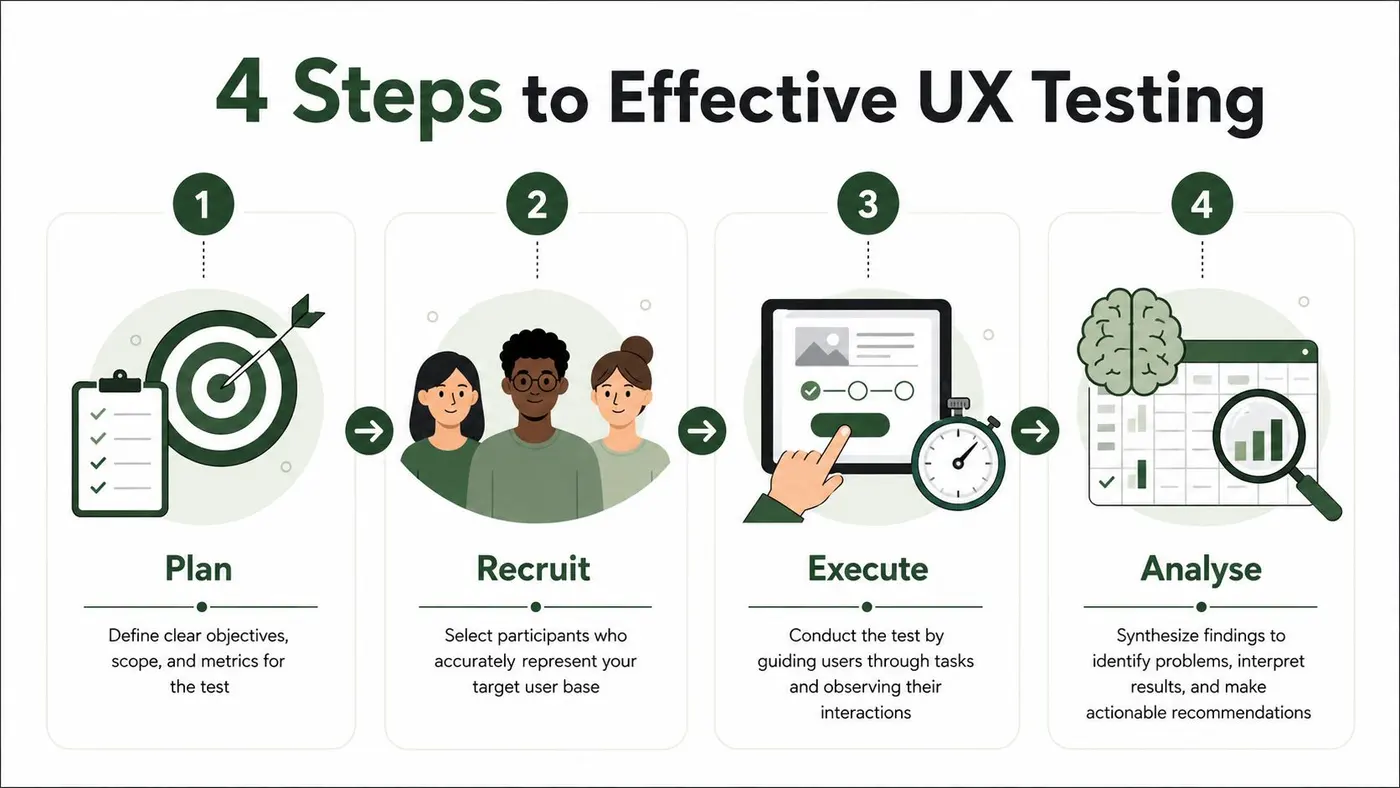
The process is easier when you think in four phases: plan, recruit, execute, and analyse.
Plan around one question
Start with one clear research question. Not five. Not a full backlog of doubts.
Good examples:
- Can first-time visitors understand the pricing options?
- Can returning customers reorder without getting lost?
- Do users notice the new delivery information before checkout?
Weak questions are broad and fuzzy, such as “Do people like the site?” That usually leads to vague feedback and weak decisions.
When planning, define:
- The audience: Who should take part?
- The task: What realistic action should they try?
- The success signal: What would successful completion look like?
- The risk area: What are you most worried might go wrong?
Recruit the right people, not lots of people
For qualitative user experience testing, the industry standard is small. Nielsen Norman Group explains in its guidance on how many test users you need that 5 users can uncover nearly 80% of discoverable usability issues in qualitative studies. That's why experienced teams run smaller rounds more often instead of trying to stage one huge session.
What matters most is fit. Recruit people who resemble the audience for the task you're testing.
A basic screener can include:
- Relevant behaviour: Have they bought this type of product before?
- Context of use: Are they on mobile, desktop, or both?
- Experience level: Are they new, occasional, or expert users?
- Exclusions: Are they too close to the product to give realistic feedback?
If you're testing visual scanning or click behaviour, reviewing how heat maps on websites help reveal attention patterns can also sharpen what you look for during sessions.
Execute with neutral tasks
Many first tests go wrong because teams accidentally lead the participant.
Don't say, “Use the blue button to start your free trial.” You've already told them where to click.
Say something like, “You've decided to try this service for your team. Show me what you'd do next.”
That kind of task is better because it preserves natural discovery. It tests the interface, not the participant's ability to follow instructions.
A simple session flow looks like this:
- Set context: Explain that you're testing the product, not the person
- Give one task at a time: Keep instructions brief and realistic
- Ask open prompts: “What are you thinking now?” works better than “Do you like this?”
- Stay calm in silence: People often reveal the most when you don't rush to help
Later in the process, it helps to watch someone else run a session so the rhythm feels less abstract.
Analyse patterns, not isolated comments
After five sessions, you usually won't need complicated analysis. Open your notes and look for repeated friction.
Create a simple list with three buckets:
- Observed problem: What happened?
- Evidence: Which users showed it?
- Impact: Did it block completion, slow progress, or reduce confidence?
Then prioritise findings by business relevance. A minor label confusion that doesn't affect task completion might wait. A misunderstanding near payment or signup probably shouldn't.
Write findings as decisions the team can act on, not as vague impressions. “Three users missed the shipping policy link” is more useful than “Navigation may need work.”
The goal isn't to produce a giant research report. It's to create enough clarity that the next product decision gets better.
From Insight to Impact with A/B Testing
A usability session might reveal that users overlook your signup prompt, misunderstand a pricing label, or hesitate before clicking a CTA. That's valuable. But it still leaves one big question unanswered.
Which change should you make, and will it improve the outcome you care about?
That's where A/B testing becomes useful. Not as a replacement for user experience testing, but as the next step after it.
Qualitative insight gives you the hypothesis
Let's say moderated testing shows that users don't trust a button labelled “Continue” because they think it starts a payment. That insight is behavioural and specific. You've learned something important.
Now you can form a hypothesis: changing the CTA to clearer language may improve progression through the step.
This is the right handoff. Qualitative research surfaces the problem and helps you design better alternatives. A/B testing then compares those alternatives in live traffic.
Quantitative validation measures business impact
A/B testing answers questions qualitative work can't settle on its own:
- Does Version A outperform Version B?
- Which label leads to more completed signups?
- Does a shorter form improve progression or just attract lower-intent users?
- Do users respond better to a reordered layout?
Nielsen Norman Group notes in its article on product UX benchmarks that teams get a fuller picture when they combine usability testing, analytics, and survey data into a cause-and-effect chain. That's the mindset to adopt here. Session evidence tells you what users struggle with. Analytics shows where that struggle appears in the funnel. A/B testing validates whether your proposed fix changes real behaviour.
A practical workflow teams can repeat
The strongest pattern is simple:
- Discover a problem through user observation
- Translate the issue into a testable hypothesis
- Build one or more variants that directly address the observed friction
- Run an experiment and compare outcomes
- Roll out the winner, then keep learning
If you're newer to experimentation, this primer on what split testing means in practice is a useful grounding before you build your first hypothesis.
Good A/B testing starts before the experiment. It starts when someone observes a real user problem and turns it into a sharper question.
Why this pairing matters
Without qualitative work, teams often test random ideas. Button colours. Headline tweaks. Layout shifts with no clear reason behind them. Sometimes that produces movement, but it's a weak habit. You end up optimising noise.
Without validation, teams can also overreact to a handful of sessions. A few users struggled, so everyone scrambles to redesign the page. That can be just as risky.
Used together, these methods create discipline. User experience testing helps you understand what needs fixing. A/B testing helps you prove which fix performs better in actual use.
Making User Testing a Core Part of Your Growth Strategy
The best teams don't treat user experience testing as a rescue project that appears only when metrics fall apart. They build it into the way they work.
That usually starts small. One checkout step. One onboarding screen. One pricing page that keeps raising questions. You test, learn, make a change, and measure what happened. Then you repeat the cycle.
Build a repeatable habit
A lightweight rhythm is often enough:
- Observe regularly: Talk to users before assumptions harden
- Prioritise clearly: Fix the friction closest to business outcomes
- Validate changes: Measure whether the new version performs better
- Share evidence: Make findings visible across product, design, engineering, and marketing
At this stage, many programmes either strengthen or fade. If research findings stay trapped in a slide deck, the organisation learns nothing. If teams discuss results clearly and tie them to decisions, testing starts to influence roadmaps.
For that internal work, strong stakeholder communication in experimentation and UX matters as much as the test itself.
Start before the process feels perfect
You don't need a mature research practice to get value. You need a real question, a realistic task, and a willingness to watch people struggle without defending the design.
That can feel uncomfortable at first. It should. Good user experience testing replaces comforting assumptions with sharper evidence.
Start with one frustrating part of your site. Watch a few representative users try to complete one important task. Fix the issue that appears most often. Then validate the improvement with measurement, not optimism.
If you're ready to turn UX findings into measurable experiments, Otter A/B gives you a lightweight way to test headlines, CTAs, layouts, and other on-page changes without slowing down your site. It's a practical fit for teams that want to move from “we think this will work” to evidence they can act on.
Stop guessing
Ready to start testing?
Set up your first A/B test in under five minutes. No credit card required.
- 14-day free trial
- No credit card required
- Cancel anytime