Mastering a B Testing for WordPress: 2026 Guide
Master A B Testing for WordPress in 2026. Our guide helps you run effective, flicker-free tests without slowing your site. Learn setup, tracking, and analysis
You've probably had this thought already. A landing page is underperforming, the product page bounce rate feels wrong, or a signup form is leaking conversions, and the obvious fix is to test a new headline, CTA, or layout.
Then the hesitation starts. Most WordPress users have seen what happens when testing is bolted on carelessly. Extra scripts pile up, pages feel slower, the original content flashes before the variant loads, and a clean optimisation project turns into a UX problem. With a content site that's annoying. With WooCommerce, it can get expensive fast.
Performance-first A/B testing for WordPress solves a different problem than most guides discuss. It's not just about finding a winning variant. It's about running experiments without damaging load speed, Core Web Vitals, and checkout flow in the process.
Why Most WordPress A/B Testing Kills Performance
The usual WordPress testing setup is convenient because it lives inside the dashboard. That convenience often comes with weight. A plugin may duplicate page logic, inject front-end assets broadly, and add tracking overhead to pages that don't need it.
That's where things go wrong. The test itself becomes another layer on top of an already busy stack of theme code, page builder assets, analytics tags, chat widgets, and WooCommerce scripts.
Where the slowdown usually comes from
Three issues show up repeatedly:
- Too much JavaScript: Many testing tools load more code than the experiment requires, especially when they're built as all-purpose platforms rather than narrow testing layers.
- Client-side flicker: The browser renders the control, then swaps in the variant a moment later. Users see a flash, and that undermines trust.
- Plugin bloat: Database queries, admin overhead, and broad asset loading all add pressure before you even look at the test result.
Pressable notes that A/B testing can create website performance concerns around resource allocation and page speed. That concern matters even more in the UK because 68% of UK online shoppers abandon a purchase if a page takes longer than 3 seconds to load, according to research cited in the verified data from the UK's Office for Directors of Fair Trading. That same verified data also highlights a 9KB SDK alternative that loads in under 50ms with zero flicker, which is the kind of implementation serious e-commerce teams should now be looking for.
Practical rule: If the testing layer changes how fast the page feels, you're no longer testing only the headline, CTA, or form. You're testing the variant plus a performance penalty.
Core Web Vitals aren't separate from conversion rate
A lot of WordPress teams treat speed work and CRO as separate tracks. They aren't. If the test injects latency or causes visible layout changes, the experiment contaminates its own result.
This is one reason hosting quality matters before you run any experiment at all. If the server baseline is unstable, your test data will be noisy and harder to trust. A dependable stack like ARPHost WordPress hosting gives you a cleaner starting point than trying to optimise on top of inconsistent performance.
The same logic applies to page design. If you haven't already tightened your core page structure, it's worth reviewing practical ideas for optimising landing pages before you start testing minor tweaks.
What actually works
For WordPress, the safest testing setup is usually the one that does the least. Keep the implementation light, avoid broad plugin overhead, and minimise how much code executes before the visitor sees the intended version.
That doesn't mean plugins are always wrong. It means you should treat performance as part of test design, not as an afterthought.
Choosing Your WordPress A/B Testing Approach
There are two broad ways to run A/B testing for WordPress. You can use a traditional plugin that manages testing inside WordPress, or you can use a lightweight JavaScript snippet that sits separately from the CMS and controls experiments with less overhead.
The right choice depends less on feature checklists and more on trade-offs.
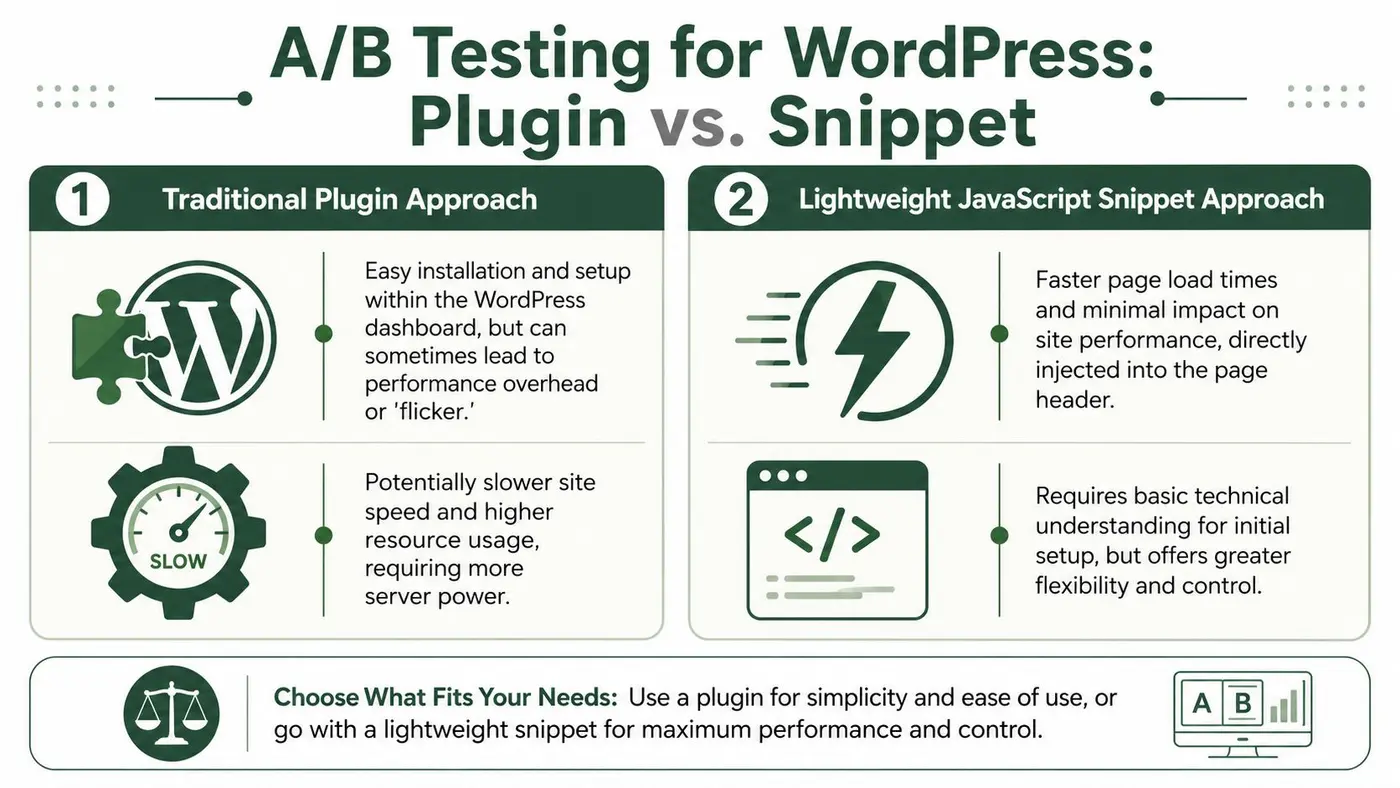
The plugin route
A plugin is attractive because setup feels familiar. Install it, connect a few settings, and build variants inside the environment you already use.
That simplicity is real. So are the costs.
Plugins often make sense for teams that want everything in the dashboard and don't mind some added complexity in the stack. The catch is that WordPress sites rarely run in isolation. The testing plugin joins SEO plugins, performance plugins, theme frameworks, form builders, analytics tags, and commerce logic. Even if each tool is acceptable on its own, the combined front-end cost becomes the issue.
The snippet route
A lightweight snippet asks for a little more implementation discipline at the start, but it usually gives you a cleaner operational model. The experiment layer stays focused on one job. Serve variants quickly, avoid flicker, and keep the site's baseline performance intact.
That matters because the business cost of slowness isn't abstract. As noted in the verified data, 68% of UK online shoppers abandon a purchase if a page takes longer than 3 seconds to load, and a 9KB SDK alternative that loads in under 50ms with zero flicker addresses the exact performance gap most WordPress guides ignore.
WordPress A/B testing methods compared
| Attribute | Traditional Plugin | Lightweight JS Snippet |
|---|---|---|
| Setup style | Managed inside WordPress admin | Added via header or tag manager |
| Ease for non-technical users | Usually simpler at first | Slightly more setup discipline |
| Performance impact | Can add plugin and front-end overhead | Usually lighter when implemented well |
| Flicker risk | More common with heavier client-side swaps | Lower with fast, focused delivery |
| Flexibility | Tied more closely to WordPress environment | Easier to use across stacks and pages |
| Best fit | Smaller teams prioritising dashboard convenience | Teams prioritising speed and cleaner experiments |
How I'd choose in practice
Use this filter:
- Choose a plugin if your site is simple, your traffic is modest, and your team needs everything to happen in WordPress with minimal setup friction.
- Choose a lightweight snippet if you run an e-commerce store, care about Core Web Vitals, or already know your stack is carrying too many scripts.
- Avoid adding testing on top of a fragile site if you already see slow load times, layout instability, or script conflicts. Fix the baseline first.
Fast experiments beat feature-rich experiments when the feature set slows the page.
For most serious marketers, the decision comes down to this. If the method compromises speed, it compromises the result.
Designing a High-Impact WordPress Experiment
Weak A/B tests usually fail before launch. Not because the tool is wrong, but because the experiment was vague from the start.
“Let's test a new version” isn't a hypothesis. It's a design task. A good test begins with a specific user problem, a single change, and a conversion goal that reflects what the page is meant to do.
Start with friction, not inspiration
The best test ideas usually come from places where visitors hesitate:
- Exit-heavy pages: Product pages, pricing pages, or lead pages where users drop off before taking the next step.
- Low-engagement areas: CTAs that are visible but ignored, forms that get started but not completed, or sections people scroll past quickly.
- Message mismatch: Headlines or hero sections that don't line up with the traffic source or user intent.
If you're launching social proof or urgency elements as part of a test, check your deployment process first. A staging mistake can distort results and confuse users. This short guide on how to ensure smooth social proof widget launches is useful for avoiding that problem.
Write a hypothesis that can fail
A practical hypothesis has three parts:
-
The change
Example: rewrite the primary CTA text. -
The audience behaviour you expect
Example: more visitors click through to the signup form. -
Why you believe it
Example: the current CTA is generic and doesn't communicate the outcome.
That gives you something measurable. It also protects you from endless design debate after the test ends.
A test without a hypothesis usually turns into retrospective storytelling. Teams pick the explanation they like after seeing the chart.
Isolate one variable
This is the rule many teams know and still ignore. To get reliable findings, change one thing at a time.
According to Altis on running A/B testing on WordPress, experiments need to isolate a single variable and run for two to four weeks, with low-traffic sites sometimes needing up to a month to reach 95% confidence. The same source warns that 30-40% of rushed tests fail to validate true conversion improvements when teams stop early or mix too many variables.
That means these are bad tests:
- Headline plus image plus CTA copy
- New page layout plus new form fields
- Colour changes across several components at once
These are better tests:
- Original headline vs rewritten headline
- Original CTA copy vs benefit-led CTA copy
- Short form vs longer form
Choose impact over novelty
If traffic is limited, don't waste weeks testing a tiny cosmetic detail. Start with the parts of the page that shape intent and action:
- Above-the-fold messaging
- Primary CTA wording
- Lead form structure
- Product page reassurance
- Checkout friction points
Set the stop conditions before launch
Decide in advance what counts as success, what metric matters most, and how long the test will stay live. Otherwise, you'll be tempted to peek at early numbers and declare victory too soon.
That discipline matters more than is often acknowledged. The biggest source of bad A/B testing for WordPress isn't the tool. It's impatience.
Setting Up Your Test Without a Developer
You don't need a developer for most front-end A/B tests on WordPress, provided the implementation is lightweight and the test scope is clear. The fastest setups avoid page duplication, avoid template edits, and avoid asking WordPress to do more than necessary.
A simple snippet-based workflow is usually enough for headlines, CTA text, hero copy, section order, and other visible conversion elements. If you're building or refining the destination page itself, this guide to creating a landing page with WordPress is a useful companion before you launch the experiment.
Add the snippet once
Most modern testing tools only need a small script placed in the site header. You can usually do that in one of three ways:
- Header injection plugin: Good for marketers who want a quick route without touching theme files.
- Google Tag Manager: Better if your team already manages scripts centrally.
- Theme or site settings: Fine if your WordPress setup already has a safe place for global header code.
The key is consistency. Add the snippet once, confirm it loads on the intended pages, and keep the rest of the experiment configuration outside WordPress where possible.
Build the variation around one change
After the snippet is active, create the control and one variation. Resist the urge to redesign the page just because the editor makes it possible.
A clean first test often looks like this:
- Control: “Book a demo”
- Variant: “See how it works”
Or this:
- Control: long signup form
- Variant: shorter form with fewer required fields
The smaller the scope, the easier it is to learn something useful.
Set traffic and goals carefully
Traffic split is where many teams get sloppy. If your goal is a fair comparison, start with an even split unless you have a strong operational reason not to.
Then define one primary goal. For lead generation, that might be:
- Button click
- Form submission
- Visit to thank-you page
For content sites, it could be a downstream pageview or a newsletter signup. For stores, purchases matter more than clicks, which is why WooCommerce tracking deserves its own setup discipline.
A short walkthrough helps if you want to see this style of implementation in action:
Quality checks before launch
Before sending traffic into the test, run through a basic pre-flight check:
- Preview both variants on desktop and mobile
- Check that the intended element changes immediately
- Confirm the goal fires correctly
- Make sure analytics and ad platforms still behave normally
- Test key pages with cache enabled
If you can't verify the goal, don't start the test. A clean experiment with no result is annoying. A flawed experiment with a confident-looking result is worse.
Keep the first test boring
That sounds counterintuitive, but it works. Don't start with an ambitious homepage overhaul. Start with one page, one change, one goal. Learn how your stack behaves. Learn how your audience responds. Then expand.
That's the practical path to sustainable A/B testing for WordPress without turning implementation into a development project.
Tracking Revenue and Goals in WooCommerce
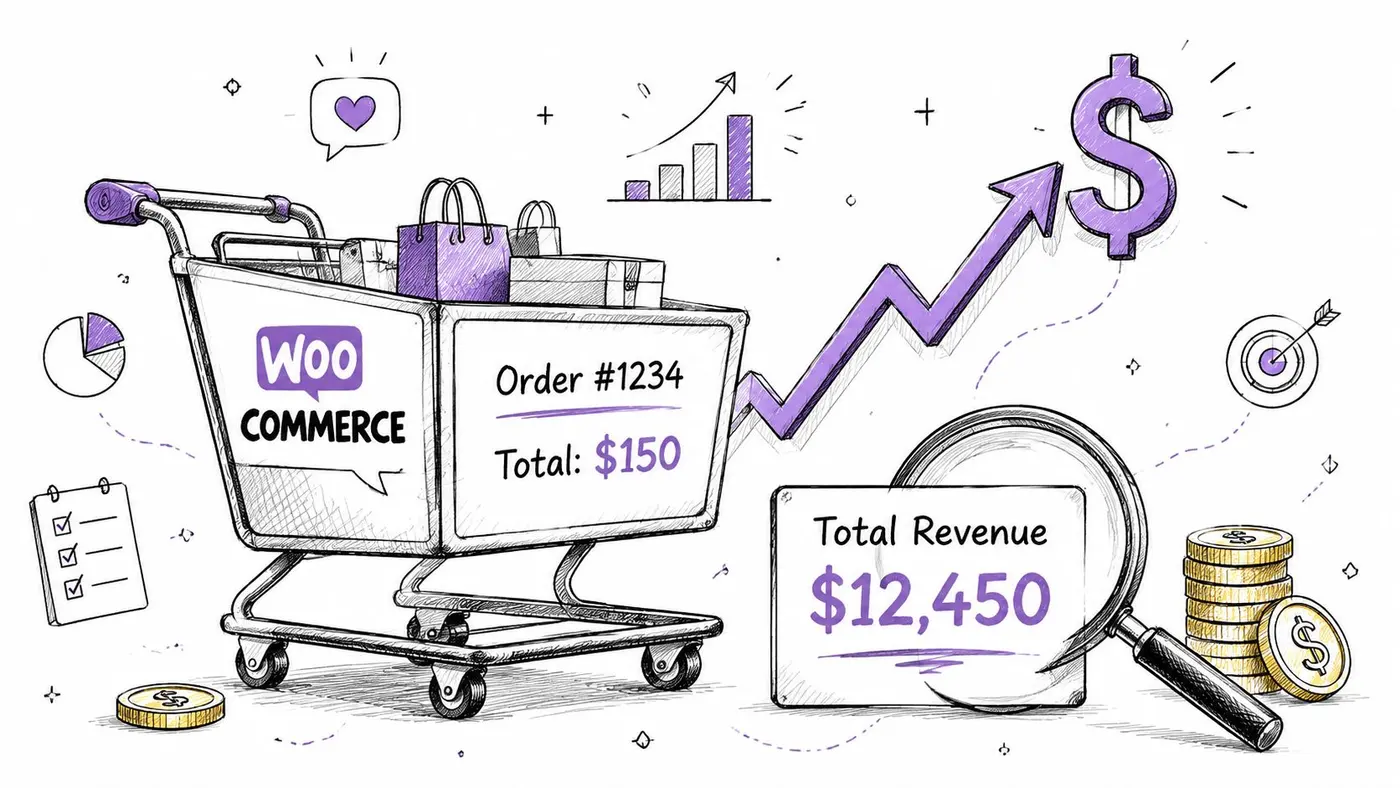
For WooCommerce, click-through rate is useful but incomplete. A variant can attract more clicks and still produce worse commercial outcomes if it lowers purchase intent, average basket value, or checkout completion quality.
Revenue-focused testing fixes that. It ties the experiment to the store's core concerns.
What to track instead of just clicks
On WooCommerce stores, the strongest test goals usually sit lower in the funnel:
- Completed purchases: Better than add-to-cart as a final decision metric.
- Revenue per variant: Useful when one version attracts fewer buyers but stronger orders.
- Average order value: Important if a change affects product mix or upsell behaviour.
- Checkout progression: Helpful for diagnosing whether a lift happens early but disappears later.
A product page CTA test is a good example. One variant may increase button clicks because it's more aggressive. Another may produce fewer clicks but more committed buyers. Without revenue tracking, you can pick the wrong winner.
Where revenue tests tend to work best
In practice, WooCommerce experiments usually have the clearest commercial effect on:
- Product page messaging
- Primary CTA wording
- Trust and reassurance near price or add-to-cart
- Shipping or returns messaging
- Cart and checkout friction
These tests aren't always flashy. Small changes to clarity often outperform dramatic visual changes because they reduce buyer hesitation rather than merely attracting attention.
Keep attribution clean
Revenue tests get messy when stores run too many moving parts at once. If an email campaign, discount code, stock issue, or checkout plugin update hits during the same period, the result becomes harder to interpret.
To keep attribution usable:
- Hold the page constant except for the test variable
- Avoid major promotional changes during the experiment when possible
- Document anything unusual that could influence buying behaviour
- Review both conversion behaviour and order value before making the final call
For e-commerce, the winning version isn't the one with the prettiest uplift chart. It's the one that improves business outcomes without introducing friction elsewhere.
That mindset changes how you prioritise tests. You stop chasing vanity wins and start measuring what the store bank account reflects.
Analysing Results and Declaring a True Winner
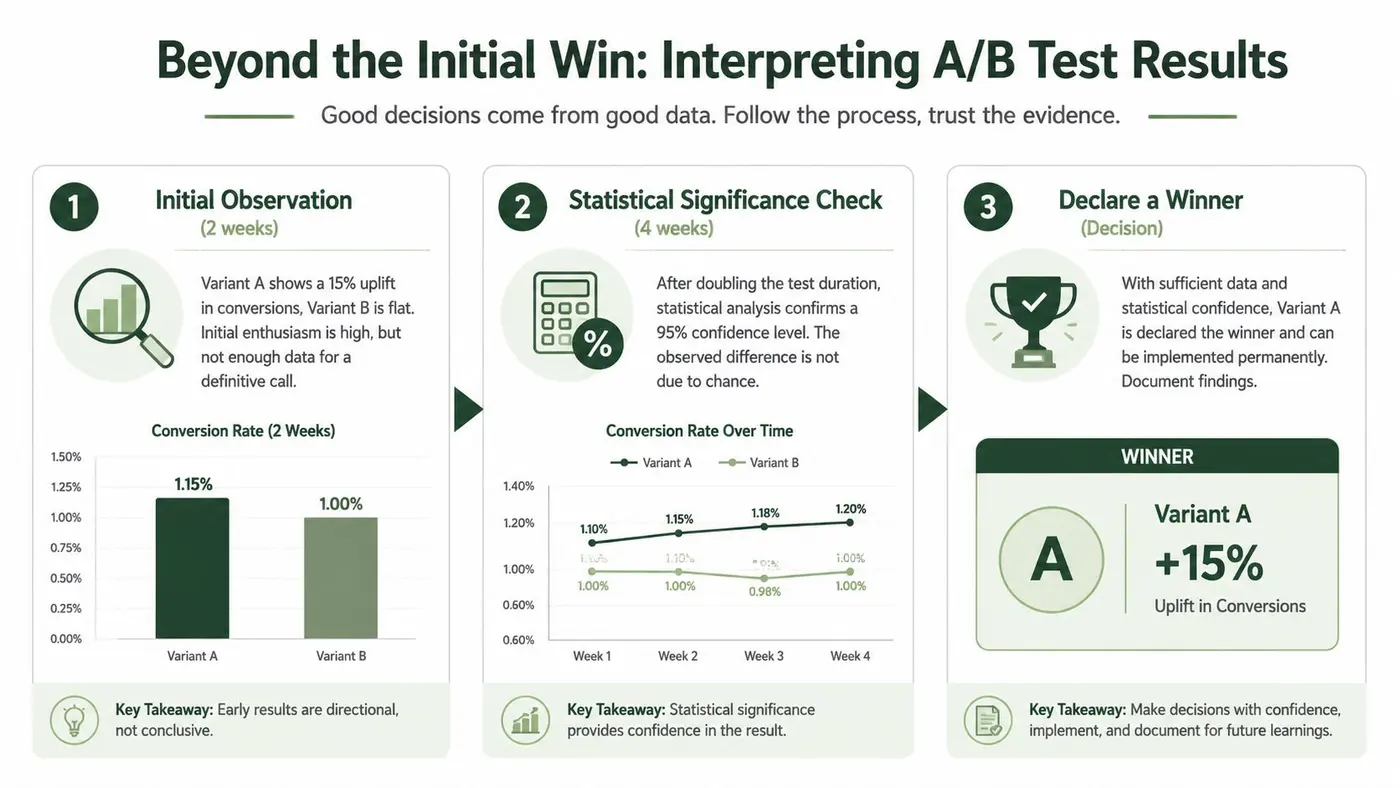
A lot of teams ruin a decent test at the finish line. They open the dashboard, see one variant ahead, and ship it before the result is stable enough to trust.
That's how false positives creep in. The chart looks decisive. The decision isn't.
Read more than the top-line uplift
A result matters only if the test conditions were clean. Before you call a winner, check:
- Was traffic split consistently?
- Did both variants run at the same time?
- Were both new and returning users treated consistently?
- Did analytics confirm the same story as the testing tool?
This matters in UK WordPress testing in particular. Verified data notes that when tests on high-impact elements such as headlines and CTA buttons exceed 3,000 visitors, running them simultaneously helps control for time-based variation, and average conversion lifts can reach 10-15%. The same verified data also says 60% of failed UK WordPress experiments result from inadequate traffic segmentation or inconsistent testing conditions, based on the reference material from WPMU DEV's A/B testing guidance.
Why the statistical engine matters
Not all significance calculations are equally helpful in practical scenarios. That becomes obvious on lower-traffic sites or when regional traffic patterns create uneven behaviour.
The verified data states that 42% of A/B tests done with legacy Bayesian engines result in false positives in a 2025 survey by the UK Growth Marketing Association, particularly when sample sizes are small. That's why modern frequentist z-test engines matter for teams that need real-time significance checks at a 95% confidence standard.
If your tool doesn't make the methodology clear, you're trusting a black box with business decisions.
For a practical primer, review how statistical power is calculated in experimentation. It helps explain why some “wins” don't survive contact with more data.
A reliable decision checklist
Before rollout, I'd ask four questions:
-
Did the test run long enough?
Short-term spikes often fade. -
Was the test isolated properly?
If multiple page elements changed, attribution is weak. -
Was significance reached using a sound method?
Confidence should come from the engine, not from optimism. -
Does the result align with user behaviour and business logic?
If the variation “wins” but creates obvious friction, investigate before shipping.
The safest winner is the one that survives scrutiny, not the one that looked best halfway through the experiment.
A/B testing for WordPress works when the setup is light, the hypothesis is disciplined, and the analysis is stricter than your enthusiasm. That combination is what turns testing from a dashboard hobby into an operating advantage.
If you want a faster way to run performance-first experiments, Otter A/B is built for exactly this use case. It uses a lightweight snippet, avoids flicker, tracks goals and revenue, and surfaces significance clearly so you can test headlines, CTAs, and layouts on WordPress without dragging down the site you're trying to improve.
Stop guessing
Ready to start testing?
Set up your first A/B test in under five minutes. No credit card required.
- 14-day free trial
- No credit card required
- Cancel anytime