Milestone Tracking for A/B Tests and Product Development
Discover how milestone tracking can boost A/B testing and product development. Learn step-by-step with Otter A/B to tie milestones directly to revenue.
Your team is running three experiments at once. A homepage headline test is live, a checkout tweak is waiting on design approval, and a product team has just finished a sprint that was supposed to support both. Everyone feels busy. Yet when the weekly meeting starts, one awkward question hangs in the air: what exactly counts as done?
The marketer says the test is “nearly there”. The developer says the implementation is “basically complete”. The product manager says revenue impact is still “too early to call”. That vagueness is where money leaks out. A variant can be live but not measured properly. A sprint can finish without the event tracking needed to judge business impact. A result can look promising while nobody can say whether it changed conversion, average order value, or revenue per variant.
That's why milestone tracking matters. It turns fuzzy progress into specific moments everyone can recognise. Not “we're making progress”, but “the variant launched”, “the data quality check passed”, “the significance threshold was reached”, and “the winning variant was promoted”.
For marketers and developers, this is more than project hygiene. It's how you stop treating experimentation as a stream of disconnected activities and start treating it as a series of decision points tied to commercial outcomes. Once milestones are clear, handoffs improve, reviews get shorter, and revenue discussions stop drifting into guesswork.
Introduction to Milestone Tracking
A lot of teams don't fail because they lack effort. They fail because they use soft language around hard decisions.
Take a familiar e-commerce situation. A growth marketer launches an A/B test on a product page. The developer adds the variant. The analyst checks event flow. A week later, the team has traffic, screenshots, comments, and opinions. What they don't have is agreement on which moments matter most. Was the milestone the code deployment? The point at which tracking fired correctly? The moment the result became trustworthy enough to act on?
Without a shared answer, teams improvise. People report status in their own way. Stakeholders hear updates that sound positive but don't translate into action. Revenue targets can slip not because the team ignored them, but because nobody marked the exact checkpoints that connect experiment progress to business impact.
That's the practical use of milestone tracking. It creates visible markers for critical events so people know when to pause, verify, decide, and move forward.
Practical rule: If a team can't point to the exact event that changes a decision, it probably hasn't defined a milestone clearly enough.
In testing and development work, those moments are often easy to recognise once you start looking for them. A variant goes live. A sprint closes with accepted work. Revenue events begin passing cleanly. A winner is approved for rollout. Each one is a milestone because it changes what the team should do next.
Good milestone tracking doesn't add bureaucracy. It removes ambiguity. That's a trade most busy teams are happy to make.
Understanding the Key Concepts
Milestone tracking is a foundational project management method. It means monitoring key stages in a project's lifecycle to mark significant progress or critical events, helping teams spot delays and coordinate around clear targets. In UK public sector practice, statistics are explicitly used to “define the problem and set milestones for progress” and to “monitor progress” across national initiatives, which shows how seriously structured tracking is taken in professional settings. You can see that wider definition and the common methods behind it in this overview of milestone tracking in project management.
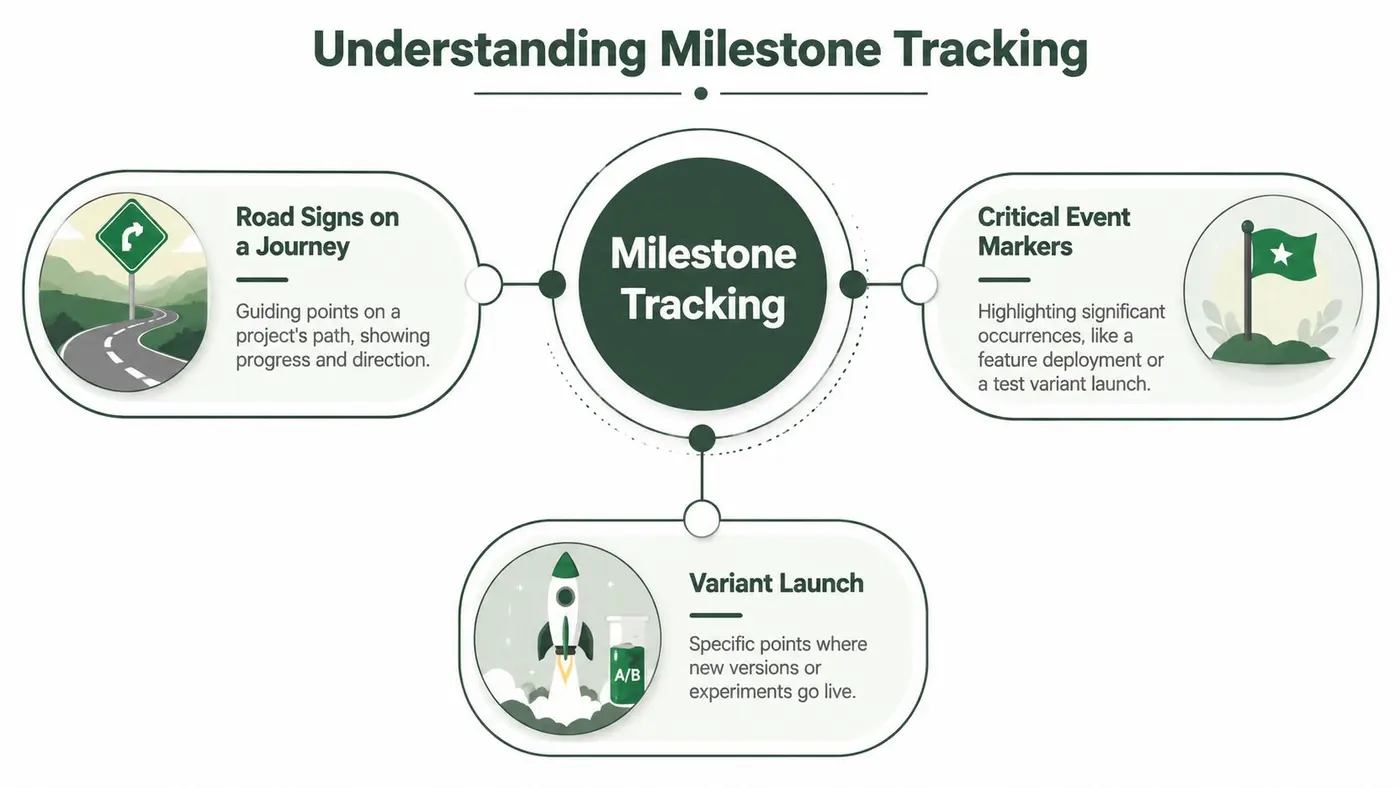
Milestones are road signs, not the journey
A simple way to understand milestone tracking is to think about a long drive.
You don't treat every metre of road as a major event. You look for the signs that tell you you've reached an important point: the motorway exit, the city boundary, the final turning. Projects work the same way. Tasks are the driving. Milestones are the signs that confirm meaningful progress.
That's where many teams get tangled. They call ordinary work a milestone. “Write variant copy” is a task. “Variant approved for launch” is a milestone. “Implement analytics” is a task. “Revenue event validation completed” is a milestone.
How milestones differ from tasks and KPIs
A task takes time and effort. A milestone marks a completion point or decision point. A KPI tells you whether performance is moving in the right direction.
Put that into an A/B testing example:
- Task: Build variant B.
- Milestone: Variant B is live to the intended audience.
- KPI: Conversion rate, average order value, or revenue per variant.
All three matter, but they answer different questions. Tasks answer, “What are we doing?” Milestones answer, “What important point have we reached?” KPIs answer, “Is the outcome improving?”
A milestone should change someone's next action. If nothing changes when you hit it, it may be a status update rather than a real milestone.
The UK methods teams already use
Professional teams often visualise milestones through Gantt charts, where milestones appear as zero-day events on a timeline. That makes them easy to spot because they don't represent long stretches of work. They represent critical moments.
Teams also use the Critical Path Method to identify which sequence of tasks controls delivery timing. If a milestone on that path slips, the whole schedule feels it.
In digital product teams, Agile sprints create a more iterative rhythm. A sprint itself is time-boxed work, but the useful milestones inside it are things like “experiment requirements agreed”, “tracking accepted”, or “release approved”.
For marketers and developers, that means milestone tracking isn't a separate discipline sitting off to the side. It already fits into the tools and rituals teams use every day.
Benefits of Milestone Tracking for Testing and Development
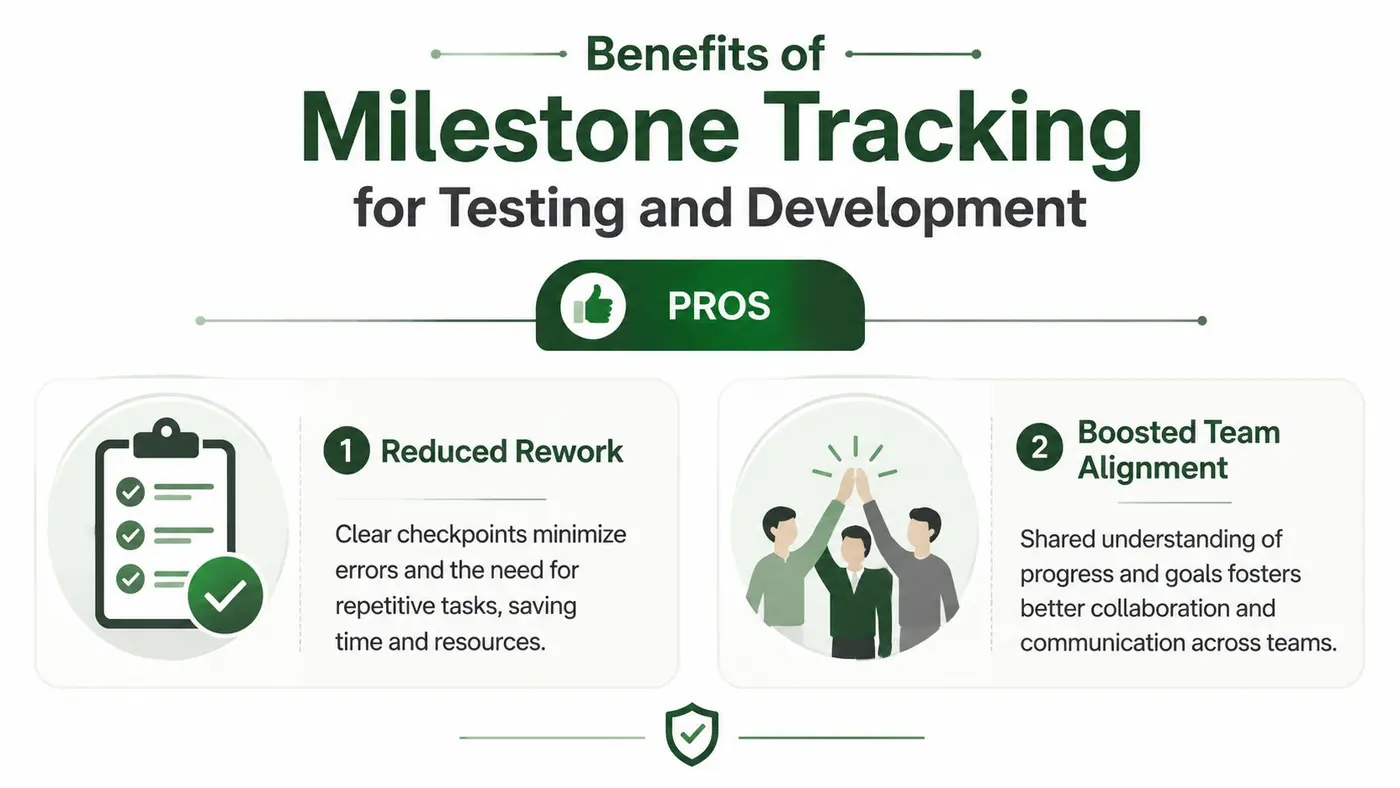
The biggest benefit of milestone tracking is clarity under pressure. When teams know which checkpoints matter, they stop debating status and start responding to facts.
In project-heavy environments, missed milestones don't just create inconvenience. In UK construction and capital project work, missing a milestone is linked to a 15-20% increase in overall project variance due to cascading task delays, and teams that review milestone progress weekly can reduce mean time to corrective action by approximately 40% compared to monthly reviews, according to this analysis of milestone tracking practices.
Why marketers feel the gain quickly
Marketing teams often suffer from hidden rework. A test launches before naming conventions are settled. A stakeholder asks for a late segmentation change. Revenue reporting has to be patched after the fact. Milestone tracking limits that drift.
If the team agrees on a few critical checkpoints, work becomes easier to manage:
- Launch readiness: The variant, audience rules, and tracking are verified before traffic is sent.
- Measurement readiness: The team confirms which business outcomes matter before interpreting early results.
- Decision readiness: A result isn't pushed into rollout until the agreed threshold for action is met.
Those checkpoints reduce opinion-led decision making. They also protect the team from rushing into a rollout based on incomplete evidence.
Why developers usually become supporters
Developers sometimes hear “more tracking” and expect more admin. In practice, clear milestones usually reduce friction.
Instead of fielding vague requests like “can you just take another look”, engineers can work against visible gates. Is the event firing correctly? Has the implementation passed QA? Is the release blocked by dependency issues or not? That level of precision makes handoffs cleaner.
A milestone also helps teams isolate responsibility without blame. If a launch milestone is complete but the revenue milestone isn't, the problem isn't “the test failed”. The problem is more specific. Data mapping may be incomplete, or the reporting workflow may need attention.
Weekly milestone reviews work because they surface drift while teams still have room to fix it.
Where the revenue benefit comes from
The commercial benefit isn't magic. It comes from faster correction and fewer fuzzy transitions.
When milestone tracking is weak, teams often discover problems late. They realise after launch that data wasn't joined properly, or after a sprint that no one defined the revenue outcome. By then, the cost isn't only time. It's delayed learning.
Clear milestones tighten that loop. They give teams sharper sign-offs, smoother collaboration, and better timing on decisions that affect revenue.
Key Metrics and Implementation Patterns
A lot of milestone tracking advice stops at project checkpoints. That's useful, but it misses the harder question for experimentation teams: which milestones connect to money?
That gap is real. In e-commerce, 84% of UK growth marketers say experimentation is vital, but only 32% can directly tie specific test milestones to revenue variance due to disjointed data streams, as discussed in this breakdown of the revenue attribution gap.
The metrics worth defining early
For an A/B test, a milestone shouldn't live in isolation. It should be attached to a metric that tells the team what the checkpoint means in commercial terms.
Some milestones are operational. “Variant launched” confirms the test is running. Others are evaluative. “Statistical significance reached” signals that the result is stable enough to inspect seriously. The most useful ones are business-linked. They answer whether a milestone corresponds with stronger purchasing behaviour, larger baskets, or healthier revenue trends.
If you want a broader framework for choosing business metrics, this guide to data-driven marketing decisions is a useful companion because it helps translate raw numbers into decision criteria.
Key Milestone Metrics at a Glance
| Metric | Definition | Formula |
|---|---|---|
| Conversion rate per variant | The share of visitors in a variant who complete the target action | Conversions ÷ Visitors |
| Average order value | The average revenue from each purchase in a variant | Revenue ÷ Orders |
| Revenue per variant | The total revenue attributed to one test variant | Sum of revenue from that variant |
| Revenue per visitor | The average revenue generated by each visitor in a variant | Revenue ÷ Visitors |
| Statistical significance reached | The point at which the team's chosen test method says the result is strong enough to review for action | Determined by the testing method and threshold set by the team |
| Revenue trend over time | The pattern of revenue movement during the test window | Revenue plotted by time period |
Patterns that make these metrics usable
Metrics only help if they arrive at the right time and in the right place. That's why implementation patterns matter.
- Event-based triggers: Fire milestones when a concrete event happens, such as a purchase, add-to-basket action, or experiment exposure.
- Tag manager rules: Use a tag management setup to standardise when milestone events are pushed into analytics and reporting tools.
- API-driven updates: Pass test state changes into reporting systems so milestone status and business metrics stay aligned.
- Alerting workflows: Send a message when the milestone is reached, not hours later when someone happens to check a dashboard.
Teams also need one practical safeguard. Don't guess your sample needs after launch. Work them out before the test starts. A sample size calculator guide for A/B testing helps teams avoid the common mistake of declaring a milestone too early.
Step by Step Example of Milestone Tracking
Let's walk through a realistic online store test.
A team wants to test a new product page layout against the current version. The marketer cares about conversion and revenue. The developer cares about site performance and clean implementation. The product manager wants a result the team can trust enough to act on.
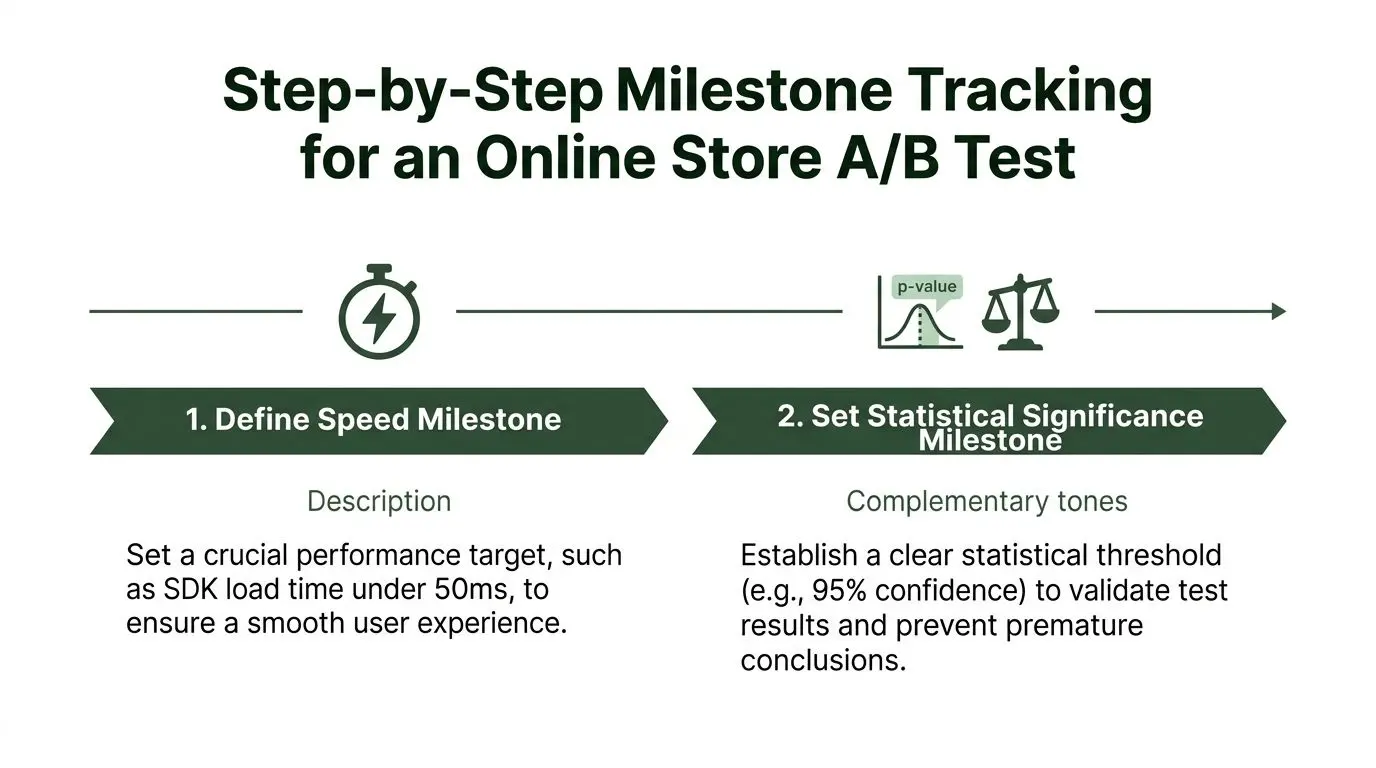
Step 1 Define the milestone map before launch
Start by writing down the milestones in plain language. Keep them visible. If possible, put them in the same place the team already reviews experiments.
A simple sequence might look like this:
-
Implementation complete
The variant has been added and basic QA is finished. -
Performance check passed
The team confirms the test setup stays within the agreed performance budget. -
Revenue events validated
Purchases and order values are flowing correctly for each variant. -
Significance milestone reached
The test reaches the team's agreed threshold for decision review. -
Winner promoted or test closed
The team either rolls out the winning variant or records a no-rollout outcome.
This prevents a common mistake. Teams often think the launch is the finish line. In reality, it's only one checkpoint.
Step 2 Add the test safely
The developer places the experiment snippet where it loads consistently and can control the page variation cleanly. The key is to avoid introducing visual instability or measurement confusion.
At this stage, the team should also decide whether the test is best suited to a direct variant comparison or an exploratory approach. For rougher demand validation, a fake door test in product discovery can sometimes act as an earlier milestone before a full experiment.
Step 3 Tie milestones to business events
The marketer and developer now agree on the business data that must accompany milestone status. If a customer purchases from variant A or B, that revenue needs to remain attached to the correct version.
Many teams come to fully appreciate what milestone tracking is for. “Significance reached” becomes much more valuable when the team can inspect revenue per variant and average order value beside it, rather than treating significance as a standalone badge.
Use milestone names that a marketer, analyst, and developer would all interpret the same way.
Step 4 Review on a set rhythm
A weekly review cadence works well because it catches drift without creating constant noise. The team checks whether milestones were reached, blocked, or invalidated by new information.
One reason this matters is that milestone tracking works at national scale for the same reason it works in experimentation. It turns progress into verifiable checkpoints. A useful UK example is the Openreach full fibre rollout, which passed over 17 million premises connected, with approximately 3 million premises connected in the previous year, as reported in this Openreach milestone summary. The lesson is simple. A milestone becomes powerful when stakeholders can verify it against a defined target.
Step 5 Decide and record the outcome
Once the significance milestone is reached and business metrics look acceptable, the team makes a decision. Promote the winner, keep testing, or stop.
The final milestone isn't only rollout. It's documentation. Record what happened, why the team acted, and which revenue metric mattered most. That turns one experiment into a usable reference for the next one.
Making Milestone Tracking Actionable with Otter A/B
A good milestone framework can still break down if the tooling gets in the way. That happens when a test platform slows pages, creates flicker, or separates experiment status from the commercial data the team needs.
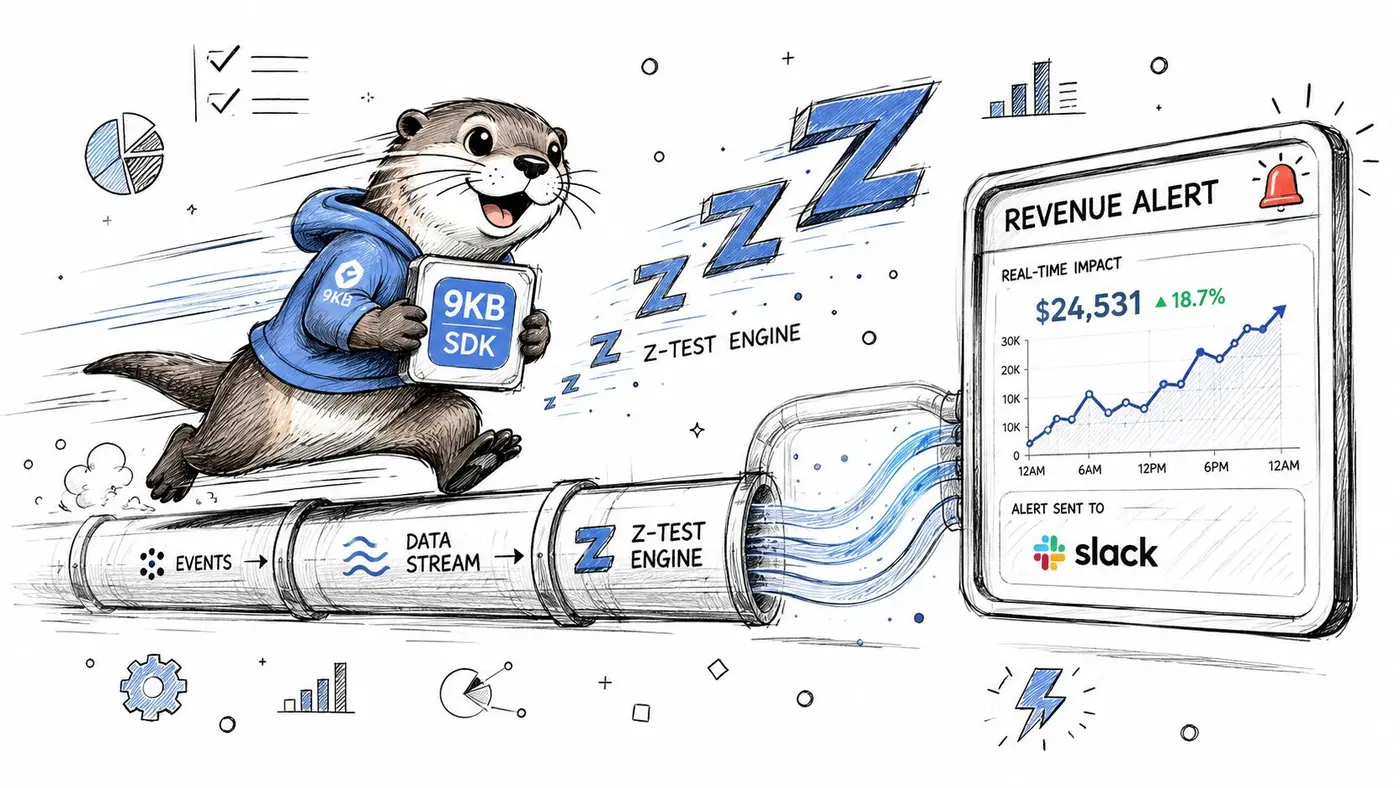
For UK e-commerce teams, performance is part of the milestone conversation. Pages loading over 2.5 seconds are associated with a 15% drop in conversions, 68% of UK developers reject new tracking tools if they increase page load by more than 50ms, and 90% of guides ignore performance. The same source states that Otter A/B's lightweight SDK loads in under 50ms with zero flicker, which makes milestone visibility possible without hurting Core Web Vitals. Those details appear in this discussion of objectives, KPIs, milestones, and monitoring.
What actionable milestone tracking looks like
The practical goal is simple. When a milestone happens, the right person should know about it quickly, and the message should include enough business context to support action.
That usually means linking several parts:
- Experiment state: Is the variant draft, live, paused, or complete?
- Business data: Are purchases, order values, and revenue attached to each variant?
- Notification flow: Does someone get alerted when a meaningful threshold is crossed?
- Reporting layer: Can stakeholders review milestone history without asking engineering for screenshots?
When these pieces stay disconnected, teams fall back into the attribution gap. They know a test changed state, but they can't see what that meant for revenue.
A practical integration pattern
One workable pattern is to treat milestones as events that move through the same systems your team already trusts.
A developer sets the experiment up through a lightweight SDK. The marketer defines goals tied to purchases or other commercial outcomes. Analytics receives the event stream. Slack receives milestone alerts that tell the team when a test moves from live to decision-ready.
That flow helps because it removes the gap between “the experiment reached a checkpoint” and “someone noticed”.
For teams mapping this process, the Otter A/B test lifecycle documentation is a useful reference for thinking through launch, monitoring, and completion states.
A short walkthrough can make that easier to picture:
Why lightweight matters more than people expect
Performance-sensitive teams often assume deeper tracking means heavier scripts. That trade-off isn't inevitable.
If the SDK is lightweight and avoids flicker, developers don't have to choose between experimentation and user experience. That matters because milestones only help if the underlying test is trustworthy. A tracking setup that changes page feel or delays rendering can muddy results before the analysis even begins.
Strong milestone tracking should feel visible in reporting, not heavy in the browser.
The useful shift here is conceptual. Instead of treating milestone tracking as a project-management overlay, teams can treat it as a live operational system. A milestone isn't a note in a spreadsheet. It's a real event linked to behaviour, revenue, and a next action.
Best Practices You Need to Know
The best milestone tracking setups are usually the simplest ones. They don't try to label every tiny action. They identify the few points that change decisions and make those points unmistakable.
A short checklist helps:
- Define milestones in plain language: Everyone should know what “ready”, “live”, and “complete” mean.
- Review them weekly: Regular review catches drift before it becomes expensive.
- Tie each milestone to one business outcome: If a milestone matters, it should connect to revenue, orders, conversion, or another clear result.
- Automate alerts where possible: Don't rely on someone remembering to refresh a dashboard.
- Protect site performance: Tracking only helps when the user experience stays intact.
- Record outcomes after the test closes: A finished experiment should leave behind a clear decision trail.
Done well, milestone tracking becomes a habit of precise thinking. That's valuable whether you're shipping product changes, running CRO programmes, or trying to prove that an experiment improved the business rather than just the chart.
If you want a lightweight way to connect A/B test milestones directly to revenue, Otter A/B is built for exactly that. It helps teams track variants, monitor significance, and surface revenue outcomes without adding heavy scripts or visual flicker, so marketers and developers can make faster decisions with confidence.
Stop guessing
Ready to start testing?
Set up your first A/B test in under five minutes. No credit card required.
- 14-day free trial
- No credit card required
- Cancel anytime